Skip to content
SKU RF-VF-VS1

[REFURBISHED] VIOFO VS1 Mini 2K QHD Dash Cam

Availability:
Out of stock
Sold out
Original price $99.99
Original price $99.99 - Original price $99.99
Original price $99.99
Current price $89.99
$89.99 - $89.99
Current price $89.99
Refurbished
Every order includes:

Chat with an expert

Talk to a dash cam expert before you order.

VIOFO VS1 Mini 2K HDR Dash Cam with GPS

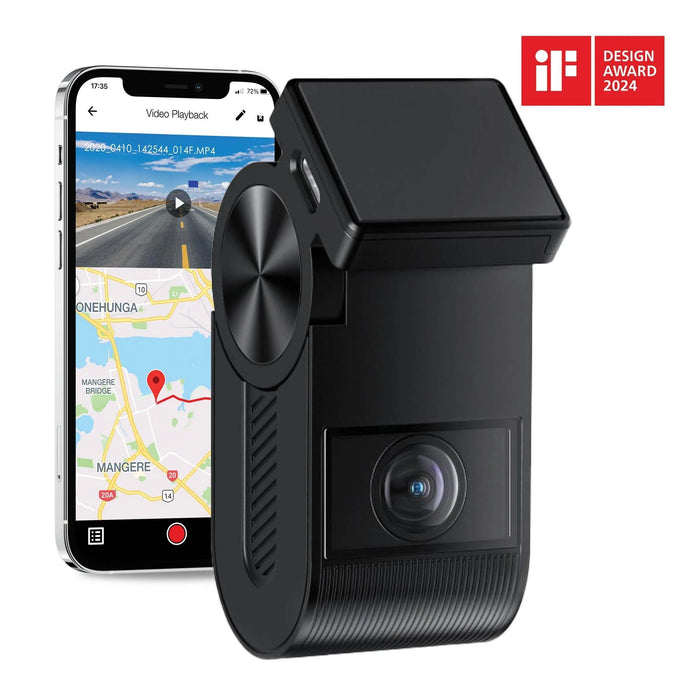
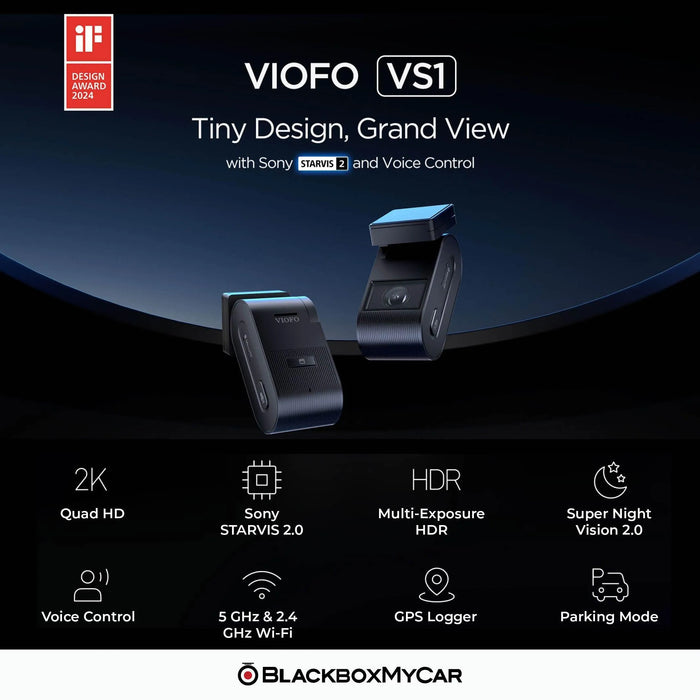
This VS1 Mini offers screen-free front recording in a small body, with 2K HDR, local Wi-Fi and built-in GPS. Its Sony STARVIS 2 sensor records at 30FPS. Choose it when compact installation and phone-based setup matter more than an on-camera display.

This listing includes a 12-month warranty and the 32GB card listed below. Compare the new VS1 package for new condition and its 18-month warranty.

2K HDR 30FPS

STARVIS 2

Local Wi-Fi

Voice Control

Parking Mode

Small camera, single front view

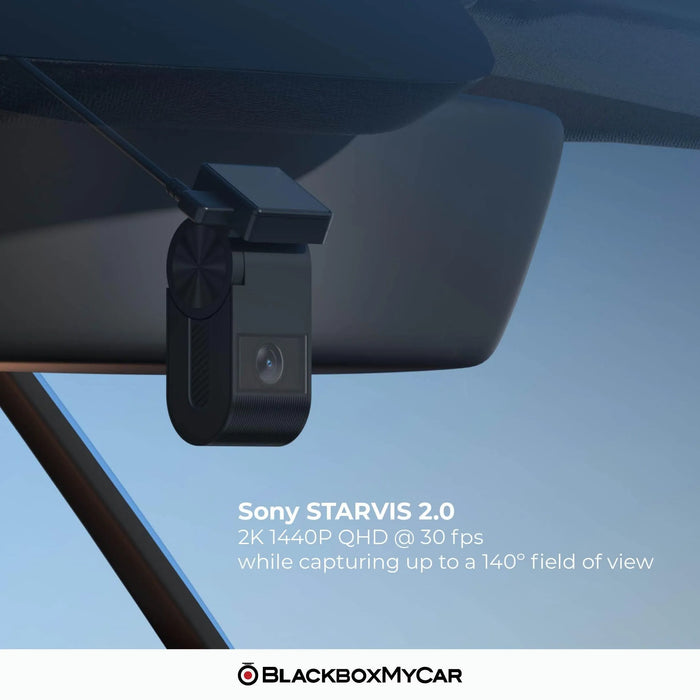
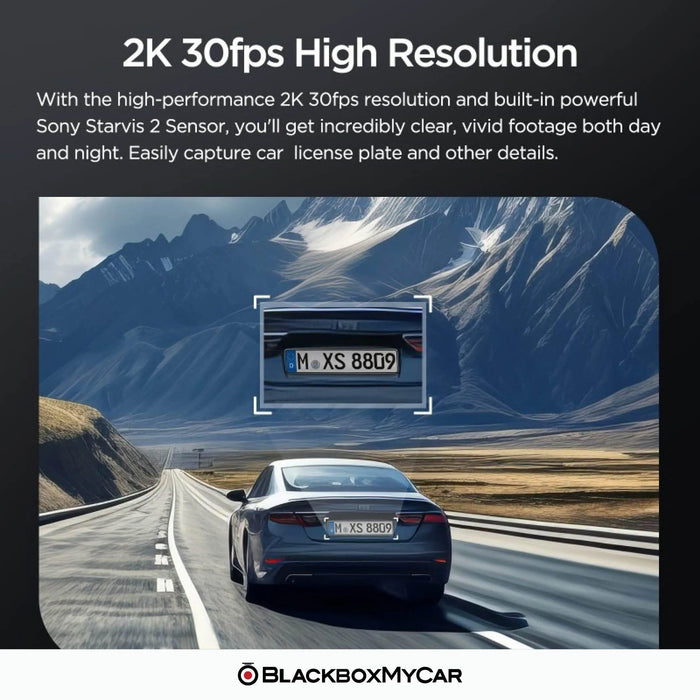
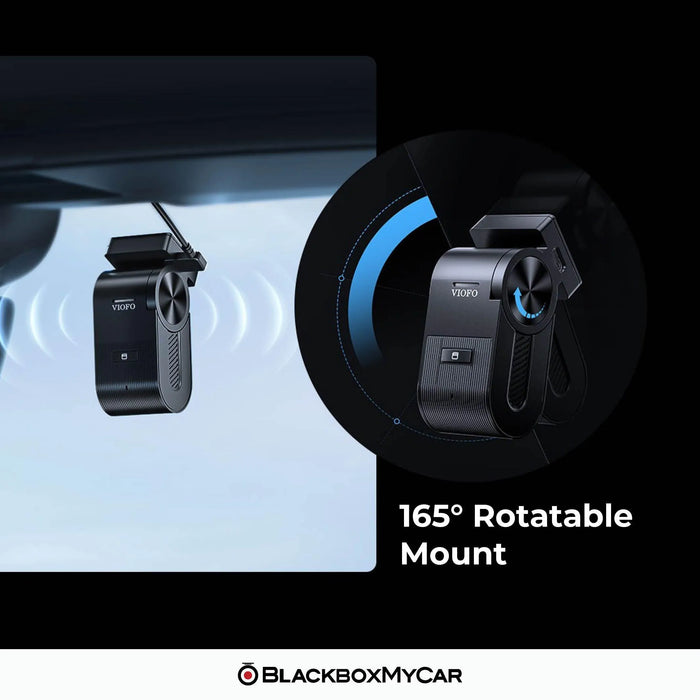
The VS1 records 2560 × 1440 at 30FPS through a 140° lens. Its 5MP Sony STARVIS 2 IMX675 sensor and F1.6 aperture provide a compact option for recording the road ahead. The camera has no display, which keeps the body small enough to fit behind many rear-view mirrors.

Use the app preview while parked to check the mounting position and aim the lens. Keep the camera within a clear, wiper-cleaned area without obstructing your view. This is a front-only system; a rear camera cannot be added. For front and rear coverage, compare the A229 Plus 2CH.

VIOFO VS1 camera held in one hand to show its compact size

HDR for changing light

HDR combines exposures to balance bright highlights and darker areas, such as the view through a tunnel exit. The VS1 records at 30FPS. Enable HDR or set the HDR timer in the VIOFO app.

Keep the windshield and lens clean and inspect original recordings in daylight and at night. Speed, distance, glare and lighting still affect readable detail. The illustration shows the effect of HDR; it is not a promise that every plate will be readable.

For dashboard reflections, consider the optional VS1-specific CPL-400 filter. It is a different fit from the CPL-100 and CPL-200, so select CPL-400 for this camera.

Illustration comparing the brightness balance of HDR on and off at a tunnel exit

Voice commands and spoken alerts

Voice commands let you take a photo, lock the current video, start recording, switch audio and turn Wi-Fi on or off. Spoken notifications report camera status and recording problems. The physical video-protect button provides another way to lock a clip.

The current manual lists voice control in English, Chinese, Russian and Japanese. With other system languages, commands use English. Set up and test your preferred commands while parked. The optional BTR200 Bluetooth remote can provide a reachable clip-lock button.

Examples of VS1 voice commands for taking a photo, switching Wi-Fi and locking video

Nearby phone access and recorded GPS data

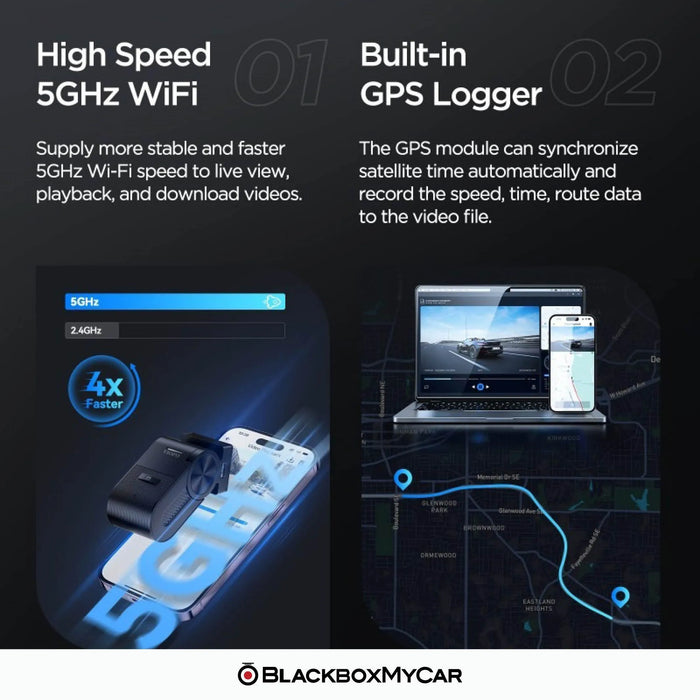
Connect a nearby phone over 2.4GHz or 5GHz Wi-Fi to use the VIOFO app for live preview, settings, playback and downloads. Stop recording in the app before changing settings, then resume it before driving. Transfer speed depends on your phone, interference and file size.

Built-in GPS records position and speed when a satellite signal is available. Use downloaded footage with the app or VIOFO Player to review the recorded route. Local Wi-Fi and GPS do not provide remote live viewing, LTE connectivity or live vehicle tracking.

If you prefer controls and playback on a built-in screen, compare the A119 MINI 2. It also offers 2K 60FPS with HDR off; the VS1 stays at 30FPS.

VS1 beside a phone illustrating local Wi-Fi playback and downloads

Choose parking recording for your use

The separately sold VIOFO HK5 hardwire kit provides constant power and an ignition signal for automatic parking mode. Match the fuse taps to the vehicle, set the voltage cutoff and test the installation. A charger in an ignition-switched socket stops supplying power when the engine is off.

  • Auto Event Detection: buffered recording saves footage around detected motion or impact, including footage from before the trigger.
  • Time-lapse: records continuously at a reduced frame rate without audio.
  • Low bitrate: records continuous video and audio in smaller files.

Parking duration depends on power, temperature and settings. Set a recording timer where appropriate. The supercapacitor helps finish saving a file when power ends; it cannot power the camera by itself. Read our parking-mode guide for setup considerations.

VS1 parking-mode illustration showing event recording, time-lapse and low-bitrate options
What's Included
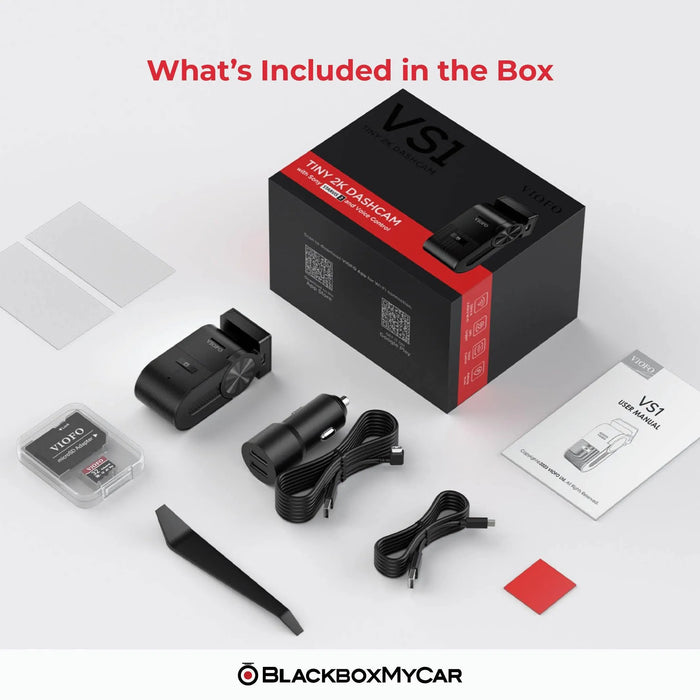
  • VS1 Mini front camera with built-in GPS
  • VIOFO 32GB microSD card
  • 12V car charger and power cable
  • USB-C data cable
  • Spare mount adhesive pad
  • Trim removal tool
  • Windshield static stickers
  • User manual
Specifications
Camera Configuration 1 channel: front only
Front Resolution 2560 × 1440 at 30FPS; HDR supported
Front Image Sensor 5MP Sony STARVIS 2 IMX675
Front Field of View F1.6 aperture; 140° field of view
Recording Modes Continuous loop recording; impact-triggered file locking; parking recording with compatible power
Display None; app preview and setup
Connectivity 2.4GHz and 5GHz, local connection
GPS Built in; recorded position, speed and time
Parking Mode Buffered Auto Event Detection, time-lapse, low bitrate
Storage Support 32GB card included; compatible microSD up to 512GB
Included Memory Card VIOFO 32GB microSD card included
Power 5V / 1A through USB-C; Supercapacitor; continuous external power required
Operating Temperature −20°C to 65°C (−4°F to 149°F)
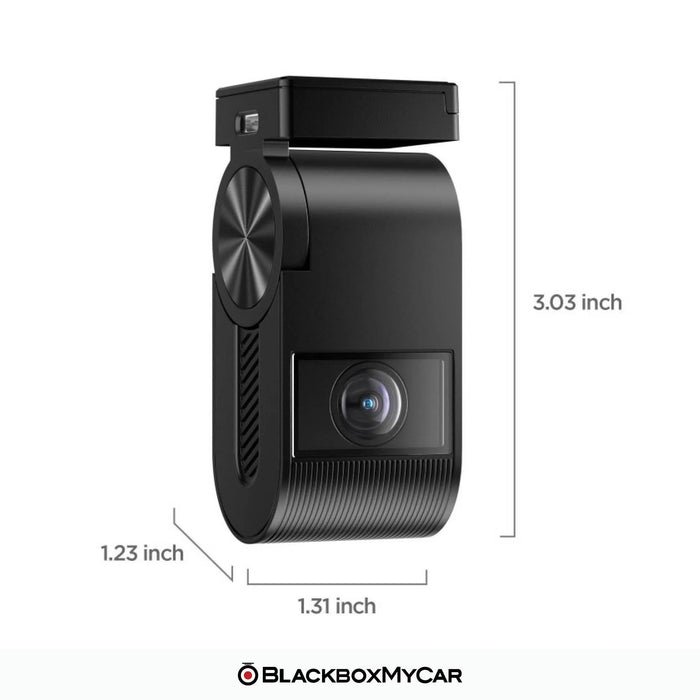
Dimensions 1.31 × 1.23 × 3.03in
Country of Origin China
Warranty 12 months, backed by BlackboxMyCar
Voice Voice commands and spoken notifications
Parking power HK5 hardwire kit, sold separately
Microphone and speaker Built in
Video format MP4
Compatible CPL filter CPL-400, sold separately
Frequently Asked Questions

Does the VS1 have a screen or support a rear camera?

No. The VS1 is a single front camera without a screen or rear-camera input. Use the nearby phone app for preview and setup. Compare the A119 MINI 2 for a built-in display or the A229 Plus 2CH for a connected front-and-rear system.

What resolution, sensor and frame rate does it use?

It records 2560 × 1440 at 30FPS using a 5MP Sony STARVIS 2 IMX675 sensor and a 140° F1.6 lens. HDR is supported. There is no 60FPS recording option on the VS1.

Is a memory card included, and how large can it be?

This BlackboxMyCar package includes a VIOFO 32GB microSD card. The camera supports compatible cards up to 512GB. For more recording space, choose a compatible high-endurance microSD card within that limit; available card sizes are listed on the card product page.

Which hardwire kit does the VS1 need?

Use the VIOFO HK5 hardwire kit for automatic parking recording. It is sold separately and uses the correct VS1 connection. Fuse taps must match the vehicle. HK3, HK4 and HK6 should not be substituted simply because some kits use USB-C connectors.

Does parking mode save footage before an event?

Yes. Buffered Auto Event Detection saves footage from before and after a detected event. The camera needs a supported continuous power supply. Time-lapse and low-bitrate recording are separate parking choices, and available power limits how long recording can continue.

Can I view the VS1 remotely or track my vehicle?

No. Its Wi-Fi connection works with a nearby phone, and its GPS saves location and speed with recordings. It has no LTE modem or cloud connection for remote viewing, parking notifications or live vehicle tracking.

Which voice commands and languages are supported?

The current manual lists taking a photo, starting recording, locking video and switching audio or Wi-Fi. Voice control supports English, Chinese, Russian and Japanese; other system languages use English commands. Voice notifications report status separately from voice control.

Which polarizing filter fits the VS1?

The optional VS1-specific CPL-400 filter fits the VS1. Select that model rather than a filter for another VIOFO camera. Check the recorded view after fitting it, including at night.

How do I save files and maintain the memory card?

Download important clips promptly or copy them to a computer. Loop recording replaces older ordinary files as the card fills. Turn the camera off before removing the card. Back up needed footage before formatting because formatting erases it, then check a new recording after reinserting the card.

How do I update the VS1 firmware?

Open our manuals and firmware hub, select VS1 and follow the instructions for that exact model. Back up recordings and note your settings before formatting the card or updating. Keep power stable during the update and recheck recording, time, Wi-Fi and parking settings afterwards. Do not install firmware from a different model or force a downgrade.

What condition is this unit in?

BlackboxMyCar Outlet products are tested, like new and backed by our in-house 10-point check. This unit includes a 12-month BlackboxMyCar warranty and our normal return policy.

Resources

Earlier reviews compare the products and packages available when they were written. Use the specifications, included items and 12-month warranty on this listing for this purchase.