Skip to content
SKU TW-U3000-1

Thinkware U3000 4K UHD Single-Channel Dash Cam

Availability:
Out of stock
Sold out
Original price $429.99 - Original price $429.99
Original price
$429.99
$429.99 - $429.99
Current price $429.99
Sold Out
Every order includes:

Chat with an expert

Talk to a dash cam expert before you order.

Thinkware U3000 1CH: 4K Front Dash Cam

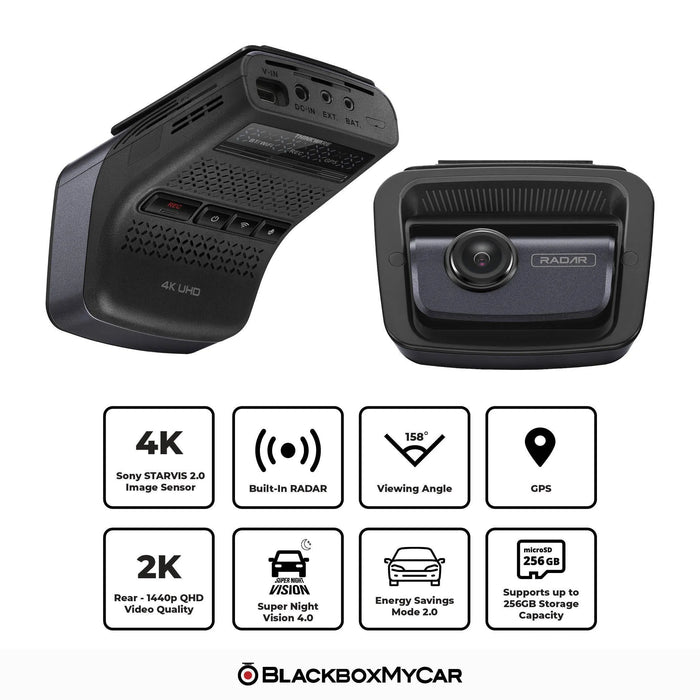
The Thinkware U3000 1CH records the road ahead in 4K with a Sony STARVIS 2 sensor and built-in front radar. It is a front-only package for drivers who want GPS and phone access without a screen on the windshield. No rear camera is included.

A 64GB microSD card and front CPL filter are included. This new Thinkware dash cam carries a one-year warranty. Choose the power installation and recording mode for how you use the vehicle.

4K Front

STARVIS 2 Front

Radar Parking

Built-in GPS

Dual-Band Wi-Fi

4K detail or smoother 2K recording

The front camera records 3840 × 2160 at 30FPS or 2560 × 1440 at 60FPS. Its 8.4MP Sony STARVIS 2 IMX678 sensor uses a 152° diagonal lens. Aim the camera after mounting and check an original recording.

The supplied camera covers the front view only. For rear-window recording, compare a complete U3000 Pro 2CH kit before ordering. The sample video demonstrates a U3000 front-and-rear setup. Rear footage shown in the video requires a rear camera and is not included with a 1CH package.

Adjust the view for changing light

Super Night Vision 4.0 processes low-light recordings, while Wide Dynamic Range and automatic exposure help balance bright and dark areas. Dewarping reduces the curved appearance associated with a wide-angle lens.

The original U3000 does not have the Pro model’s HDR system. Its included CPL filter can reduce windshield reflections, but it cannot remove every glare source. Lighting, motion, weather and lens cleanliness all affect the footage. Treat the night-traffic image as an illustration of the driving conditions, not a sample captured by this camera. Use the video above and your own saved clips to assess detail.

Illustration of vehicle traffic at night

Radar watches for activity while parked

The included camera has front radar. This package does not provide a rear view or rear radar coverage.

Radar mode records a 20-second clip when it detects motion or an impact. It saves power while waiting for activity; do not treat it as continuous video or assume it always has footage before a collision. Parking operation needs an appropriate permanent-power installation. A Thinkware hardwiring cable or compatible OBD-II installation is separate. Runtime depends on battery capacity and condition, detected activity, temperature and cutoff settings.

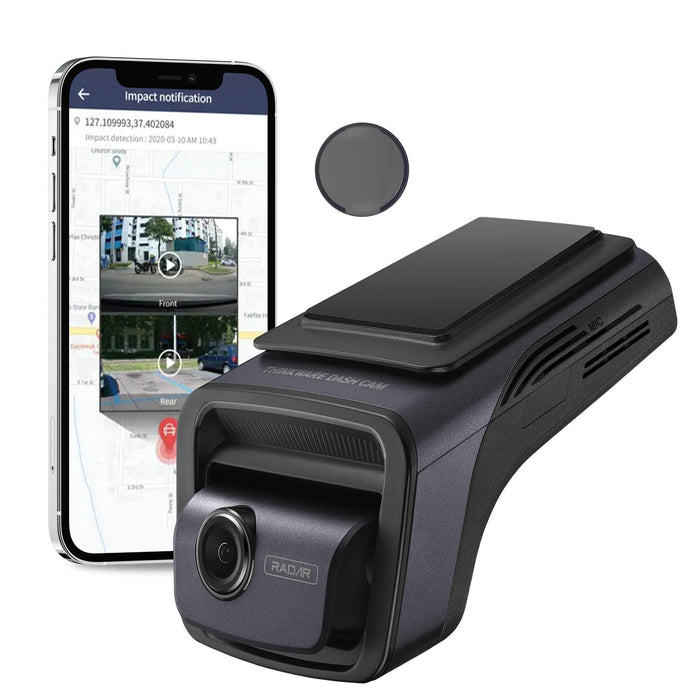
Original Thinkware U3000 front camera with CPL filter and illustrative phone screen; phone not included

Choose buffered clips or time-lapse footage

Motion Detection records 20-second clips, including ten seconds before and ten seconds after a motion or impact trigger. Time Lapse records at 2FPS: ten minutes becomes a two-minute clip. Its impact event covers 50 seconds before and after detection, compressed into 20 seconds.

Energy Saving wakes after an impact and records for 20 seconds. It has no pre-impact footage. The manual warns that changing parking modes deletes videos saved under the previous settings, so back them up before switching. For an independent parking power supply, compare the Thinkware iVOLT battery pack with the correct connection cable. Smart Parking can switch to lower-power impact recording in high temperatures; it does not make extreme heat suitable for uninterrupted recording.

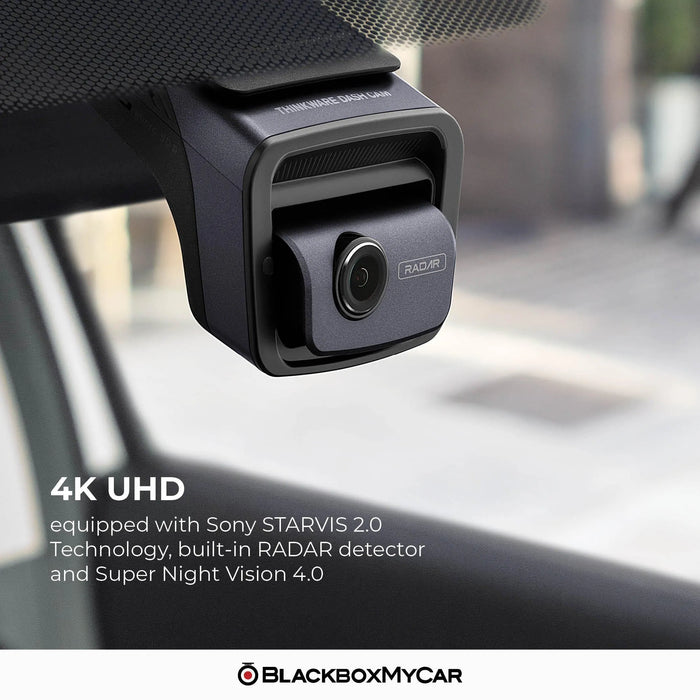
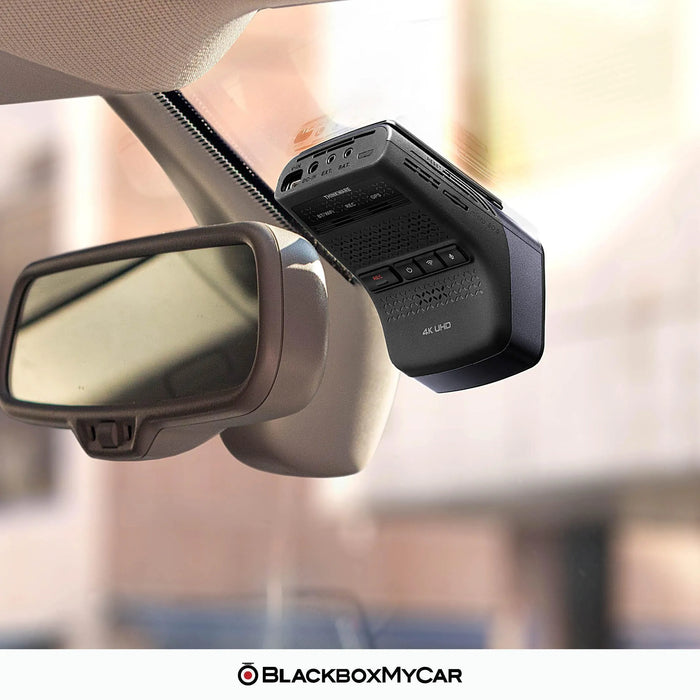
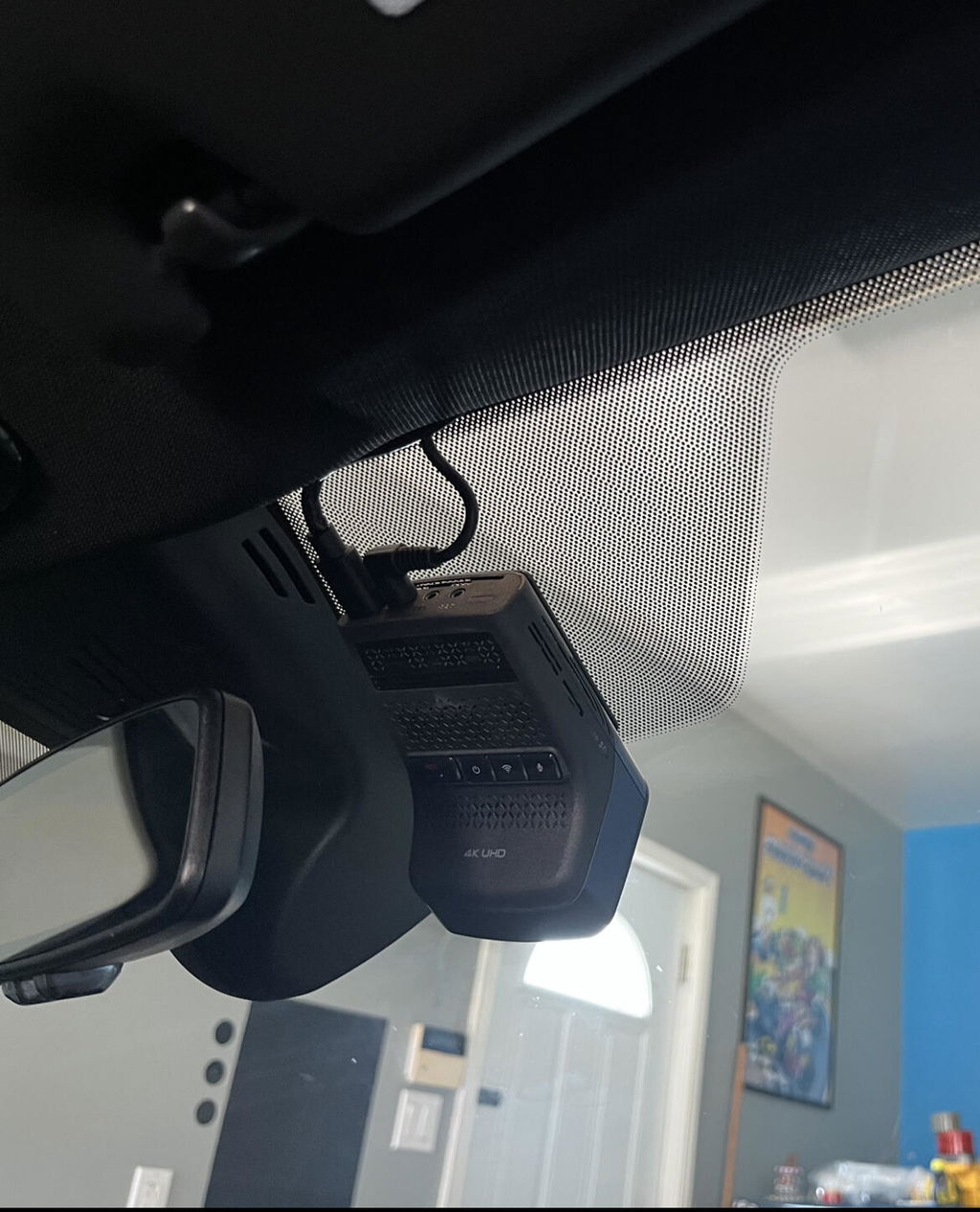
Original Thinkware U3000 installed near the rear-view mirror

Use the nearby app for setup and downloads

Bluetooth assists pairing with Thinkware DASH CAM LINK. Dual-band 2.4/5GHz Wi-Fi connects your phone nearby for settings, live view and video downloads. This local connection does not require a cellular subscription.

GPS and GLONASS provide location information. Supported driving alerts include lane departure, forward collision, low-speed forward collision and front-vehicle departure notices. Safety-camera alerts depend on the installed regional database. These are warnings for the driver, not vehicle-control features. Check alert settings and keep the firmware, app and supported safety-camera data current.

Phone being used near a vehicle for dash cam setup

Remote access needs a separate hotspot

Thinkware CONNECTED can provide remote live view, supported impact notifications and vehicle status when the camera has internet through a compatible Wi-Fi hotspot. The hotspot needs to stay powered and within coverage; mobile data charges may apply.

The phone used to configure the camera cannot also serve as its hotspot during setup. Use another compatible phone or hotspot device. Nearby DASH CAM LINK access and remote CONNECTED access are separate functions. The app image is illustrative and may differ from the current interface. Remote access also depends on the recording mode and power state. The original U3000 does not use the U3000 Pro’s plug-in LTE accessory arrangement.

Illustrative Thinkware app screens for camera and vehicle information

Save important footage and check the power setup

A 64GB card is included, and the original U3000 supports compatible 64GB, 128GB and 256GB UHS-I microSD cards. It records H.265 video in MP4 files. Use a compatible player and a suitable replacement memory card when needed.

Loop recording replaces older files. Export important originals before formatting, changing parking modes or allowing older footage to be overwritten. Recording time varies with settings and the number of cameras connected. The main unit accepts DC 12/24V through the specified installation. The supplied cigarette-lighter cable is for driving recording. A supercapacitor provides backup power for shutdown; it is not an overnight recording battery. The operating range is −10°C to 60°C.

Illustration of vehicles moving from a tunnel into daylight

Compare the original U3000 with the Pro

The U3000 Pro 2CH adds a STARVIS 2 rear sensor, HDR during supported driving modes, support for cards up to 512GB and optional plug-in LTE or cabin-camera hardware. The original U3000 reviewed here supports up to 256GB and uses a separate Wi-Fi hotspot for remote connectivity.

The original U3000 review video covers the front-and-rear model. Equipment, prices and offers mentioned in older videos may differ from the package listed above. Use this page’s current contents and specifications when choosing the kit. More installation and comparison videos are available in Resources below, along with the exact original U3000 manual.

What's Included
  • Front camera and mount
  • 12V cigarette-lighter power cable, 4m (about 13ft)
  • Trim tool
  • Heat-blocking film
  • Adhesive cable holder
  • 64GB microSD card and adapter
  • Thinkware front CPL filter
Specifications
Camera Configuration Front only
Front Resolution 4K 3840 × 2160 at 30FPS; 2K 2560 × 1440 at 60FPS
Front Image Sensor Sony STARVIS 2 IMX678, 8.4MP, 1/1.8-inch type
Front Field of View 152° diagonal
Recording Modes Loop recording; older recordings are overwritten
Display No built-in screen
Connectivity 2.4GHz and 5GHz
GPS Built-in GPS / GLONASS
Parking Mode Radar, Motion Detection, Time Lapse or Energy Saving
Storage Support Compatible 64 / 128 / 256GB UHS-I microSD
Included Memory Card 64GB microSD
Power Main unit: DC 12 / 24V; Supercapacitor
Operating Temperature −10°C to 60°C (14°F to 140°F)
Dimensions 69.8 × 98.1 × 55.5mm
Warranty 1 year on this new Thinkware dash cam
Condition New
Image processing Wide Dynamic Range, automatic exposure and dewarping
Night mode Super Night Vision 4.0
HDR Not supported on the original U3000
Radar Front camera only
Time Lapse 2FPS
Included power Cigarette-lighter cable for driving
File format H.265 / MP4
Bluetooth 5.0 / BLE
Impact sensor Three-axis G-sensor
Nearby app Thinkware DASH CAM LINK
Remote service Thinkware CONNECTED through a separate internet hotspot
Mean draw 4.1W for 1CH; actual use varies
Front weight 133g
Storage range −20°C to 70°C (−4°F to 158°F)
Frequently Asked Questions

What cameras, recording options and sensors are included?

One front camera is included. There is no rear or cabin camera. Product videos may show other U3000 configurations. The front records 4K at 30FPS or 2K at 60FPS. The 60FPS option reduces the front resolution to 2K. This kit has no rear camera. Its front camera uses Sony STARVIS 2. The separate original U3000 rear camera uses a Sony STARVIS IMX335 sensor. The original U3000 has no HDR. It offers Wide Dynamic Range and exposure processing. The U3000 Pro is a different model with HDR in supported driving modes.

What power connection is needed for parking?

This front-only package supplies a cigarette-lighter cable for driving. A compatible hardwire, OBD-II or battery installation is needed for parking recording. The supplied cigarette-lighter connection supports driving recording. Use a compatible permanent-power installation and configure parking settings for recording after the engine is switched off.

Which parking modes save footage before an event?

Radar mode waits for activity and saves a 20-second clip when motion or an impact is detected. Do not assume it always saves video from before a collision. Motion Detection saves ten seconds before and ten seconds after a detected impact. Time Lapse saves 50 seconds before and after at 2FPS, compressed into a 20-second event. Energy Saving wakes after an impact and records for 20 seconds. The original manual specifies recording from within one second after detection. It does not include a pre-impact video buffer.

What affects parking runtime and stored files?

The manual warns that recordings made under the previous parking settings are deleted when you change modes. Back them up first. Runtime depends on power capacity, recording mode, battery condition, temperature, cutoff settings and activity. Neither radar nor a separate battery guarantees a fixed number of days. Smart Parking can reduce power use in high temperatures, but recording may still be limited or stopped by thermal protection. The operating range remains −10°C to 60°C.

How do nearby downloads and remote access differ?

Nearby downloads do not need an internet plan. Use DASH CAM LINK over the camera’s local Wi-Fi connection. A data plan is only relevant if you use cellular internet for remote features. The original U3000 needs a compatible Wi-Fi hotspot with internet access. The hotspot must remain powered and in coverage. The setup phone cannot also act as the hotspot during configuration. The original U3000 uses an internet hotspot for connected services. It does not have the Pro model’s plug-in LTE accessory arrangement; choose accessories for the exact camera model.

Which memory cards and warranty are supported?

Compatible 64GB, 128GB and 256GB UHS-I microSD cards are supported. A 64GB card is included. The Pro model’s 512GB support does not apply to the original U3000. This new Thinkware dash cam has a one-year warranty.

What changes with the U3000 Pro?

The Pro adds a STARVIS 2 rear sensor, supported driving HDR, up to 512GB storage and optional LTE or cabin-camera hardware. Those are not upgrades automatically added to the original U3000.

Resources
  • 5 stars: 213 (81%)
  • 4 stars: 29 (11%)
  • 3 stars: 7 (3%)
  • 2 stars: 6 (2%)
  • 1 star: 7 (3%)
Some of the reviews shown are from related products the merchant grouped with this one.
G
Gerry J. (United States)
Needed the camera, not radar

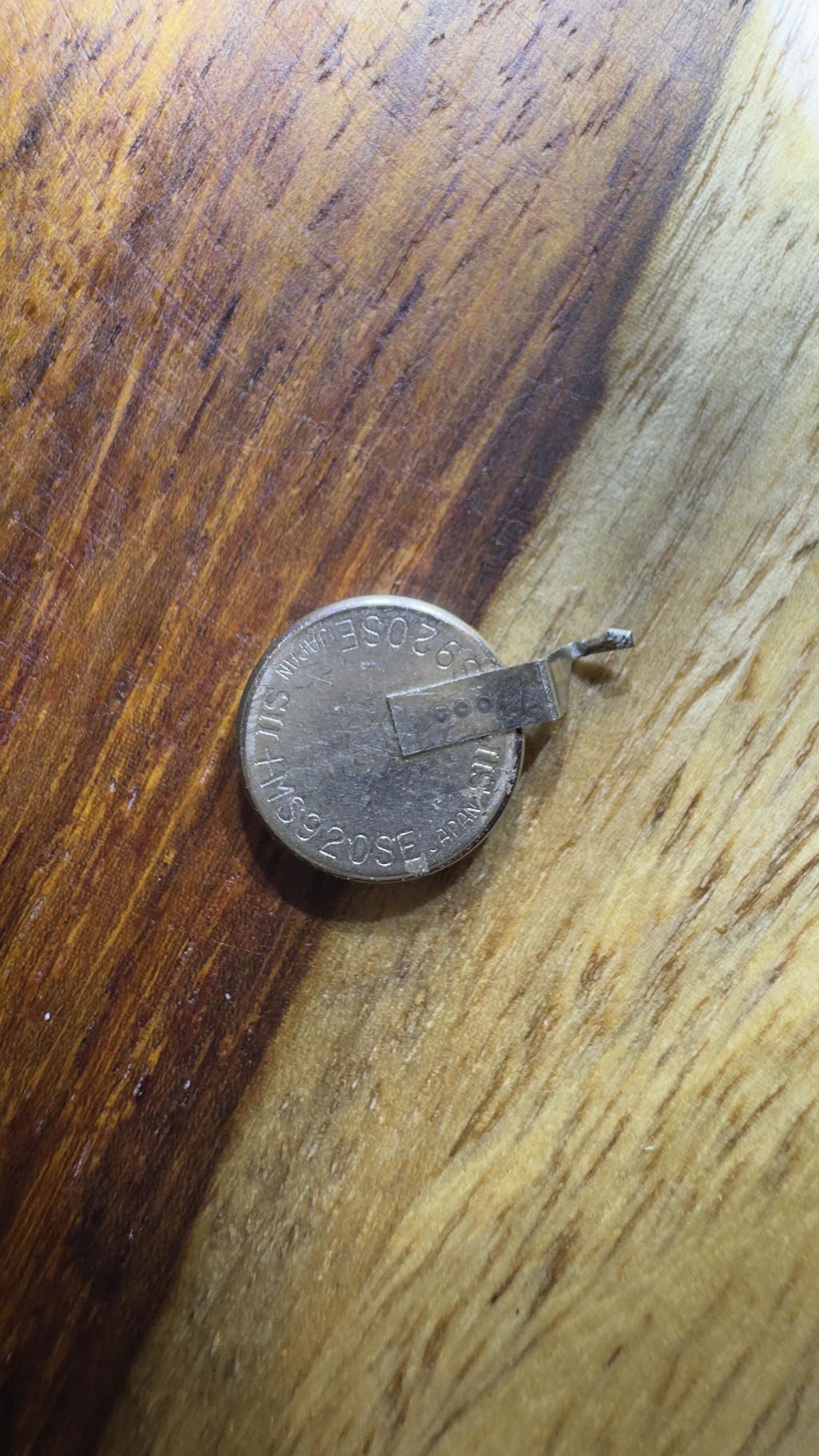
I purchased another Thinkware U1000 to replace a malfunctioning U1000 I purchased back in 2019. The new (replacement U1000) works good, since it is new. I didn't need or want the radar, so I tossed that in the trash. Now that I have an older U1000 camera to disassemble, I learned that there was an internal button battery, MS920SE-FL27E, soldered onto the circuit board. The battery died, so I replaced it and got my original Thinkware U1000 working again. Now I have a spare Thinkware U1000, AWESOME!

Thanks for your review, Gerry! We’re glad to hear your new U1000 is working well and that you’re happy with the setup.

K
Kim (United States)
Not worth it!

I bought this March 2022 with a 3 year warranty for $690. It came with the rear cam, radar and obd cable for hybrids. The app is a pain. There was even a point where it recorded nothing but a black screen, had to uninstall and reinstall the app to 'fix' it. Trying to get the app to cooperate in general to get videos was a pain and near makes it not worth buying but when it did work it worked well. The quality of the videos is good but no where as good as advertised. Heat is the biggest issue for this camera. I bought an awning for my car.... for my camera so it would be out of the heat/light. I bought an exterior sunshield even though it defeats the purpose of it recording! I babied the camera to no end! But after LESS THAN TWO YEARS it just died, power is going to the cable but camera. A SEVEN HUNDRED DOLLAR CAMERA BRICKED ITSELF IN LESS THAN TWO YEARS!!!! So much had been going on in my life I forgot where I bought the camera! I went directly to thinkware but it remained a mystery. Then I just randomly came across this site and it all pieced together. I found my account and the reciept. Now I see that this camera is less than half the price!!!! Then I see I bought a 3 year warranty for it only to notice it has expired as of 4 months ago! DO NOT BUY THIS CAMERA! It is a delicate snowflake, this is northern california, not Arizona! I kept it covered all the time which made it pointless to have! This was a poor investment on my part. Do not buy this camera! I'm absolutely furious i spent this much on garbage. I've been so busy with life i vanet even taken it out yet. Would have been nice to get videos of the stalkers, bad drivers and the one car on fourth of July this year that pulled in front of me from a side road and came to a dead stop on the freeway which I had to dodge. Thanks for nothing.

B
Bearfan920 (United States)
Love the OBD cable/parking-Mode & ability to stay cool.

Love the parking mode & OBD cable. A few years back I paid a few hundred, to have my BlackvueDR900X installed. It was installed but only comes on when my Truck is started. They couldn’t figure out on my 2021 Ram the parking mode feature. Wasted money on install. The U3000 is so simple & sits on my windshield, never gets too hot. My BlackVue is hot within minutes of being on. I love the tinted film provided too. My current setup has my U3000 on windshield & BlackVue DR900x around my rear view mirror.

C
Customer (Canada)
Great 4K Dashcam! Low power consumption!

I bought a U3000 because I wanted the one of the best on the market with the new generation STARVIS 2 sensor.
First of all, this Dashcam is smaller than I thought when I opened the package and It fit easily behind your mirror. I am really surprised about video 4K quality for sure, but I notice this Dashcam power consumption is very, very low in parking mode! With PowerCell8 dedicated battery pack 7500mAh, this Dashcam can be powered 8 days in radar parking mode! Amazing! Also there is a lot of settings you can adjust in fonction of your car, your set-up and your needs.
App on phone is fast, no issues, you can see and download your video easily, also computer App works fine, It's just perfect!

J
Jason E. (United States)
Good but

So.... I ordered the fuse tap kit. Thinking it would be just plug and play as I saw on the install videos. Not the case. Apparently have to file the fuse tap housing and the prongs thay fit into the fuse well. I have a 2021 F-150 Powerboost. So buyer beware. I have used the Hotspot feature and it did work very well. Now I have to pay for a professional installer to take full advantage of the U1000 dashcam.

J
Jason E. (United States)
Good but

So.... I ordered the fuse tap kit. Thinking it would be just plug and play as I saw on the install videos. Not the case. Apparently have to file the fuse tap housing and the prongs thay fit into the fuse well. I have a 2021 F-150 Powerboost. So buyer beware. I have used the Hotspot feature and it did work very well. Now I have to pay for a professional installer to take full advantage of the U1000 dashcam.

G
Gary S.
Thinkware U1000 installed in 2021 F250

I chose the Thinkware U1000 over other cams due to the features and the form factor (style) it has. It fits beautifully on my 2021 F250 windshield just to the right of rear view mirror. Install was a breeze, wires were ran easily behind headliner and trim panels. I hooked my U1000 up with only power when ignition is on, it can be hooked with both ignition and constant power. Constant power is used for parking video protection, which I really do not need.
The video quality is amazing.
The one little thing that can be a bit annoying at times is, that when the U1000 is either hooked up to my start phone or is searching for WiFi, I can not use my mobile internet. There is no real reason that my phone needs to be connected via WiFi to the U1000 unless I'm setting the cam settings or reviewing video. Once I start my truck the U1000 will search for WiFi for exactly 10 minutes, during this 10 minutes I can not use my phones internet. Once it stops looking for WiFi my phones internet works fine.

J
Joseph M. (United States)
Great product & service

Team was helpful in selecting right dash cam for my car. Went with Thinkware U1000. Easy to install, but if you want to do a pro job yourself then take your time. Test the unit before full install. Use the instructions from Blackboxmycar website. Once you test fit, secure the front cam and start routing cables. I have an SUV, so if you want rear cam wires hidden, take time routing cable through rubber grommet at lift gate/body hinge. I routed using a zip tie, taped to rear cam power cable,then pulled it through. Very clean and professional. You’ll have to remove plastic shrouds but it’s worth it. Get the removal toolkit...it’s definitely worth it. Then full send rear cam cable up front, tucking cables away neatly. Another tip...get some tesa tape, it’s black fabric tape used to tape cable together. Looks pro and keeps wires together when routing from front cam to either fuse box, OBD port, or battery. Black box team helped me in choosing OBD as best power option as my fuse box is in engine bay and too difficult to get to. Using iRoad and works great! Thanks again Blackboxmy car! Jos

Hi Jos, thanks for leaving a review and for shopping with us! Your pictures look great, and thank...

C
Customer (Canada)
Great Dash Cam! Not so great purchase experience

A dash cam is definitely worth the investment, this I learnt after last year I got into a fender bender because a vehicle cut in front of me on a snowy day and if I had a dash cam I would not be held partially at fault due to a he said she said situation that it became. So this holiday I saved up and bought the U1000 after watching the reviews from blackboxmycar and Dail2Fast. The Dashcam is great, great image quality, works as expected and I bought it with the Radar accessory and BI750 battery. The build quality of the dashcam is great, I only hope they would make a 3ch model with 1 for the inside of the car.

The battery pack is where the not so great part of purchase experience comes in. I ordered it on cyber Monday expecting it to be delivered in 1-3 business days as advertised. but 5 days after the order the battery showed up as backordered even though it was not when I ordered it. I was told it was due to their inventory mix up and I had to wait 20+ days for it to arrive. Also due to the rush I guess the quality control on the battery pack wasn't that good, the back sticker was falling off when it arrived. About the internals only time will tell as it's new and currently working as expected. If I would have known all this I wouldn't have ordered the battery. Also, the additional CPL filter I ordered did not have the filter in the box. It had everything else like the pamphlet, the microfiber cloth also an empty plastic which I assume should have the filter. Blackboxmycar is investigating the matter. I know these are minor things considering the holiday season and and with the pandemic but overall it took the fun out of the whole experience for me hence I took one star.

Overall I can chalk it up to it being 2020 :(. I would come back for another purchase. I have my eye on the BE-750 :) and will mostly get it if I have a good experience with the battery in the coming months.

Hi Anupam, I'm sorry that you had the not-so-perfect experience with us for that. 2020 was a tough year, but we're working very hard to make sure 2021 will be a better one. We're always working on improving our products and our service, so if you have any questions, please don't hesitate to ask us. Thank you again for leaving the review - here's to 2021!

J
John B.O. (Canada)
Thinkware U1000-2CH upgrade from BlackVue DR650GW-2CH

I got my first dashcam from Alex of Blackboxmycar, I got the Blackvue DR650GW-2CH way back in 2014. I just recently upgraded to the Thinkware U1000-2CH. 4K video quality is really great, the upgrade is really worth and Im really happy with it. My U1000 is paired with the Cellink NEO which I also got from them last year. Blackboxmycar Team is always been great on helping me everytime I needed a Dashcam upgrade for my car.! All the best to the Team!!!

Hi John, thanks for shopping at BlackboxMyCar! Come back anytime if you have any questions.

R
RICHARD T. (United States)
I am rating this dashcam 4 star for multiple reasons

I am rating this dashcam 4 star for multiple reasons. 1st, I downloaded 2 apps and spent the greater part of an afternoon trying to connect to the Connected app when i was connected to the Link app only needed the Connected app for the LTE Modular to link to the cloud. 2nd, I feel like if you sell the hardwire kit as an add on option and provide a packaged OBDll Cable in the kit why the hell can you not make the kit with the hardwire cable an option so we do not have to buy an extra cable? Now I have an OBDll cable just sitting collecting dust as the sales tech said it was not recommended to cut the 2 prong OBDll plug off to hard wire the unit. Live an learn.

Thanks for the detailed feedback, Richard. We’re glad you were able to get the system connected, and we understand the frustration around the app setup and included power cable.
For the bundle itself, Thinkware currently supplies the U3000 Pro package to us with the OBD-II cable, and they do not offer us a version bundled with the hardwire kit instead. That’s why the hardwire kit has to be added separately if you prefer that installation method.
We appreciate you pointing this out, and if there’s anything else we could have done to make your experience a full five stars, feel free to let us know.

E
Estevan

Pays for itself in both car insurance discounts and claims.

A
Anonymous (United States)
Good dashcam

Great quality recording. Not too difficult to set up and came with OBDII port for easy parking mode setup without needing to mess with fuse box.

Only minor downside to mention is that it is inconvenient to connect to dashcam via the app, often taking a few attempts, which could be troublesome if I want to access footage.

Thanks for the review! We’re glad to hear you’re happy with the U3000 Pro’s recording quality and that the OBD-II cable made parking mode setup easier.

For the app connection, one thing to check is whether wireless Apple CarPlay or Android Auto is active. These systems can take over your phone’s WiFi connection, which may make it harder to connect to the dash cam. Turning them off before connecting to the Thinkware app usually helps.

A
Archie C. (United States)
Disappointed! A Thinkware customer since 2012

I've been a Thinkware dashcam customer since 2012 I decided to upgrade to the U3000.
After installing I've just be having not stop problems with the device from the rear cam disconnecting on it own to the dascam itself not powering on to record the trip to seeing unviewable video clips.
I'm really disappointed and at a crossroad should I consider another Thinkware product or try another brand.

Thanks for your feedback, Archie. We’re sorry to hear you’re having trouble with your U3000 Pro setup.

For the rear camera and corrupted video issue, please check that the rear camera cable is fully seated into the rear camera. It needs to be pushed in firmly until you feel it click and the cable cannot go in any further, as a loose connection can cause rear camera or recording issues.

For the power-related concerns, please contact our support team directly so we can help troubleshoot the setup and determine the next steps.

M
M.S. (United States)
Best Parking Mode

The quality is amazing! The radar feature during parking mode is top notch. It records movement very accurately. It does not miss anything. Very content with this dash cam.

Thanks for your review! We’re glad to hear you’re enjoying the U3000 Pro’s video quality and radar parking mode. It’s great to know the parking protection has been accurate and reliable for your setup.

M
Moshe S. (United States)
I just got this camera professionally installed in my 2016 Subaru Legacy

I just got this camera professionally installed in my 2016 Subaru Legacy. It looks great and works amazingly well. I love the clear video resolution, superior night vision, and built in radar sensor. The settings in the Thinkware Dash Cam Link app provide numerous options to choose from, to make driving as safe as possible.

Thanks for the review, Moshe! We’re glad to hear the U3000 Pro is working so well in your Subaru Legacy. Great to know you’re enjoying the clear video, night vision, radar sensor, and the range of settings in the Thinkware app.

S
Scott R. (United States)
The U3000 is good, but quirky

The U3000 is good, but I like my U1000 system better. The U3k is a little quirky with its user interface. The image quality of the U3k is outstanding. Overall, I am very happy with my purchase from Blackbox my Car.

Thanks for your review, Scott! We’re glad to hear you’re happy with your purchase and that the U3000’s image quality stands out. If there’s anything we can do to help smooth out the quirks you’ve noticed, feel free to reach out.

N
Nicholas V. (Australia)
Excellent Dash Cam

Excellent Dash Cam, with great image quality. I had the previous version and Thinkware have clearly improved the image quality, especially at night. It's also great that Thinkware made the U3000 Pro compatible with the U3000 cables - I was able to leave the old cables in place and simply plug in the new U3000 Pro front and rear cameras. Recommended.

Thanks for your review, Nicholas! We’re glad to hear the U3000 Pro has been a solid upgrade for you and that the improved night image quality stands out. It’s great to know the cable compatibility made the swap quick and easy as well.

J
JJ (United States)
Better quality but no longer connects to wifi hotspots

While the camera is an improvement in terms of video quality, I feel Thinkware's choice for not allowing the camera to connect to wifi hotspots anymore is a serious step back. The new U3000 Pro only connects to the cloud via a separate LTE module, which currently sets you back another $149 and offers less generous cloud options than wifi does. From testing the LTE module with the U3000 Pro, I found that I often ran into connectivity issues and it would turn itself off. Viewing any video (live or recorded) also went with a lot of buffering. Another serious downside is that the U3000 Pro's radar function does not allow the LTE module to be on, meaning you'll have to choose one or the other. So while I feel the video quality is better on this new camera, I feel the choice for allowing only LTE was a very bad choice. The three stars I'm giving the camera is solely for the quality and the larger SD card capacity. But, honestly, I wouldn't recommend this camera if you want to use cloud services while parked near a wifi hotspot. If you are able to connect to your home's network, I'd go with the older U3000 instead. You'll end up with a more reliable connection and more cloud-related abilities. Sad to say, but I've decided to return the U3000 Pro.

Thanks for sharing your detailed feedback, JJ. We’re glad to hear you’re happy with the improvements in video quality on the U3000 Pro. We also appreciate you taking the time to outline your experience with the updated connectivity options. Feedback like yours is really valuable for helping us understand how these updates impact real-world use.

We’re sorry to hear the new cloud setup did not meet your expectations and understand why that would be disappointing if hotspot connectivity was a key part of your previous setup. If you ever decide to revisit the U3000 Pro or need help finding the best setup for your needs, we’re always here to support you.

A
Anonymous (United States)
The best quality and good

The best quality and good design

Thanks for your review! We’re glad to hear you’re happy with the U1000’s quality and design.

Loading add-ons...