Skip to content
SKU VF-A119MiniPro

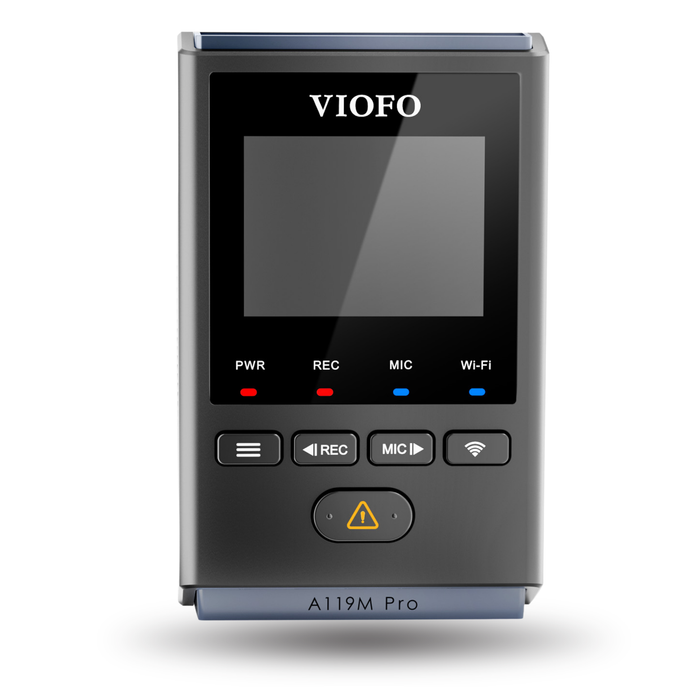
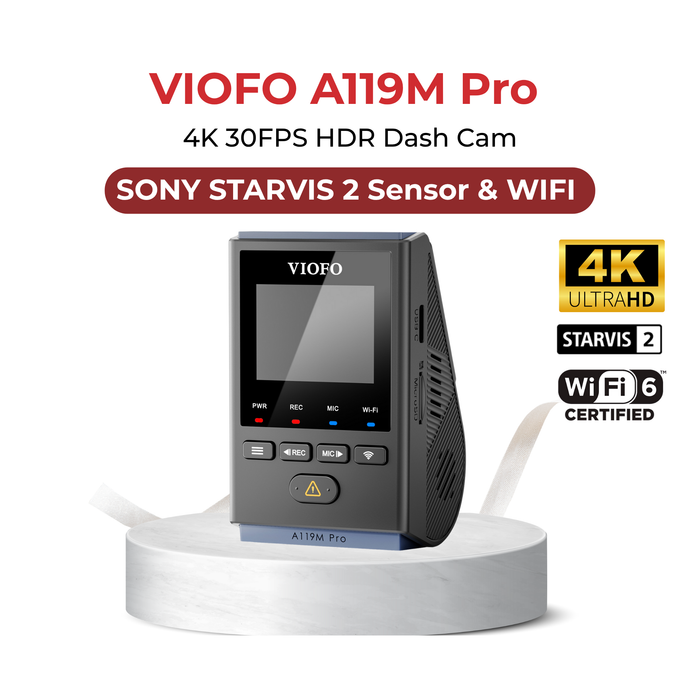
VIOFO A119M Pro 1CH 4K 30FPS HDR Dash Cam

Availability:
in stock, ready to be shipped
Original price $189.99 - Original price $189.99
Original price $189.99
$189.99
$189.99 - $189.99
Current price $189.99
Use code V-A119MPRO to take $50.00 off.
Every order includes:

Chat with an expert

Talk to a dash cam expert before you order.

VIOFO A119M Pro 1CH 4K 30FPS HDR Dash Cam

The VIOFO A119M Pro is a compact front-facing dash cam for drivers who want detailed 4K recording and convenient access to footage. It combines a Sony STARVIS 2 sensor, HDR, Wi-Fi 6, GPS and voice controls, with a small display for setup. Choose it for a straightforward single-camera installation; drivers who also need rear coverage should consider a dual-channel system such as the VIOFO A229 Plus 2CH.

4K 30FPS HDR

Sony STARVIS 2

Parking Mode

Built-in GPS

Wi-Fi 6

4K HDR Recording for the Road Ahead

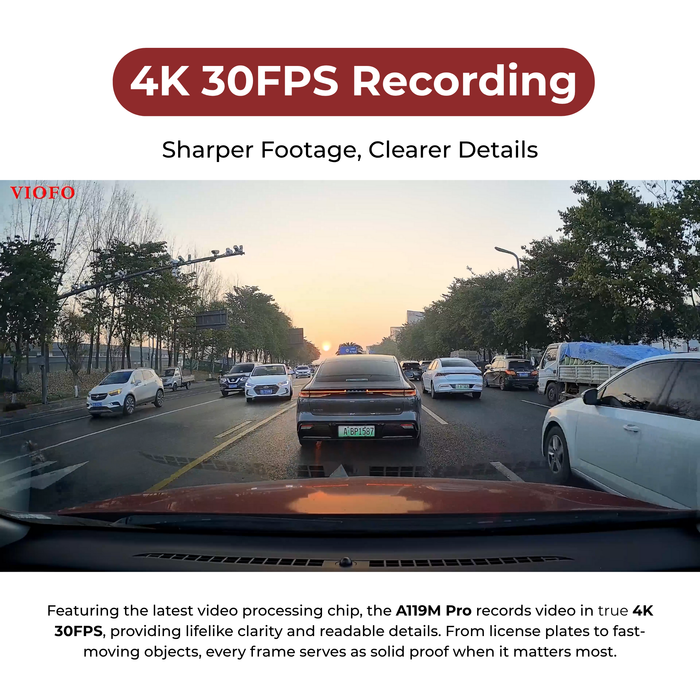
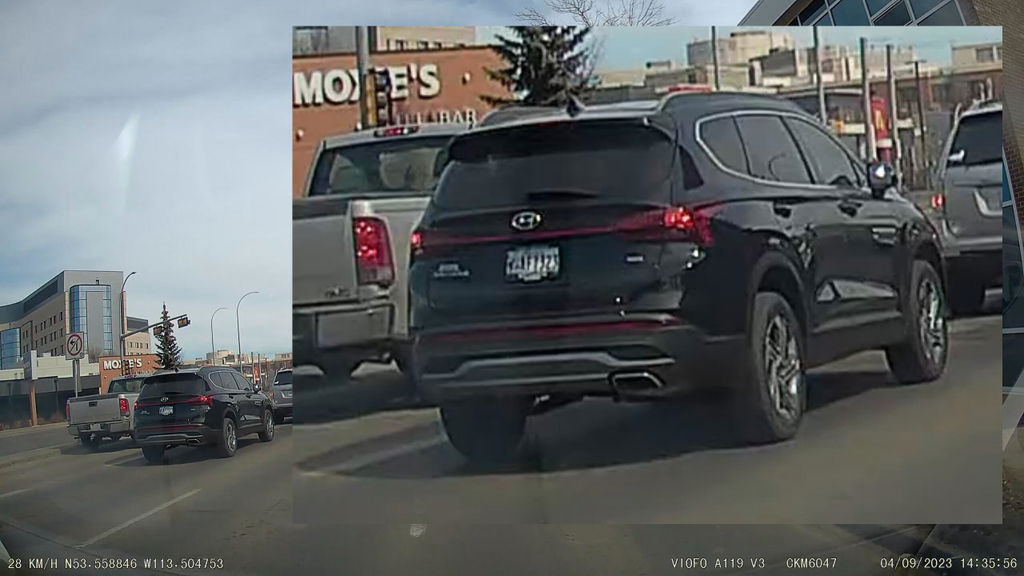
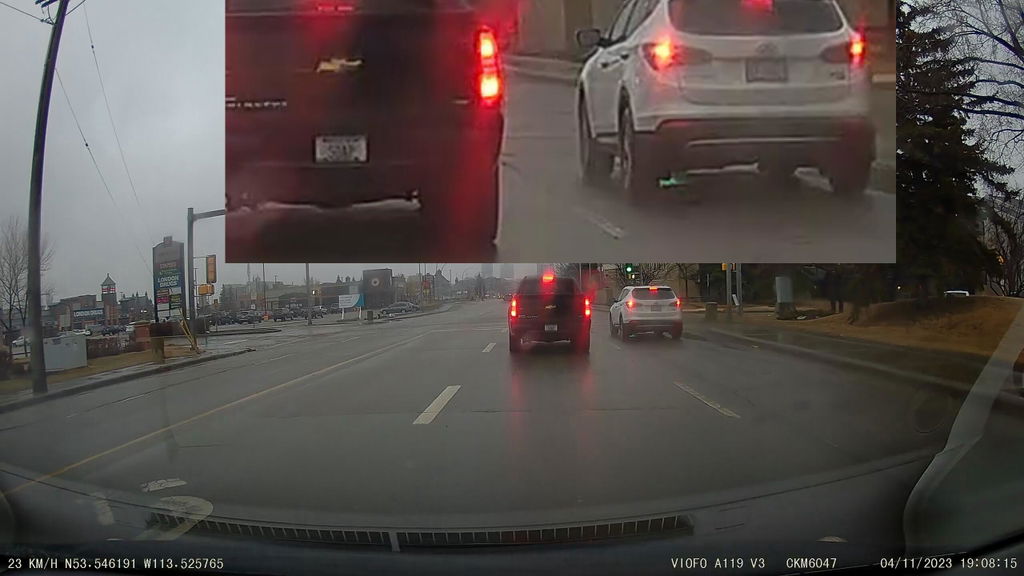
The A119M Pro records 3840 × 2160 video at 30FPS. HDR balances bright and dark areas when lighting changes, helping retain useful detail around headlights, shadows and tunnel exits. Resolution is only one part of image quality: vehicle speed, distance, weather, glare and lens cleanliness also affect whether a plate can be read. Keep the camera correctly aimed and review sample footage after installation.

A119M Pro 4K daytime recording sample in city traffic

Sony STARVIS 2 Image Sensor

The Sony STARVIS 2 IMX678 sensor supports detailed daytime footage and improved sensitivity in low light. The camera’s compact body keeps the installation discreet behind the rear-view mirror. Position it within the area cleared by the wipers and leave access to the controls and memory-card slot.

This is the 1/1.8-inch 8MP IMX678, paired with an F1.8 lens and a 140° view. It is a larger sensor than the 1/2.8-inch IMX675 in A119 MINI 2. For 4K front and rear coverage, compare a supported two-channel camera instead of trying to add a rear camera to A119M Pro.

Illustration of the A119M Pro Sony STARVIS 2 IMX678 sensor

Night Recording and Reflection Control

Super Night Vision processing helps make darker scenes easier to review. The included CPL filter reduces reflections from the dashboard and windshield. After fitting the filter, check both daytime and nighttime footage and adjust the camera angle if dashboard glare remains visible.

A119M Pro Super Night Vision sample at a dark roundabout

Wi-Fi 6 for Reviewing and Sharing Clips

Connect through the VIOFO app to preview recordings, change settings and download selected clips. Both 2.4GHz and 5GHz connections are supported. VIOFO advertises transfers up to 30MB/s under interference-free test conditions; actual speed depends on the phone, radio conditions and file size. Save the original incident file before making an edited or compressed copy for sharing.

This is local phone access, not cloud monitoring. There is no built-in LTE connection, remote vehicle tracking or remote parking notification service.

A119M Pro Wi-Fi playback on a phone with advertised transfer-speed figures

Direct USB-C File Transfers

A compatible USB 2.0 USB-C to USB-C data connection provides another way to retrieve footage. VIOFO specifies that the phone must support the connection and supply 5V/2A; a charging-only cable will not provide file transfer. The manufacturer’s up-to-20MB/s example uses an iPhone 16, so it should not be treated as a guaranteed speed for every device.

A119M Pro connected to a smartphone with a USB-C data cable

Storage That Matches Your Driving

The camera supports microSD cards up to 512GB. Capacity determines how much history can be retained before ordinary loop-recording files are overwritten; recording settings and parking use also affect retention. Choose a suitable high-endurance microSD card, format it in the camera and copy important footage promptly. Check the selected card’s capacity against the camera limit.

A119M Pro loop-recording illustration with a sequence of road images

Voice Controls and Spoken Notifications

Supported voice commands let you perform common camera functions without navigating the display. Spoken notifications help identify recording or storage problems. Set the camera up before driving, learn the supported commands and confirm that important clips have been saved when it is safe to stop.

A119M Pro voice-command examples for photos, Wi-Fi and video locking

GPS Context for Incident Review

Built-in GPS records location and speed information alongside footage. This can help you retrace a journey or establish where an event occurred. Review the camera’s time and date settings after installation and confirm reception in your vehicle, particularly if the windshield has coatings that may affect satellite signals.

The GPS module supports GPS, BeiDou, Galileo and GLONASS. Download the recording first to view its GPS map in the VIOFO app or compatible PC player.

A119M Pro GPS illustration showing location, speed and time

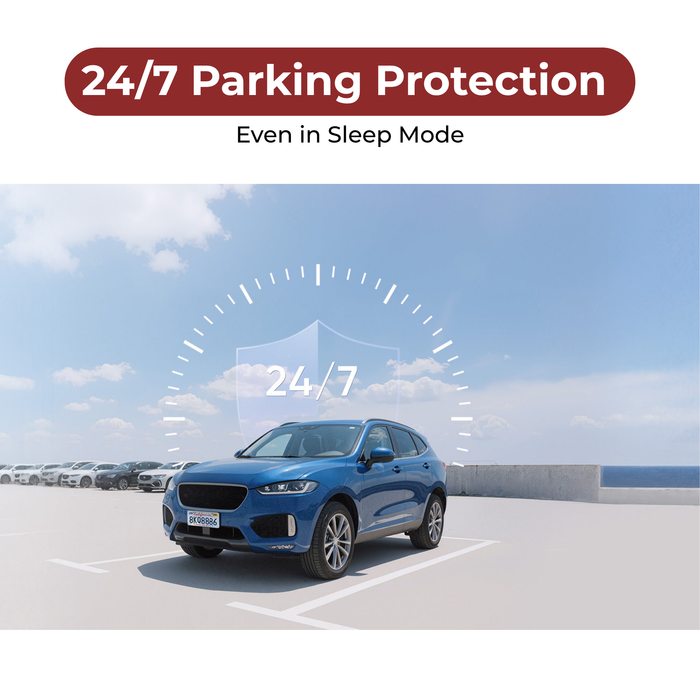
Buffered, low-power and Hybrid parking recording

Auto Event Detection saves 15 seconds before and 30 seconds after detection. Time-lapse records fewer frames without sound; low-bitrate records continuously with audio. These modes need a supported permanent power connection. Current A119M Pro firmware also offers low-power impact detection and Hybrid Parking Recording. Low-power standby wakes after an impact, VIOFO specifies about two seconds to wake, followed by a one-minute recording. It does not capture the moments before the impact or wake just because a person walks past.

Hybrid starts in 1FPS time-lapse, low-bitrate or event recording, then switches to impact standby at the configured time or voltage. VIOFO HK4 supports the time-based approach; VIOFO HK6 is required for voltage-based controls. Install the current camera firmware and follow its menu guidance. The hardwire kit is sold separately. Set a suitable parking duration and battery protection threshold. Recording stops when power or a configured limit is reached. See our parking-mode guide for setup considerations.

A119M Pro parking-mode illustration with a vehicle in a parking lot

18-Month Warranty and Installation Notes

The A119M Pro includes an 18-month manufacturer warranty. VIOFO specifies an operating range of −20°C to 65°C (−4°F to 149°F). Use the supplied mounting materials on clean, dry glass, route cables clear of airbags and check the installation before driving. A hardwire kit and microSD card are sold separately.

VIOFO 18-month warranty graphic
What's Included
  • A119M Pro front camera with GPS mount
  • Car charger
  • USB-A to USB-C data cable
  • CPL-100 filter
  • Trim removal tool
  • Spare adhesive pad
  • Windshield static stickers
  • Warning sticker
  • Quick-start guide and user manual
Specifications
Camera Configuration 1 front camera; no rear-camera expansion
Front Resolution 3840 × 2160 at 30FPS with HDR
Front Image Sensor Sony STARVIS 2 IMX678; 1/1.8-inch, 8MP
Front Field of View F1.8 aperture; 140° field of view
Recording Modes Loop recording; G-sensor and manual file protection
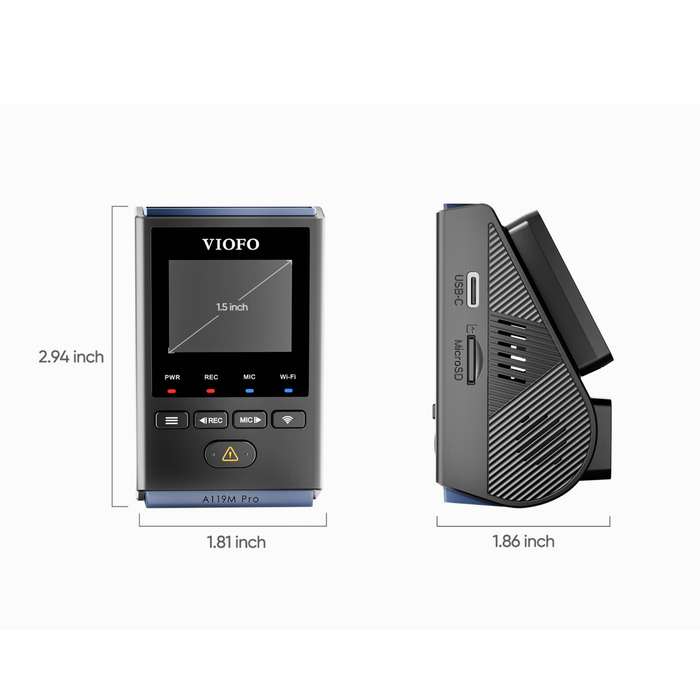
Display 1.5-inch LCD
Connectivity Wi-Fi 6; 2.4GHz and 5GHz local connection
GPS Included mount; GPS, BeiDou, Galileo, GLONASS
Parking Mode Buffered event, time-lapse, low-bitrate; low-power impact and Hybrid with supported firmware
Storage Support microSD up to 512GB, sold separately
Included Memory Card Not included
Power 5V/2A; supercapacitor, no recording battery
Operating Temperature −20°C to 65°C (−4°F to 149°F)
Warranty 18-month manufacturer warranty
Voice and Bluetooth Voice controls and notifications; optional BTR200 remote
Hardwire connection Optional HK4 or HK6; HK6 required for voltage-based controls
USB connection USB-C; compatible USB 2.0 data connection
Storage temperature −20°C to 70°C (−4°F to 158°F)
Audio and files Microphone and speaker; MP4 video, JPEG photos
CPL filter CPL-100 included
Frequently Asked Questions

What does A119M Pro record, and can I add more cameras?

It records 3840 × 2160 at 30FPS with HDR and a Sony STARVIS 2 IMX678 1/1.8-inch 8MP sensor. The lens has an F1.8 aperture and 140° field of view. A119M Pro is a single-channel front camera and has no additional-camera expansion. Choose a two- or three-channel system if you need more views.

What is included, and should I choose HK4 or HK6?

The hardwire kit and microSD card are sold separately. A CPL-100 filter, GPS mount and car charger are included in this BlackboxMyCar package. Both VIOFO HK4 and VIOFO HK6 are supported power kits. HK6 adds vehicle-voltage communication for supported voltage-based parking controls. Install current A119M Pro firmware before setting up its advanced parking options.

How do buffered, low-power and Hybrid parking recording differ?

The camera waits in low-power standby and wakes after a detected impact. VIOFO specifies about two seconds to wake and a one-minute recording. This mode does not provide pre-impact buffered footage and does not wake merely because someone walks past. With supported firmware, Hybrid Parking Recording starts in 1FPS time-lapse, low-bitrate or event recording, then switches to low-power impact detection at the configured time or voltage. Voltage-based switching requires HK6. HK4 can support the time-based transition; it does not provide the HK6 voltage signal. For buffered Auto Event Detection, VIOFO specifies 15 seconds before and 30 seconds after detection in the buffered Auto Event Detection mode. This is different from low-power impact standby, where recording begins after the camera wakes.

How do Wi-Fi and direct phone transfers work?

Wi-Fi provides a local connection to a nearby phone through the VIOFO app. The camera has no built-in LTE, cloud connection or remote live tracking. GPS supplies location and speed information for saved footage. A compatible phone can access recordings through a USB 2.0 USB-C to USB-C data cable. VIOFO requires the phone to supply 5V/2A. A charging-only cable is unsuitable, and USB-C alone does not guarantee compatibility. This cable is separate from the supplied USB-A to USB-C data cable.

Which memory card should I use?

Choose a compatible high-endurance microSD card up to 512GB. Format it in the camera after backing up existing files. Power the camera off before inserting or removing the card, and copy important clips promptly.

How is A119M Pro different from A119 MINI 2?

A119 MINI 2 records 2K at up to 60FPS with HDR off and uses standard dual-band Wi-Fi. A119M Pro adds 4K 30FPS HDR, the larger IMX678 sensor, Wi-Fi 6, an included CPL and supported low-power/Hybrid parking options.

Will it keep recording without an external power supply?

No. The supercapacitor helps the camera finish and save its current recording when power is interrupted. Continued driving or parking recording requires an external power supply. Battery cutoff and parking timers reduce battery use but cannot guarantee unlimited runtime.

Resources

Video guides and reviews

  • BlackboxMyCar: A119M Pro review , Covers the camera’s recording, controls and connectivity. Current pricing and package contents are shown on this page.
  • 5 stars: 142 (88%)
  • 4 stars: 14 (9%)
  • 3 stars: 2 (1%)
  • 2 stars: 1 (1%)
  • 1 star: 2 (1%)
Some of the reviews shown are from related products the merchant grouped with this one.
C
Customer (Canada)
Viofo A119M Pro is an excellent choice if looking for a small discreet dash cam

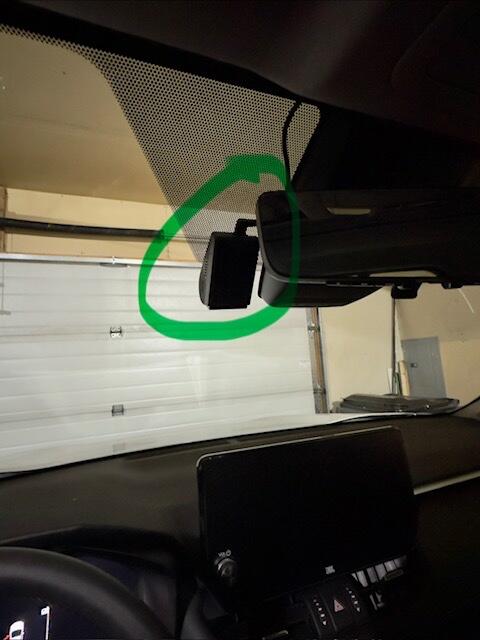
Looking for a small discreet unit and the Viofo A119M Pro Dashcam checked all the boxes. DIY setup using the cigarette lighter cable was straight forward. During setup, I was able to hide the charge cable in my RAV4 for a clean stock appearance. Video recordings are very clear, however having some with dropped wifi connection issues with the Viofo app in the RAV4.

Thanks for the detailed review, Steve! We’re glad to hear the A119M Pro checked all the boxes for a clean and discreet setup and that the install went smoothly in your RAV4.

For the WiFi connection issue, one thing to check is whether wireless Apple CarPlay or Android Auto is active. Those systems use your phone’s WiFi connection and can prevent it from connecting to the dash cam. Turning them off before connecting usually resolves the issue.

If you run into anything else, feel free to reach out. We’re always happy to help.

B
Ben T. (United States)
Paid for itself in a parking lot hit & run

Have it hardwired and parking mode turned on. Came back to our truck after 6 hours at a park and noticed a smashed grille. The A119 mini 2 caught JUST ENOUGH of the plate that we were able to find the driver through our insurance. Sent his insurance the video and they immediately accepted fault.

Reviewing the video clips was tedious, but I saved them all to my PC and ran them in fast forward. It would have helped to have a 2x or 4x playback on the app, but I'm still happy with the camera. The Blackbox kit also made install easy.

Thanks for sharing your story, Ben! We’re glad the A119 Mini 2 helped capture the crucial footage you needed and made it easier to resolve the incident with insurance.

C
C. (Canada)
Decent 1440p quality dashcam with clear readability in majority of scenarios

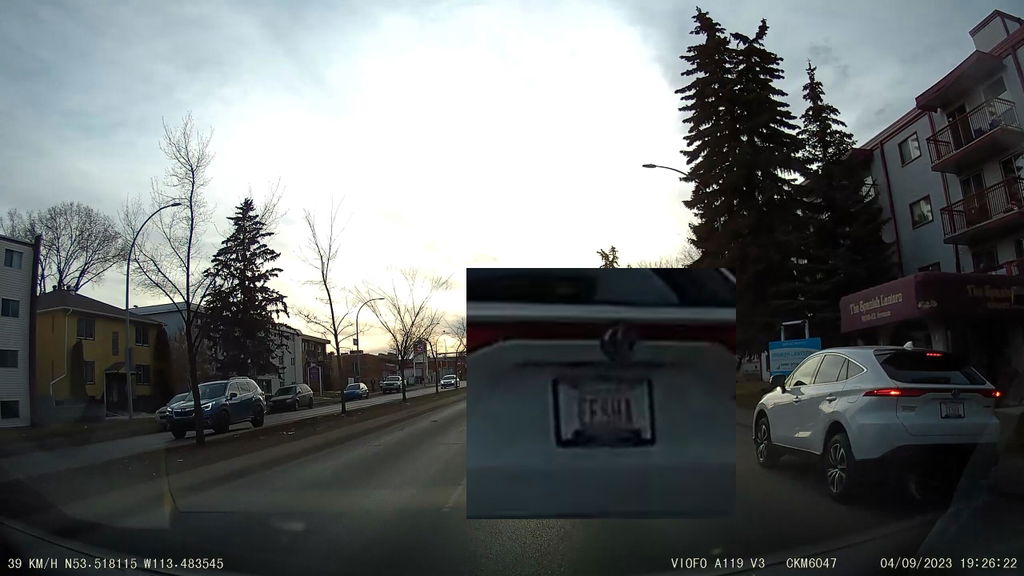
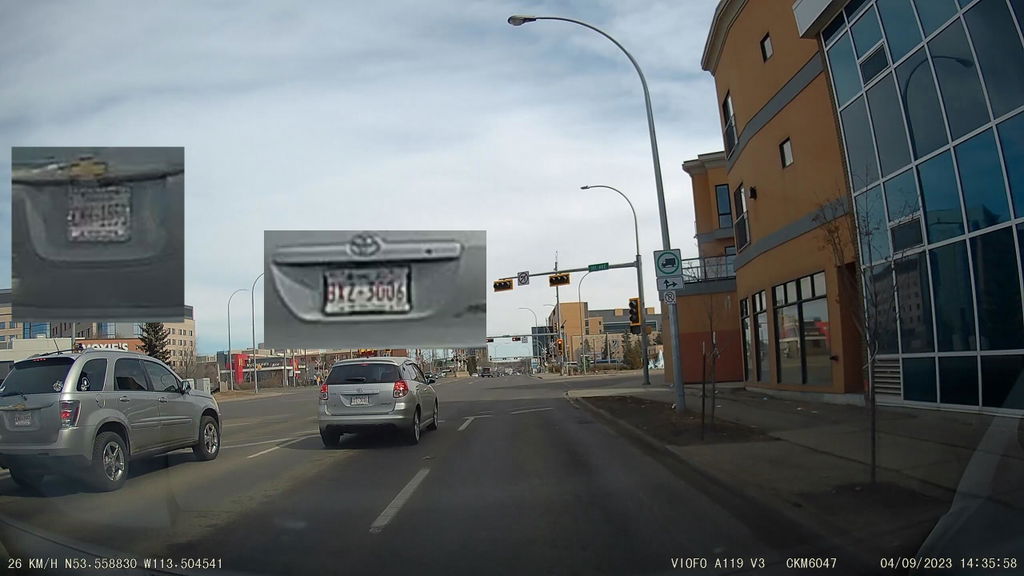
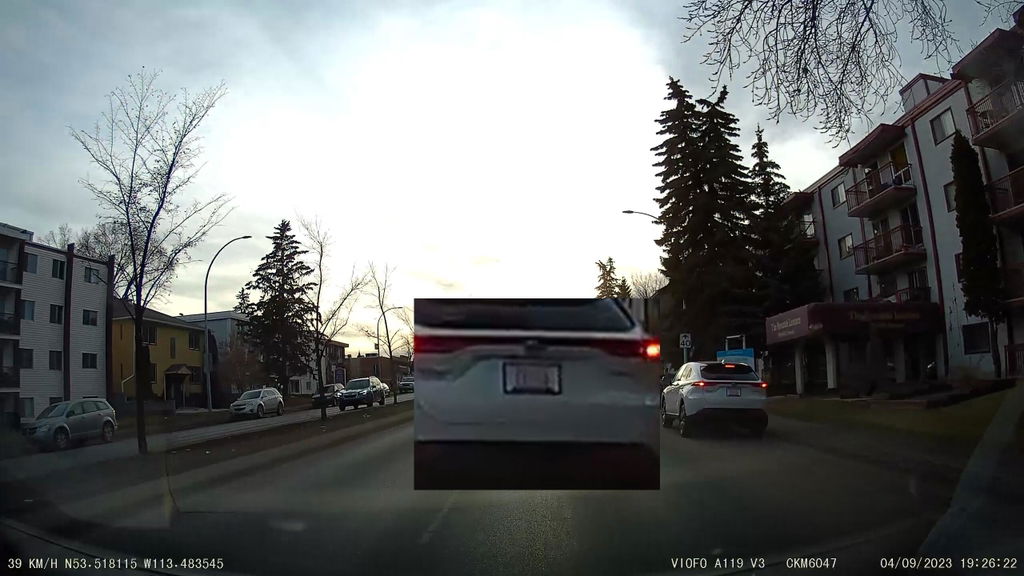
I bought this dashcam mostly following the web recommendations. So far I really like the readability of license plates and smooth video output. I bought this model specifically due to a bit narrower field of view, meaning it "zooms" the view rather than "panoraming" it, and also to fewer memory card issues according to the reviews (compared to other models).

One thing I noticed is that image becomes more blurred at the edges (see comparison pictures attached, I extracted source frames in png format and saved them as jpg with 100% compression rate), but give the sensor size and speed it's likely inevitable. Everything in the 2/3 from the image center is sharp enough to be readable at a couple of car lengths. I'm using 1440p@60 fps mode at the moment as I found 1080p to be less detailed in daylight. Lack of Wi-Fi or mobile app is not an issue for me, the cam is easy enough to dismount from it's GPS or regular mount base.

Attached video example was recorded in TS format and converted to MP4 with standard quality.

So far I can recommend this particular model as the affordable option with decent image quality.

P
Peter P. (Canada)
Outstanding customer service.

Great product! Everything I expected.

Hi Peter, thank you for shopping with us and taking the time to leave a review. If you require any further assistance with your dashcam, please don't hesitate to reach out!

J
Justin

nice dash cam no suction cup just a sticky pad would not work for my vehicle sadly will be returning this for a refund

C
Customer (Canada)
Unable to use.

I purchased two of them, and two lens filters. Out of the box. They worked okay. Then "Viofo" sent an update through my phone while I was working on them. It downloaded automatically. They should give us the chance to download it when we want to. I do not download framewere updates from a phone. I use a computer to make sure that it is loaded properly. I had to leave. Two days later I came back. Tried to go into the dash cams, and they were frozen. Couldn't get in. Couldn't do anything. Couldn't get into the menu. I always had to push the reset on the side. Or unplug the power and replug it up again. I phone "Blackboxmycar". They were very helpful. They gave me different ways of trying to get into the dash cam. Nothing worked. I even formatted the memory card "fat32" from the computer like the representative told me to do. The dash cams would turn on, and have a blank screen. And then none of the buttons would respond. Even unplugging the power. The dash cam was frozen. With only one light on. I never even got a chance to install them in my vehicles. After two days of trying to get into these dash cams, and set them up (with help from a representative). I lost patience with them. And I also lost confidence in "Viofo". In the end, the "Blackboxmycar" representative suggested that I buy a new memory card. The one recommended by "Viofo" ($80). I went out and purchased it, and nothing changed. Couldn't get into them. As I said, I lost confidence with" Viofo" products.

The representative at "Blackboxmycar" was a very knowledgeable person and came up with a lot of different ways of helping me. That is why I tried for two days to make it work. I really wanted them. In a month or so, I will be looking for another dash cam. But from a different company this time (to replace my Garmin that broke). Will probably buy it from "Blackboxmycar". I have not been reimbursed yet. But I have confidence in this company for the way they gave me such good service, and helped me through this purchase. It pays to go with a Canadian company like " Blackboxmycar".

Thanks for the kind words, Len! We’re sorry the cameras didn’t work out after all the time you spent troubleshooting with our team. Your patience and continued trust mean a lot to us, and we’re grateful you’d consider shopping with us again. When you’re ready, we’d be happy to help you find a dash cam you feel confident in.

C
Customer (Canada)
So far I really like it but I am quite new to

So far I really like it but I am quite new to dash cams.

Thanks for your review, Jamie! We’re glad to hear you’re liking the A119 Mini 2 so far. There can be a bit of a learning curve with a first dash cam, so if you have any questions as you get familiar with it, our team is always happy to help. If there’s anything we could have done to make your experience a full five stars, feel free to let us know.

R
Ray V.L. (United States)
This camera has the clearest view day or night

This camera has the clearest view day or night. It’s very intuitive to use also. The windshield accessories are a bonus.

Thanks for the review, Ray! We’re glad to hear the A119M Pro is giving you clear footage day and night and that you’re finding it intuitive to use. Happy to know the included windshield accessories were a nice bonus as well.

J
Jon S.O. (United States)
Install was fine

Install was fine. I hardwired it correctly and the cam works fine. The reason I bought it was because I could program it through my IPhone. All the ads and Utube videos showed how easy it was. Problem is I cannot connect the cam to my phone! I’ve tried everything. I had to use the cigarette lighter plug to attach to my phone with the phone in my lap to program the way I wanted it. Also would like view play-back on my phone. I’m disappointed. I’m not the only one.

Thanks for your feedback, Jon. We’re sorry to hear you’ve had trouble connecting the A119M Pro to your iPhone. Since the camera itself is working, this may be related to wireless Apple CarPlay taking over your phone’s WiFi connection. On your iPhone, try going to Settings > General > CarPlay, select your vehicle, and toggle CarPlay off before connecting to the VIOFO app. You only need to do this while interacting with the camera, and can turn CarPlay back on afterward. If that does not resolve it, please reach out to our support team. We’d be happy to help troubleshoot further so you can access settings and playback from your phone as intended.

A
Andrew (Canada)
It is small and works great

It is small and works great. Was able to install it easily in to my 2026 Ford Explorer. Def recommend if you want small footprint with all the latest features including 4k. I particulalry like the fast Wifi downloads and the Voice commands.

Thanks for the review, Andrew! We’re glad to hear the A119M Pro was easy to install in your Explorer and that you’re enjoying the small footprint, 4K quality, fast WiFi downloads, and voice commands.

C
Customer (Canada)
A great little unit

It worked so well in my wife's vehicle that I bought one for mine. Very comprehensive menu system and I like that it can be quickly removed from the windshield if needed.

Thanks for the review, Evan! We’re glad to hear the A119 Mini 2 worked so well that you picked up a second one. Great to know you’re enjoying the menu system and the flexibility of being able to remove it easily.

C
Customer (Canada)
good quality video

Good quality video for the price. Easy installation and use.

Thanks for the review, Yvon! We’re glad to hear the A119 Mini 2 was easy to install and that you’re happy with the video quality for the price.

C
Customer (Canada)
Viofo A119M Pro

Very pleased with the quality vs price of the Viofo A119M Pro.

Perfect size to hide behind the rear view mirror.

Highly recommended.

Thanks for your review! We’re glad to hear you’re happy with the A119M Pro’s value, size, and video quality. It’s great to know it fits neatly behind the mirror and works well for your setup.

D
Derwin D. (United States)

I love the very clear footage

Thanks for the review, Derwin! We’re glad to hear you’re enjoying the clear footage from your A119 V3.

C
Customer (Canada)
Great Camera

Love it!

Thanks for your review, Alex! We’re happy to hear you’re loving your A119 Mini 2.

A
Anonymous (United States)
viofo a119 mini2

This thing is great! unfortunately, I failed to include the charging parking lot power plug and I don't want to pay another shipping charge.

Thanks for the review, Steven! We’re happy to hear you’re enjoying your A119 Mini 2 and that it’s been a great addition to your setup.

C
Customer (Canada)
Wonderful product.

I used to be a loyal fan of Garmin Dash Cams and had purchased four of them from Amazon over the years. However, each of those four had various issues, which I managed to troubleshoot and resolve.

Two weeks ago, I bought the Garmin 67W (1440p, extra-wide 180-degree FOV, vehicle monitoring with new connected features, voice control, compact design, advertised as including a memory card but never actually provided one). To my surprise, no matter how much I tried, it kept getting stuck in the “formatting SD card” state and never worked properly, so I had no choice but to return it.

After discovering your product, I found that in terms of price-performance, quality, and image clarity, it is far superior to the Garmin Dash Cam in every aspect. This product is simply excellent, and I wholeheartedly recommend it to everyone.

Thanks for your review, Wei! We’re glad to hear the A119 Mini 2 has been a great fit for you and that you’re enjoying the quality and clarity it offers. We really appreciate you sharing your experience and are happy to know you’re pleased with the performance and value of your new dash cam.

T
Thai L.
compact, easy to use, great quality.

installed in a Honda Odyssey using a dashcam power adapter to tap into the power to the rearview mirror.

The quality of the videos captured are great. Recommended for those who are looking for a quick easy simple install.

G
Gary K. (United States)
So far . . . so good

As usual, BlackBoxMyCar performed without a hitch. The dash cam is doing a great job with lots of clarity and easy to install. The included GPS unit was a nice touch.

C
Customer (Canada)
VIOFO A119 Mini 2 2K QHD Dash Cam + Hardwire Kit

Set up my dash cam and hardwire kit. Set-up was pretty simple and pretty happy with it.

D
Donnie H. (United States)

Had it for one year and works great no issues.

L
Luz A. (United States)
Totally worth it!

Love it! Has been working great for a few years now. Totally recommend!

C
Customer (Canada)
Good but Overcharging for ssd

The product is good. But the san disk ssd is 25 dollars and I was charged 60.

Loading add-ons...