Don’t Buy a 4K Dash Cam Until You Check These 5 Things
TLDR: A 4K dash cam is worth buying when its sensor, lens, bitrate, storage support, parking mode, and after-sales support can turn that resolution into clear, reliable evidence. The 4K badge alone does not guarantee better night footage or readable plates.
Do not buy a 4K dash cam just because it says 4K. Before choosing one, check the sensor, HDR/night vision performance, bitrate and storage support, parking mode power options, and warranty/retailer support. A good 4K dash cam should deliver clearer real-world footage, not just a bigger resolution number.
So, is a 4K dash cam worth it?
Yes: If the camera has the sensor, processing, storage, and support to make that extra resolution useful.
No: If the product is only using 4K as a marketing badge.
1. Check the sensor, not just the resolution
4K resolution means the camera can record more pixels than a 2K or 1080p dash cam. That can help with detail, especially in daytime footage. But resolution is only one piece of the image-quality puzzle.
The sensor matters because it controls how the camera handles light, motion, contrast, and fine detail. A weak 4K sensor can still produce muddy night footage, blown-out licence plates, poor shadow detail, and disappointing results in real driving conditions.
That is why shoppers should pay attention to sensor quality, not just the 4K badge.
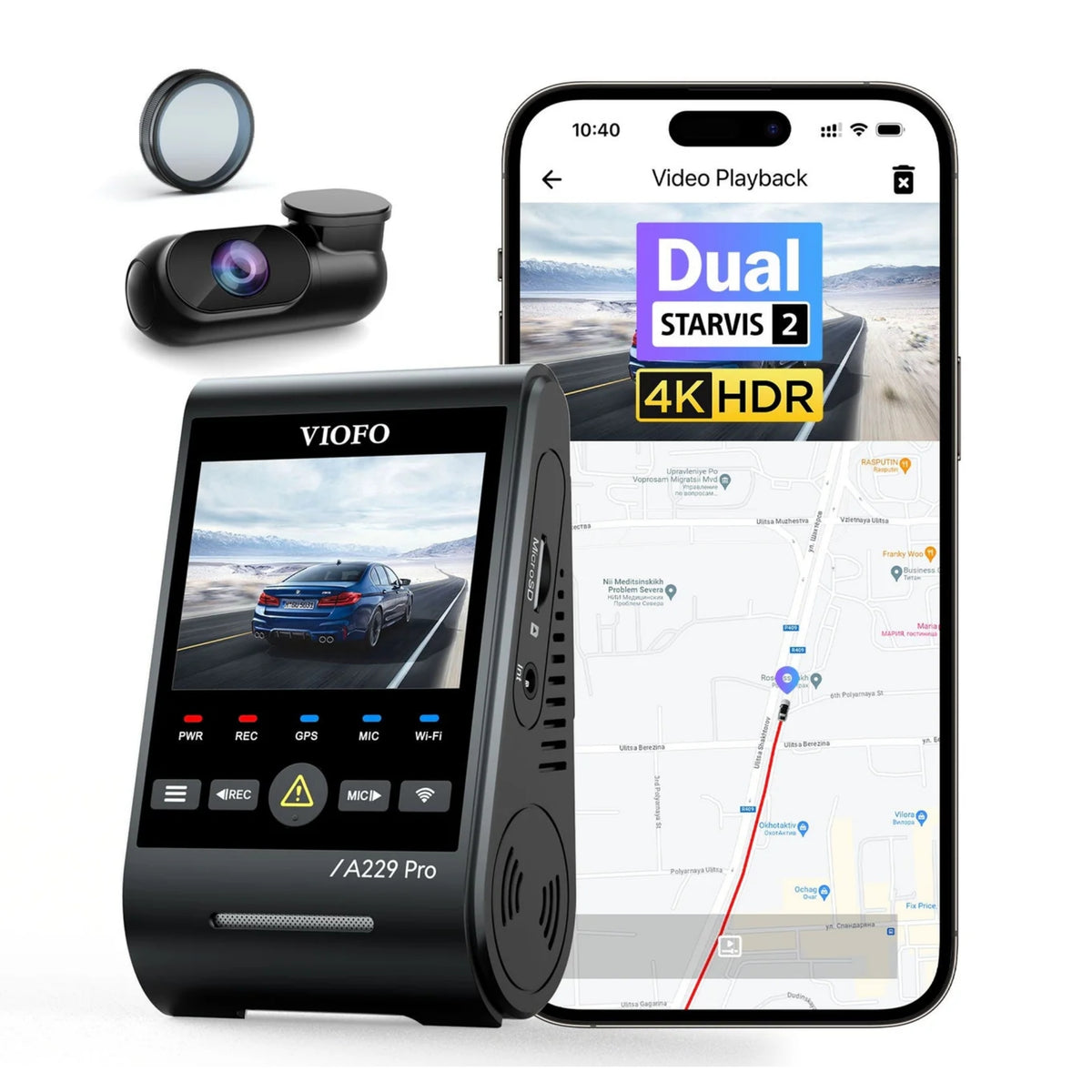
Sony STARVIS 2 dash cam models are popular for a reason. Sony STARVIS 2 sensors are built for stronger low-light performance, better detail, and improved real-world clarity compared with many basic sensors. If you are shopping for the best 4K dash cam, this is one of the first things to check.
The simple rule
A good 2K dash cam can beat a bad 4K dash cam. So when comparing a 4K dash cam vs 2K dash cam, do not assume the higher number automatically wins.
A proper 4K dash cam should give you useful detail in the moments that matter: fast-moving traffic, night driving, glare, rain, parking lots, and mixed lighting. If it only looks good in perfect daytime footage, it is not doing enough.
Night footage is where many dash cams fall apart. Headlights, streetlights, reflective signs, rain, dark roads, tinted windows, and high-contrast scenes can expose weak image processing quickly.
A good 4K dash cam should handle:
Headlight glare
Licence plates at night
Parking lots
Sunset and sunrise contrast
Oncoming traffic
Dark side streets
Tunnels and bright exits
Rainy or reflective road surfaces
HDR matters because real driving is full of bright and dark areas at the same time. A camera needs to manage those extremes without washing out important details. For example, a dash cam might capture the shape of a vehicle clearly but still blow out the plate because the headlights are too intense.
That is not useful evidence.
Good night vision and HDR performance help preserve detail in messy lighting. This is where better sensors, better processing, and better tuning matter more than the label on the box.
If a dash cam claims 4K but does not show strong low-light performance, treat that as a warning sign. Daytime sample footage is easy. Night footage is the real test.
3. Check bitrate, lens quality, and storage support
4K footage creates more data. If the camera compresses that footage too aggressively, you can lose the detail you thought you were buying.
That is why bitrate matters.
Bitrate affects how much video data is preserved in the file. A higher-quality recording can hold more detail in motion, trees, rain, licence plates, road texture, and fast-moving traffic. A low-bitrate 4K dash cam can look sharp when paused in perfect conditions but fall apart once the scene gets busy.
Lens quality also matters. A poor lens can create distortion, softness, glare, and weak edge detail. Again, 4K resolution does not fix bad optics.
Storage support is the next piece. 4K dash cams need reliable microSD cards and proper file handling. The camera should support high-endurance cards, handle heat well, and record files reliably without corruption, dropped clips, or missing detail.
Before buying, check:
Maximum microSD card support
High-endurance card compatibility
File reliability
App or desktop access to footage
Recommended card type
Heat performance
Loop recording behavior
4. Check parking mode and power options
A 4K dash cam does not automatically give you good parking protection.
Parking mode depends on power, installation, and settings. If the dash cam does not have stable power while the vehicle is parked, it cannot protect the vehicle reliably, no matter how sharp the footage looks while driving.
This is where many shoppers get tripped up. They focus on resolution, then forget to ask how the camera will stay powered in a parking lot, driveway, garage, or overnight situation.
For parking mode, you need to think about:
Hardwiring options
Low-voltage protection
Motion and impact detection
Installation support
Battery-pack compatibility
Parking-mode recording type
Heat tolerance
How long you need the camera to run while parked
5. Check warranty, support, and where you buy it
The last thing to check is where you buy the dash cam.
This matters more than people think. The dash cam market is full of random listings with big claims, vague specs, unclear warranty coverage, questionable storage recommendations, and little support after purchase.
That is risky because dash cams are not just gadgets. They need to work inside a hot, cold, vibrating vehicle every day. They need proper storage. They need clean installation. They need firmware support. They need the right accessories. And if something goes wrong, you need someone who can actually help.
Buying from BlackboxMyCar helps narrow down the noise. Instead of guessing between spec-heavy listings, you can compare proven dash cams with proper warranty support, installation guidance, product fitment help, and real parking-mode advice.
Recommended 4K dash cams
These current products fit the needs covered in this guide.
A 4K dash cam is worth it when the whole system is good: sensor, HDR, night vision, bitrate, storage, parking-mode power, warranty, and support. If the only selling point is "4K," keep looking.
How to compare 4K dash cam footage
Dash cam tip: Look beyond a bright daytime sample. Compare moving vehicles, shadows, headlights, rain, and low-light streets. Pause footage at the moment a plate passes through the frame rather than judging a stationary screenshot. Compression, exposure, motion blur, windshield condition, and mounting angle can matter as much as the pixel count.
No. Resolution helps, but speed, distance, lighting, shutter behaviour, compression, and viewing angle determine whether a plate is captured clearly. Treat 4K as one part of the imaging system.
How much storage does a 4K dash cam need?
Higher bitrates create larger files. Choose a high-endurance card within the camera's stated capacity limit, then confirm how many channels and recording modes are active. Our memory card guide explains the compatibility checks.
What is the best way to power parking mode?
A compatible hardwire kit is the usual starting point. Drivers who need longer parked coverage may consider a dedicated battery pack, but run time varies with the camera, channels, settings, temperature, and battery capacity. Professional installation can simplify fuse selection and cable routing.
Which current models were verified for this guide?