


VIOFO A229 Pro 3CH vs. A139 Pro 3CH
Compare the cameras, controls and parking setup before choosing an upgrade.
A screen or a screen-free camera?
The A229 Pro uses a wedge-shaped front unit with a 2.4-inch screen. That is useful when you want to check framing or a setting without first connecting your phone. Position the camera so it does not obstruct your driving view, then check the rear and cabin views as well.
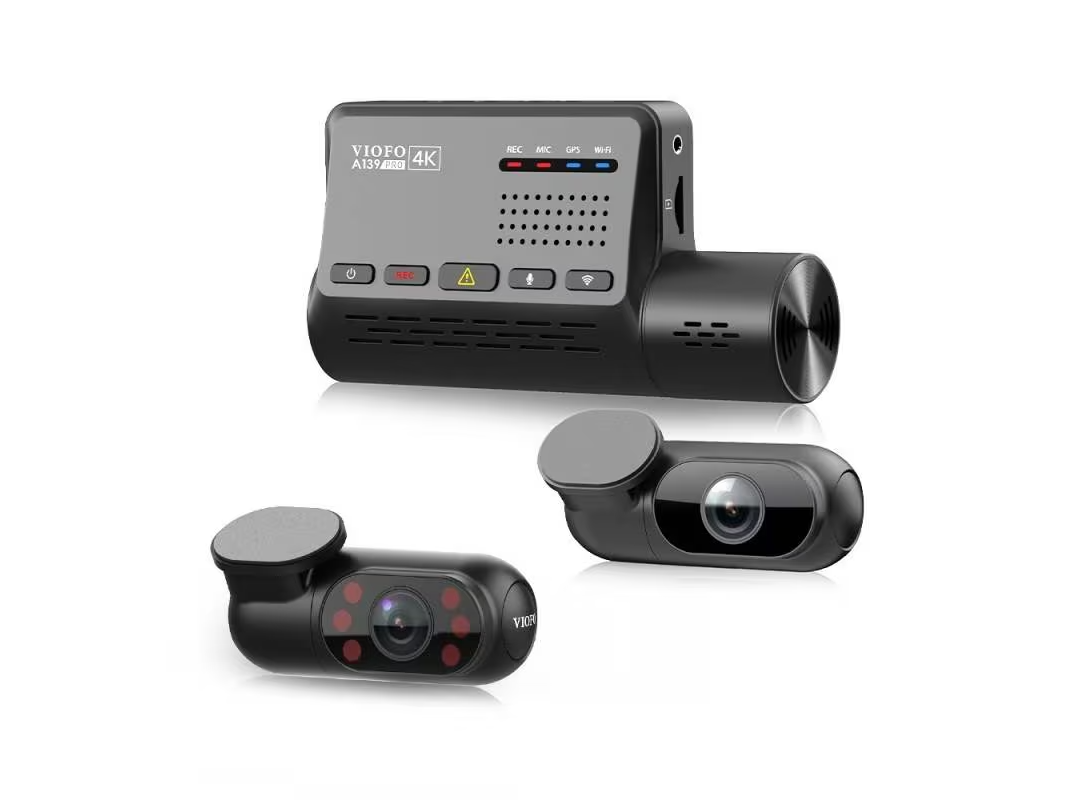
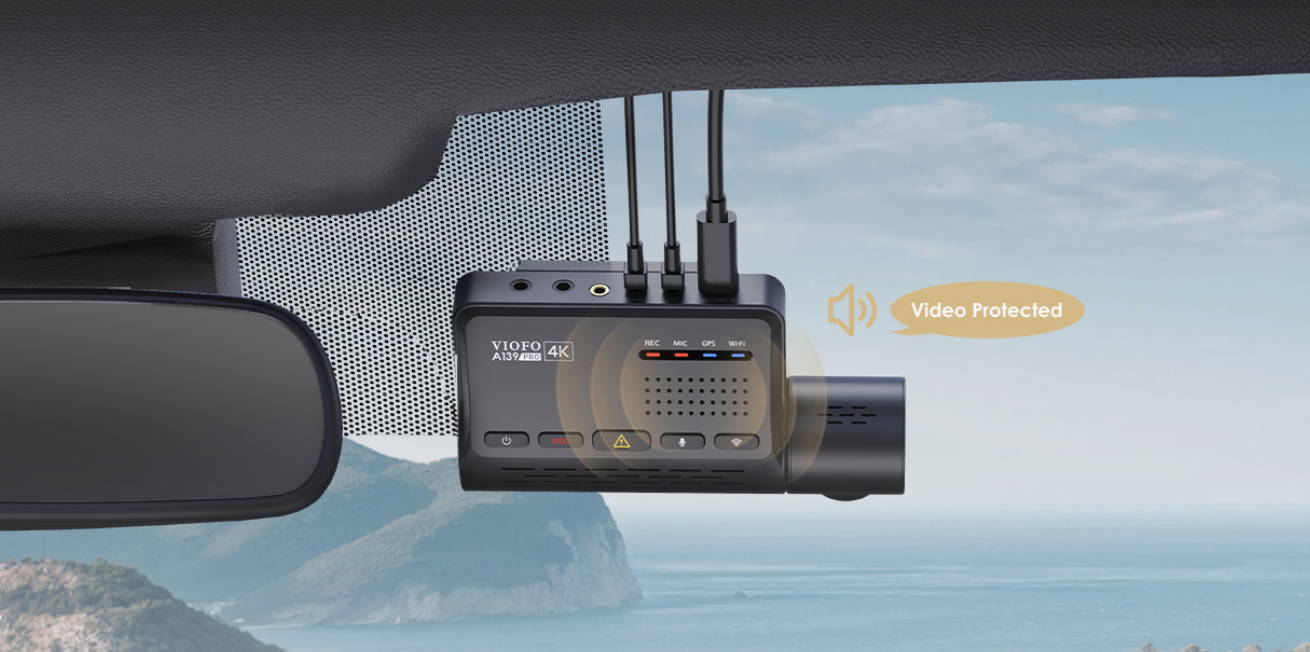
The A139 Pro has no screen. Its front lens rotates through approximately 300°, giving you flexibility when aiming it on different windshields or turning it toward the cabin while safely parked. Rotation changes the direction of the view; it does not make the camera see all around the vehicle.
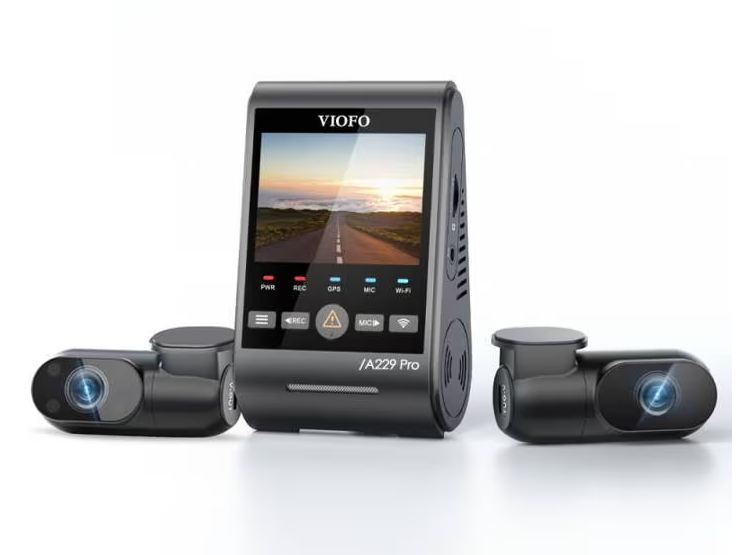
Both systems use recording, Wi-Fi, microphone and GPS indicators to communicate their status; the A229 Pro also lists a power indicator. Learn what the indicators and voice prompts mean so a card error does not go unnoticed.
Static stickers sit between compatible adhesive mounts and clean glass to make later removal easier. Check that your chosen kit includes the mounting parts you need, allow the adhesive to bond as instructed, and check local placement rules. A smaller-looking camera is only helpful if you can mount and aim it properly.
The rear camera is the clearest reason to upgrade
Both front cameras use the 8MP Sony STARVIS 2 IMX678 sensor. In our original comparison, we found both useful in daytime conditions; that is our historical review observation, rather than a new matched test. The A229 Pro adds a 5MP STARVIS 2 IMX675 rear sensor and 2K rear recording; the A139 Pro uses a 2MP IMX291 rear sensor and Full HD recording. That gives the A229 Pro more rear-image pixels to work with. It does not guarantee a readable plate in every scene: distance, angle, motion, glare, tint and exposure all matter.
Inside the vehicle, the A229 Pro uses an IMX307 sensor and infrared illumination; the A139 Pro uses an IMX291. The A229 Pro supports HDR on the front, rear and cabin cameras, while the A139 Pro lists front HDR. This makes the A229 Pro a practical choice when rear-window contrast and cabin recording matter to you. Check the actual recordings from your installation before relying on either system.
VIOFO’s current specification lists the A229 Pro standard cabin configuration at 4K 30 FPS front, 2K 30 FPS rear and 1080p 30 FPS interior. Its current A139 Pro listing says 4K 30 FPS plus two 1080p 30 FPS channels. Older A139 Pro comparisons describe a 24 FPS three-channel mode, so check the selectable mode on your exact firmware with all cameras connected. Do not choose a system on a front-only setting that is unavailable in your intended configuration.
For night recording, start with the supported HDR settings and compare saved files in the lighting you regularly drive through. VIOFO describes the A229 Pro’s Super Night Vision in its time-lapse parking context; that feature name is not proof of better footage from every channel in every recording mode. The A229 Pro cabin camera automatically uses infrared LEDs in low light, producing a black-and-white image.
A correctly aligned CPL can reduce some glass reflections, but it also reduces incoming light. Verify the exact filter and package contents. BlackboxMyCar Aqua Shield addresses a different issue: water on exterior glass in the camera’s view. It does not weatherproof either camera or eliminate the need to keep the glass clean.
Specifications that affect daily use
These are the standard front, rear and interior systems, rather than telephoto or waterproof editions. The recording-mode note above is especially important for an existing A139 Pro.
On a small screen, swipe the table to read both model columns.
| Feature | A229 Pro 3CH | A139 Pro 3CH |
|---|---|---|
| Front / rear / cabin video | 4K30 / 2K30 / 1080p30 | Current listing: 4K30 / 1080p30 / 1080p30; verify firmware mode |
| Front sensor | 8MP IMX678 STARVIS 2 | 8MP IMX678 STARVIS 2 |
| Rear sensor | 5MP IMX675 STARVIS 2 | 2MP IMX291 |
| Cabin sensor | 2MP IMX307 STARVIS | 2MP IMX291 |
| HDR | Front, rear and cabin | Front |
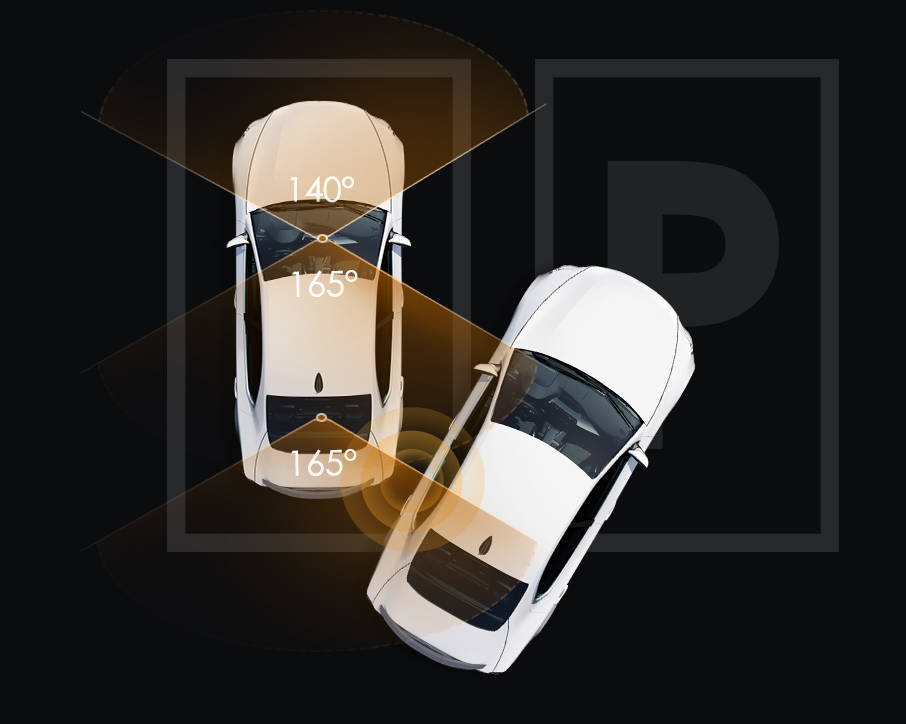
| Listed field of view, front / rear / cabin | 140° / 160° / 150° | 140° / 165° / 165° |
| Display | 2.4-inch screen | No screen |
| GPS | Built-in, quad-system GNSS | Built-in |
| Wi-Fi | 2.4 and 5 GHz | 2.4 and 5 GHz |
| Voice notifications / voice commands | Yes / yes | Yes / no |
| Bluetooth remote support | Optional compatible remote | Optional compatible remote |
| Listed microSD capacity | Up to 512GB | Up to 512GB |
| Parking recording | Auto event detection, time-lapse, low bitrate | Auto event detection, time-lapse, low bitrate |
| G-sensor and loop recording | Supported | Supported |
| Microphone and speaker | Built-in | Built-in |
| Power storage | Supercapacitor; external power required | Supercapacitor; external power required |
| Listed operating temperature | −20°C to 65°C | −20°C to 65°C |
| Origin and warranty | Made in China; confirm order-specific warranty | Made in China; confirm order-specific warranty |
The temperature range is an operating specification, not a promise of uninterrupted recording in a hot parked car. Both need suitable external power; their supercapacitors are not parking batteries. Warranty coverage depends on the purchase date, seller and applicable terms, so check your order rather than relying on an old one-year comparison.
Choose parking settings around your power setup
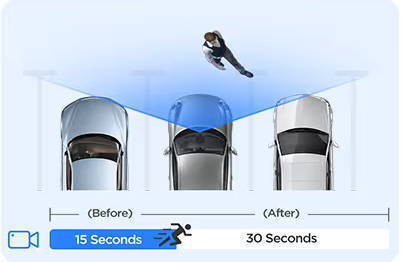
Both cameras offer auto event detection, time-lapse and low-bitrate parking recording. Buffering belongs to auto event detection; it is not a separate promise that every impact will be detected. VIOFO documents a 15-second pre-event buffer and a 45-second total clip for the A139 Pro, and describes the A229 Pro as saving 15 seconds before and 30 seconds after a detected event.
Time-lapse reduces the number of frames recorded. Low bitrate keeps continuous video at a smaller data rate. Choose the mode for the evidence you want to retain, then confirm the camera enters parking mode and saves usable front, rear and cabin files.
For hardwiring, VIOFO’s kit guide identifies HK4 for the A229 family and HK3-C for A139/A139 Pro. The current A139 Pro product specification also mentions HK4, so have us check the camera revision, connector and ACC requirements before reusing an existing kit. A shared USB-C shape is not enough to establish compatibility.
A purpose-built dash cam battery pack is another option when paired with the correct output cable and parking trigger. We created PowerCell 8 for this kind of parking setup; tell us your camera and vehicle so we can check the connection.
We would not promise a longer parking window from the A229 Pro alone. Runtime changes with battery capacity and charge, channel count, recording mode, temperature, timers and cutoff settings. A voltage cutoff helps manage power use; it cannot guarantee that every vehicle will start.
Controls, downloads and GPS
The A229 Pro supports spoken commands such as taking a photo or switching Wi-Fi on and off. Both cameras provide voice notifications for status changes and errors. Check the languages and commands available in your installed firmware; voice notifications are different from hands-free command control.
Both offer 2.4 and 5 GHz Wi-Fi for a nearby connection to the VIOFO app. The advertised faster 5 GHz transfer is a manufacturer comparison, not a guaranteed download time on your phone. Local Wi-Fi is not a cellular or Cloud connection: it does not let you check the camera from anywhere.
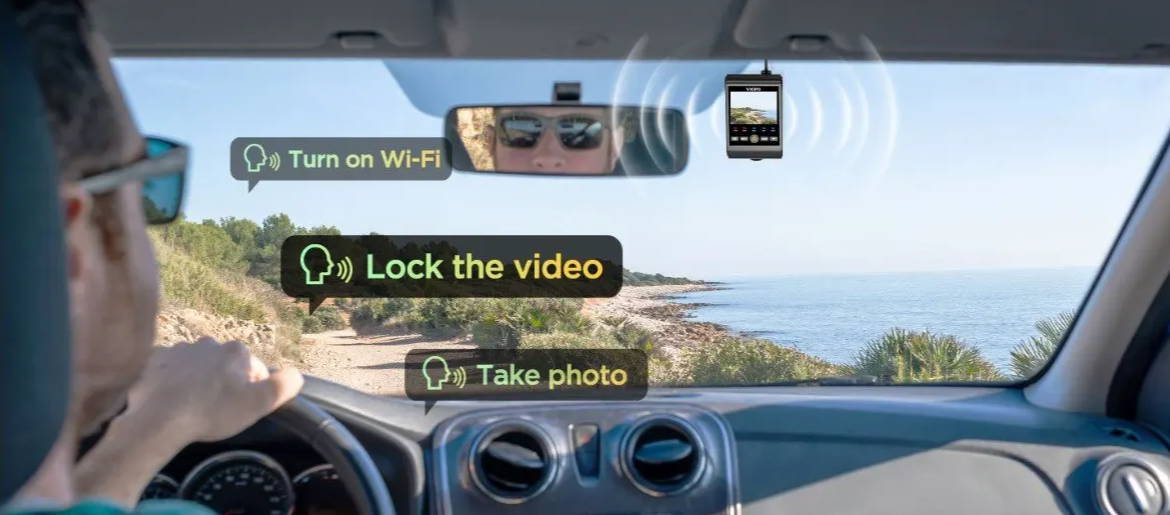
Use the app to check live framing, adjust supported settings and download clips while safely parked. Keep a separate copy of important recordings before formatting the card. A G-sensor or emergency-lock action can protect a file from ordinary loop recording, but a protected file is still not a backup.
Both have GPS logging. The A229 Pro adds GPS, GLONASS, Galileo and BeiDou support; that is a satellite-system capability, not a guarantee of a more accurate track at every location. Buildings, installation and reception still affect the result.
For a computer, our desktop dash cam viewer guide explains playback and mapping options. Check exact model and GPS compatibility before choosing third-party software. Preserve the original files and their folder structure.
What we would choose
Choose the A229 Pro when rear detail, three-channel HDR and a screen will make a useful difference. If you already have an A139 Pro, first check whether the saved footage meets your needs. Replacing a working system solely for a newer name may not be worthwhile, especially if the rear and cabin cabling needs to be rerouted.
Compare the complete installed cost: camera configuration, compatible hardwire or battery output, storage, filters and labour. Check the linked listing for the package and current price, or ask us to compare an exact quote.
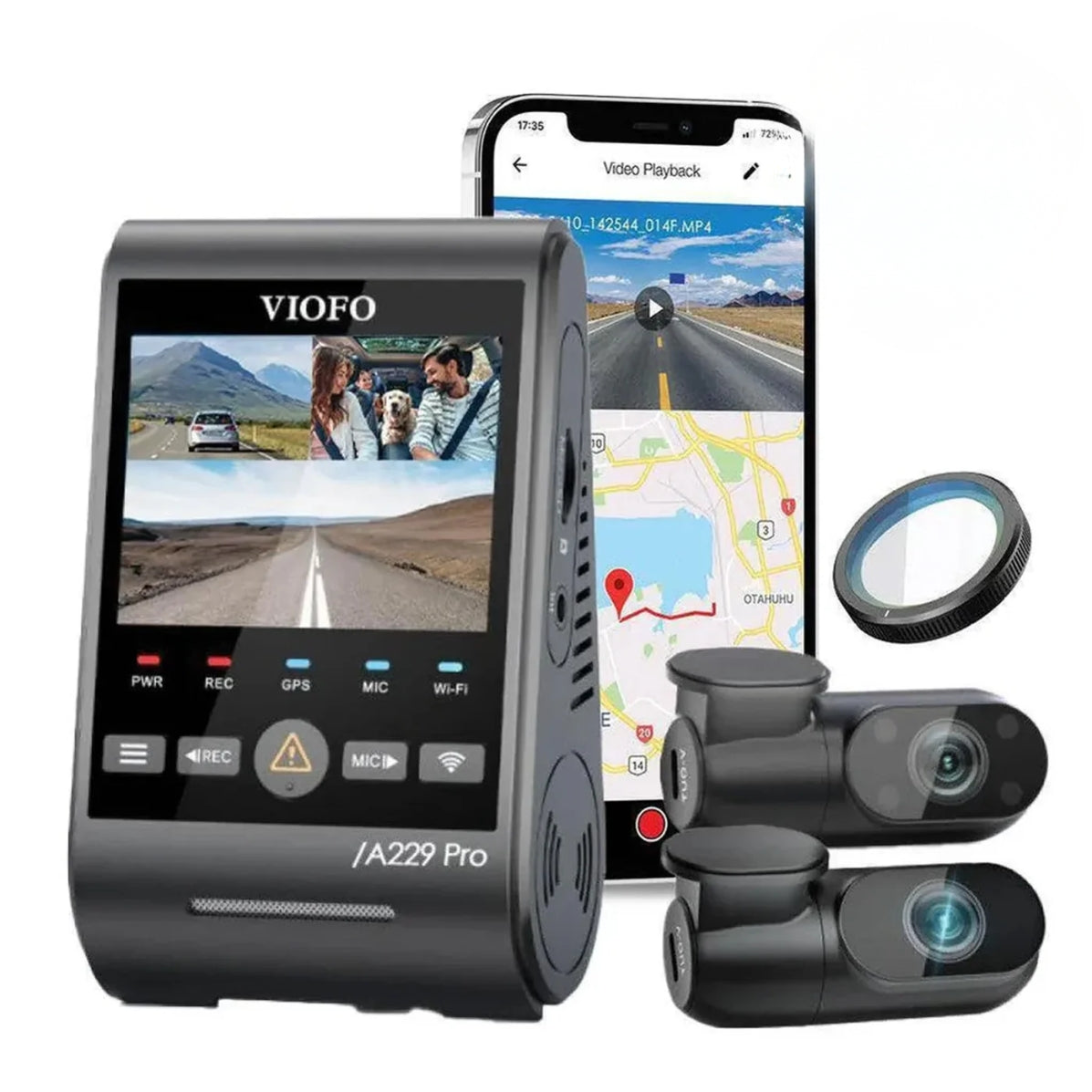


The A229 Pro 3CH is the direct feature comparison here. If your priority is higher rear resolution, also compare the A229 Ultra 3CH. For different high-frame-rate and storage options, review the exact A329S 3CH configuration. The pictured front unit is marked A329; check the A329S listing for the exact package. These are distinct systems; their sensors, channel combinations and accessories are not interchangeable by name.
Questions before you upgrade
Can I keep my A139 Pro rear and cabin cables?
Do not assume an A229 Pro is a plug-in replacement. The systems use different rear and cabin connections. Have the exact cameras, cable part numbers, mount and power kit checked before purchasing an upgrade or pulling out an existing installation.
Does either camera provide remote monitoring?
The local VIOFO Wi-Fi connection is for a nearby phone. It is not built-in cellular remote access. Choose a system designed for remote connectivity if away-from-car viewing is a requirement.
Will three cameras record everything around my car?
No. Each camera has a limited view, and trim, seats, passengers, tint and the vehicle body can block it. Check all three views in your own vehicle, then review saved daytime, nighttime and parking files.
Which model is better for a rideshare vehicle?
We lean toward the A229 Pro when you want a screen and cabin HDR, but mounting, infrared reflections and rear-window visibility matter too. Check applicable audio and passenger-recording requirements, and choose the setup around the areas you need to document.
Let us check the complete setup
Tell our VIOFO team which A139 Pro or A229 Pro configuration you have, what you want to record and how the camera is powered. We can help compare the camera, mounting and cable choices before you commit to an upgrade.