
Skip to content
The relief of knowing they made it home. Shop 2-channel dash cams
SKU TWU1000-RADAR

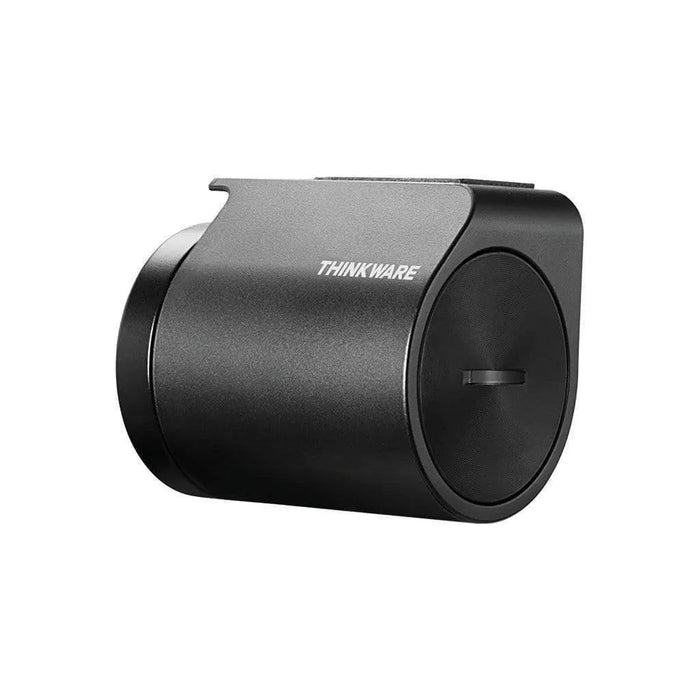
[CLEARANCE] Thinkware Radar Module

Availability:
Out of stock
Sold out
Original price $89.99
Original price $89.99 - Original price $89.99
Original price $89.99
Current price $79.99
$79.99 - $79.99
Current price $79.99
Clearance

No US Import Fees 🇺🇸

All orders ship from Salt Lake City, so US customers will pay zero tariffs or surprise taxes.

Overview

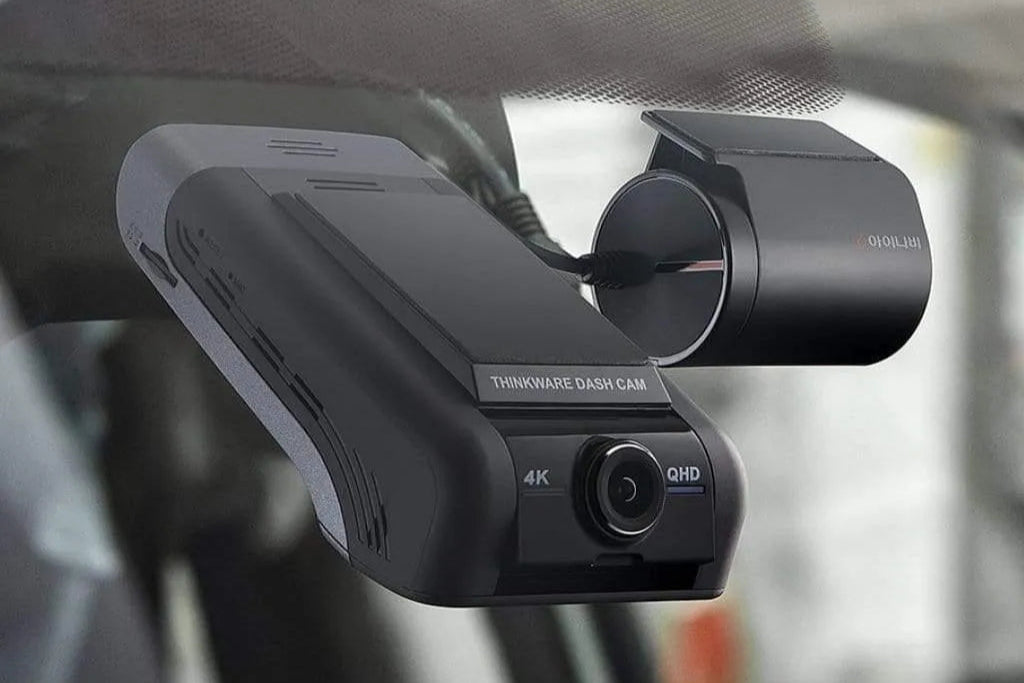
Thinkware Radar Module

The Thinkware Radar Module enables extended parking mode for the Thinkware U1000, X1000 and Q1000.

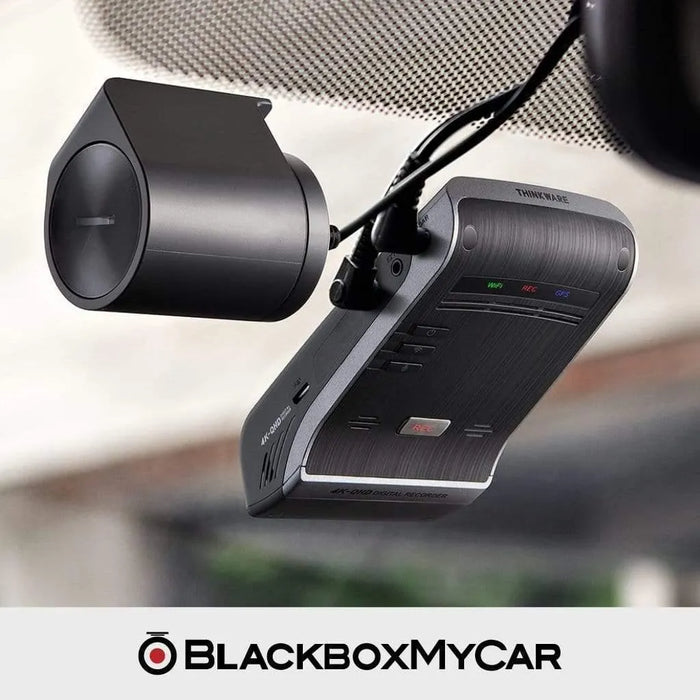
The Thinkware Radar Module is an optional radar motion detection module designed to enhance the dash cam’s Energy Saving Parking Mode 2.0 with ultra-high frequency radar motion detection and buffered recording.

*Energy Saving Parking Mode "Enabled" is required for RADAR motion detection.

Learn more about the Thinkware Radar Module in Parking Mode.  

Features

Ultra High Frequency Radar

The Thinkware Radar Module is designed to be used when the dash cam is on Energy Saving Parking Mode 2.0.

*Energy Saving Parking Mode 2.0 is supported on the Thinkware U1000, X1000 and Q1000 dash cams.

When the Radar Module detects a moving object within the range, the dash cam will switch into Recording Standby Mode and impact detection is set for 30 seconds.

Energy Saving Mode 2.0

If an impact has been made within 30 seconds, the dash cam will save 20 seconds video of before and after the impact.

Without the Radar Module, the Energy Saving Mode will trigger recording only after an impact has been made, leaving you without any pre-event evidence.

If no impact is detected within the 30-seconds, the dash cam will automatically switch back to Energy Saving mode and no recording is stored.

IMPORTANT

Cloud features will be temporarily disabled when the Thinkware U1000 and Q1000 dash cams is in Energy Saving Mode 2.0.

Specifications

Detection Distance Range

Approx. 7m (23ft)

Detection Horizontal Angle Range

Approx. 80°

Detection Vertical Angle Range

Approx. 35°

Operating Temperature

-30°C ~ 75°C

Operating Temperature

Approx. 35 mAh

Battery Efficiency: Motion Detect

270mAh consumption (33hrs/9Ah)

Battery Efficiency: Time Lapse

270mAh consumption (33hrs/9Ah)

Battery Efficiency: Energy Saving Mode

128.7mAh (70hrs/9Ah)

Battery Efficiency: Energy Saving Mode + Radar

Energy Saving Mode (128.7mAh) + Radar (34mAh): 55hrs/9Ah

Warranty

1-Year Manufacturer Warranty

*numbers are based on Energy Saving Mode 2.0 + optional RADAR + iVOLT BAB-50

Disclaimer

  • Radar motion detection requires optional module, and only enabled in energy saving mode.
  • Due to nature of the radar’s Ultra-high Frequency and the surroundings of vehicles, the distance and degree of detection may vary.
  • The radar is designed to detect sedan or larger sized vehicles. It may not detect smaller objects (such as people or bicycles).
  • To ensure proper functionality, please install Radar Sensor away from anything metallic or other sensors.

Installing the Thinkware Radar Module

Installing the Thinkware Radar Module

  1. Remove the film on the back of the RADAR module.
  2. Attach the RADAR module’s adhesive surface to the upper part of the front windshield. The logo should be facing outside the windshield and the red line should be horizontal.
  3. Press the adhesive part firmly to secure it.
  4. Connect the RADAR module to the dash cam’s RADAR connector.
  5. Turn on the ACC or start the engine to check that the RADAR is powered on.

* Before installation, make sure the RADAR module’s cable length is sufficient and check the cable routing path.

Setting up the Thinkware Radar Module

  1. From the mobile viewer, tap Dash Cam Settings > Record Settings.
  2. From RADAR, select Enable or Disable. The new setting is applied automatically.

Important

  • Metal materials within the detection range may interfere with the RADAR module’s proper functionality and may cause module malfunction.
  • Do not install the RADAR module on metal material-tinted windshields
  • Install the RADAR module as far away as possible from the metal-material part of the mirror, Lane sensor or built-in ADAS camera.
  • 5 stars: 10 (77%)
  • 4 stars: 0 (0%)
  • 3 stars: 0 (0%)
  • 2 stars: 2 (15%)
  • 1 star: 1 (8%)
S
Sgt M.U.R. (United States)
Outstanding service

Super quick respond. A genuine concern for your comforts and pleasure a phone call away... make no assumption... the staff are very personal and driven to meet the needs.

Thanks for leaving a review! We will pass on your positive feedback to our team.

S
Sgt M.U.R. (United States)
Outstanding service

Super quick respond. A genuine concern for your comforts and pleasure a phone call away... make no assumption... the staff are very personal and driven to meet the needs.

Thanks for leaving a review! We will pass on your positive feedback to our team.

L
Lee C. (United States)
Radar Module

I Love it.

W
William H. (United States)
Works Great!

Sleek and easy to install! Would recommend to anyone that wants to record events in front of your vehicle while parked.

M
Moninn Y. (United States)
Right now it's useless

I can't return it bc it's an accessory and my Thinkware U1000 broke after warranty.

I'll change the rating once I get it fixed through Thinkware which costs about another 160 plus shipping.

R
Robert M. (Canada)
U1000 Radar Module

Bought this to go along with my U1000 I got as a gift. Works exactly as intended and install was really easy!

A
Alysa C. (United States)
Helped when I needed the most

I was parked at a gas station and someone hit me and the radar did the job and detected the car before it hit me so the camera recorder the entire incident befor it hit the car and after great product

T
T C. (United States)
Battery saver

The radar module was super easy to install. This will help save battery when parked for a longer term.

Hi there, thank you for purchasing from us! If you have any questions, don't hesitate to reach ou...

G
George N. (United States)
Well Worth the Money!!

I wanted to wait a few months to try out the Thinkware U1000 Radar Module before I wrote a review. The Radar Module is well worth the money. It works just as advertised. I've been able to review 2 "incident" online from when I was away from my vehicle! Thanks also to BlackBoxMyCar for their great review. It's the reason I purchased the module and it's already come in handy!!

Hi George, thanks for purchasing from us. Good to hear that the RADAR is working very well for yo...

W
Won (United States)
Great Product

This product is great! It helps save battery if you are using a battery pack to run your dash cam. I'm very satisfied with this product as it helps me save battery in parking mode. Also, it is very easy to install - takes only a couple of minutes. The only downside of this product is that it only detects the front view. However, you can change your settings if you want to record both the front and rear view in parking mode without using this feature. Overall, very helpful with battery saving.

Hi Won, great feedback! Thanks for leaving a review, and thank you for shopping at BlackboxMyCar!...

D
Dave (United States)
Radar Module

This is a really nice feature and thus far couldn’t be happier with the overall Thinkware U100 unit and the great service from the BlackBoxMyCar staff.

Hi Dave, thanks for leaving a review! Glad you love the Thinkware U1000 and the service you recei...

M
Manuel V. (Canada)
Fast Shipping

Product received very quickly with online tracking. Very convenient!

Hello Manuel, thank you for leaving a review!

B
Brian F. (Canada)
Thinkware U1000 Radar

In house installation was excellent,they paid attention to detail when installing, the installer was very friendly and knowledgeable, nice waiting room with Netflix, and as always the staff are very knowledgeable and friendly and don't mind helping you when you stop by the store with questions about your purchase.

Hi Brian, thank you so much for leaving a review. We're glad to hear that you enjoyed our services at BlackboxMyCar, and we hope you continue to love your Thinkware U1000 & radar. Come by anytime!

C
Customer

I’ve recently had a THINKWARE U1000camera & radar module fitted by a “professional installer” in the UK.
Does the orientation of the Radar unit matter ?
as I’ve just noticed that the THINKWARE logo on the mount isn’t facing forward (towards the windscreen/direction of travel)
Many Thanks
Fletch

BlackboxMyCar T.

For the Thinkware Radar Module, the orientation is indeed important for optimal performance. The Thinkware logo on the radar unit should face forward, towards the windshield and in the direction of travel. If it's not oriented correctly, it may affect the radar's ability to accurately detect motion and impacts for your Thinkware U1000 camera. It's advisable to have the installation checked and adjusted by a professional installer to ensure it functions as intended.

M
Mike D.

Can the radar module be installed on the black, spotted sunscreen material on the upper center of my windshield or will this interfere with it's operation?

BlackboxMyCar T.

Hey there, you're referring to the windshield frit - that would not interfere with the functions of the radar :)

R
Rizallion C.

I have a truck.... can I place the radar at the inside of the back window instead of the front windshield. To get better coverage of the truck bed, and side of the doors.

BlackboxMyCar T.

The radar must connect to the front dash cam unit, and the cable for this is about 1 foot long. If you're ok with mounting your dash cam in the back, the radar can certainly be mounted that way.

S
Sahidul

Are this radar works for front camera or both the rear and front. Because I need camera with radar that can pick up the vehicle that are coming from rear of car while my car is parked in street.

BlackboxMyCar T.

Hello, the radar is only meant to detect the front of the vehicle since it needs to be attached to the front unit.

C
Chan A.

Do I know to connect new power source for the radar or just need to connect with the main body(U1000 cam radar port)? Also, if I just need to connect it to the main body to get the radar works, do I need to find more power source for the radar before I install the U1000 main body?

BlackboxMyCar T.

Hi Alpha, you do not need a new power source for the radar. All you need to do is connect it to the main Thinkware U1000 unit to get it to work. Thanks for asking!