Skip to content
SKU TW-Q200-2

Thinkware Q200 2CH 2K QHD Front + 1080p Rear Dash Cam

Availability:
in stock, ready to be shipped
Original price $199.99 - Original price $199.99
Original price
$199.99
$199.99 - $199.99
Current price $199.99
Best Price Guaranteed
Every order includes:

Chat with an expert

Talk to a dash cam expert before you order.

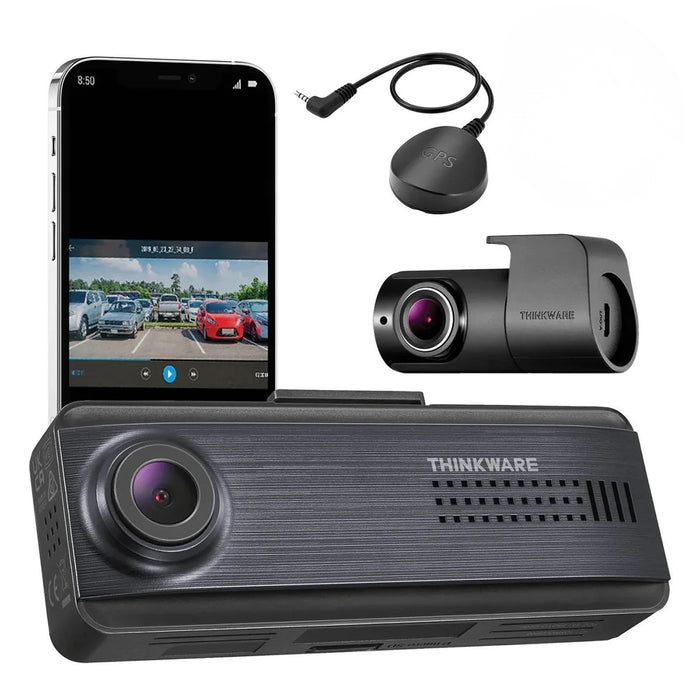
Thinkware Q200: 2K Front + Full HD Rear Dash Cam

The Thinkware Q200 records 2K QHD video ahead and Full HD video behind, both at 30FPS. Its compact front camera has no built-in screen; connect a nearby phone through Thinkware Dash Cam Link to aim the cameras, review clips and change settings.

This front-and-rear package includes a 32GB card, external GPS antenna, hardwiring kit and cigarette-lighter power cable. Choose it when you want rear coverage and configurable parking recording without a cellular or Cloud subscription.

2K + Full HD

Wi-Fi + Bluetooth

Parking Modes

GPS Included

2K footage with front-camera night enhancement

The front camera uses a 4MP OmniVision OS04C20 sensor to record 2560 × 1440 video at 30FPS. The included rear camera records 1920 × 1080 at 30FPS and connects to the front unit with a 6m cable, approximately 20ft.

Super Night Vision 2.0 improves low-light brightness on the front camera. You can enable it for continuous recording, parking recording or both. It does not apply to the rear camera. Lighting, speed and installation position still affect readable detail. The front body measures 98.5 × 34 × 22mm, as listed in the manual. Position it so the lens has a clear view through the windshield and check the angle in the app. The original sample footage in Resources shows the Q200 system. If you only need Full HD front recording, compare the smaller Thinkware F70 Pro. It cannot accept a rear camera.

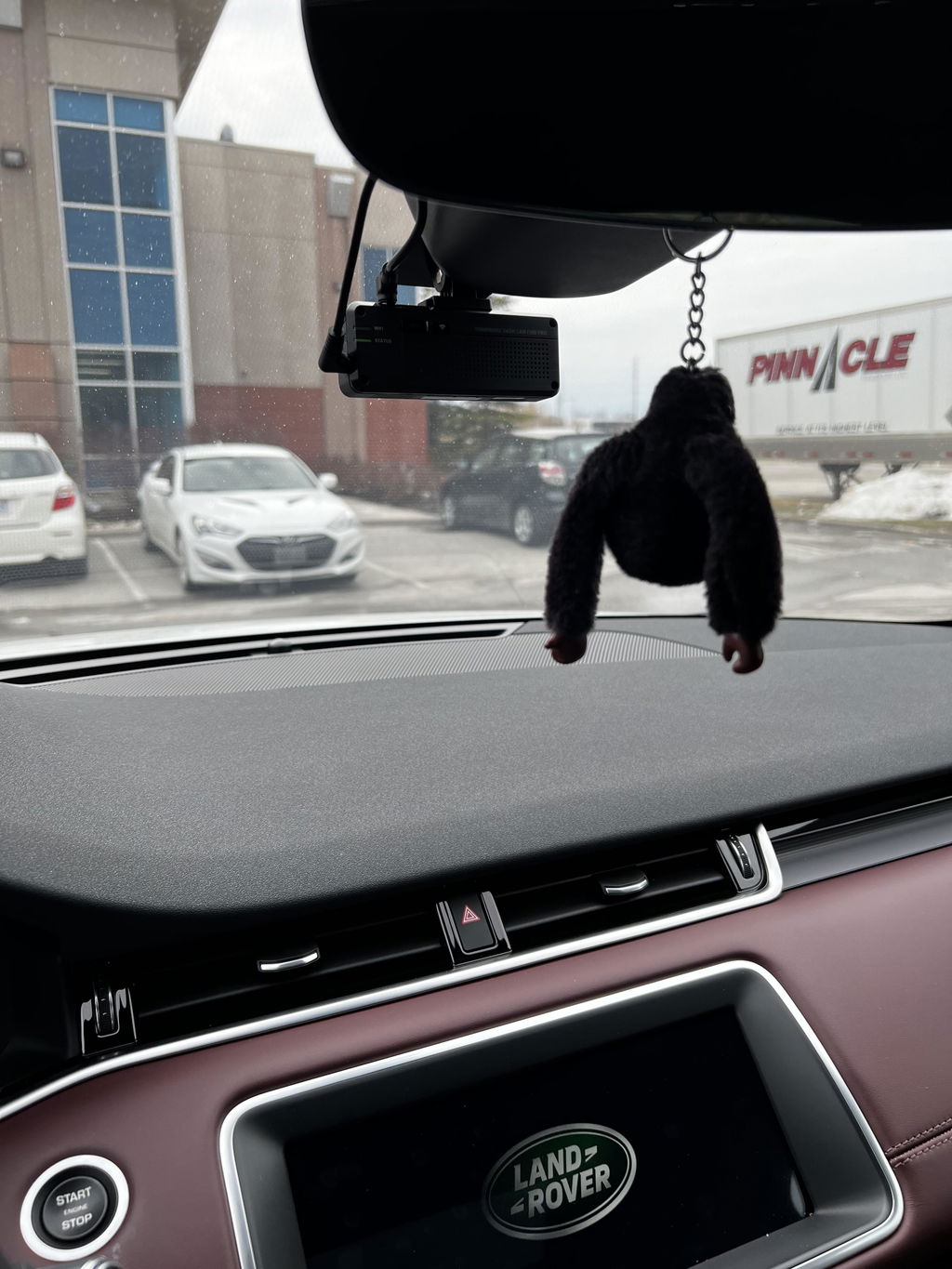
Thinkware Q200 front camera installed near the rear-view mirror

Choose the parking footage you need

Connect the included hardwiring cable for parking recording, or use a compatible Thinkware OBD power cable. Motion Detection saves a 20-second clip with 10 seconds before and after detected motion or impact. Time Lapse records at 2FPS to show a longer period in a shorter file.

Energy Saving waits for an impact and begins a 20-second recording within about one second after detection. It does not retain the lead-up to the impact. The Q200 does not use a radar sensor. Smart Parking Recording offers thermal protection and a long-time recording setting. Configure battery protection and the off timer for your vehicle. The camera may reduce operation to impact-only recording or shut down to protect itself; runtime depends on the power source, settings and conditions. The included cigarette-lighter cable is intended for driving use.

Parked vehicles illustrating the use of Q200 parking recording

Review recordings on your phone

Use Thinkware Dash Cam Link on a compatible iPhone or Android phone. Bluetooth assists pairing, then the camera's 2.4GHz Wi-Fi connection lets you check live view, adjust settings and download recordings while nearby. You do not need to leave your phone connected for normal recording.

This is a local camera connection. The Q200 has no cellular modem or remote Cloud viewing. Stop safely before using the app, and save important clips before they can be overwritten. The included 32GB card can be replaced with a supported 64, 128 or 256GB microSD card. Recording modes use different card folders and memory allocations. Changing parking settings can delete earlier parking files, so back them up first.

Phone connected to the Thinkware Q200 through the Dash Cam Link app

GPS alerts and room to expand

The included external GPS antenna plugs into the Q200's GPS socket. GPS adds speed and location information to recordings and supports regional speed-camera and red-light-camera alerts. Keep the safety-camera database current.

With the GPS antenna connected, the Q200 also supports lane departure, forward collision and front vehicle departure warnings. These are audible driving aids; the camera does not steer or brake. Set the installation position and sensitivity before relying on the alerts. The optional Thinkware Multiplexer Box supports expansion to as many as five cameras in total. It combines the additional camera views into one video file while the front camera records separately. The multiplexer, its cable and additional cameras are sold separately; select a compatible configuration before ordering.

Thinkware Q200 beside the external GPS antenna included with this package
What's Included
  • Thinkware Q200 front camera
  • Q200 rear camera
  • Rear-camera cable, 6m / approximately 20ft
  • 12V cigarette-lighter power cable, 4m / approximately 13ft
  • Hardwiring cable, 3m / approximately 10ft
  • 32GB microSD card with adapter
  • Windshield mount and spare mounting tape
  • Cable clips
  • Trim tool
  • External GPS antenna
Specifications
Camera Configuration Front and rear
Front Resolution 2560 × 1440 at 30FPS
Rear Resolution 1920 × 1080 at 30FPS
Front Image Sensor 4MP OmniVision OS04C20
Rear Image Sensor 2.1MP CMOS
Rear Field of View Approximately 125° diagonal
Front Field of View Approximately 124° diagonal
Recording Modes Continuous, incident, manual and parking recording
Display No built-in screen
Connectivity 2.4GHz (802.11 b/g/n) / Bluetooth Low Energy 5.0
GPS External antenna included
Parking Mode Motion Detection / Time Lapse / Energy Saving
Storage Support 32 / 64 / 128 / 256GB
Included Memory Card 32GB with adapter
Power 12V / 24V DC with compatible power connection; Supercapacitor; not a battery for standalone recording
Operating Temperature −10°C to 60°C (14°F to 140°F)
Dimensions 98.5 × 34 × 22mm
Warranty 1-year manufacturer warranty
Model / condition Q200 / New
Rear-camera cable 6m / approximately 20ft
Video / audio format H.264 MP4 / AAC
Phone app Thinkware Dash Cam Link
Night enhancement Super Night Vision 2.0; front only, driving and parking
Parking power Hardwiring cable included; compatible installation required
Cloud / cellular Not supported
Front camera weight 68g
Storage temperature −20°C to 70°C (−4°F to 158°F)
Frequently Asked Questions

What cameras are included, and can I expand?

This package includes a Q200 2K front camera and a Full HD rear camera, both recording at 30FPS. It is a front-and-rear kit, not the separate cabin-camera bundle. For more than the included front and rear views, use the compatible Thinkware Multiplexer Box and matching cameras and cables. It supports up to five cameras total; the added views share a combined video file.

What power cables and warranty are included?

The package includes a 3m hardwiring cable and a separate 4m cigarette-lighter power cable. Use a suitable hardwire installation for parking recording, with battery protection configured for the vehicle. The internal supercapacitor helps the camera finish saving a file during shutdown. It is not a battery that powers ongoing recording. This new Q200 has a one-year manufacturer warranty.

How long is the rear cable, and is GPS included?

It is 6m, approximately 20ft. Measure the planned route along the headliner and trim before installation, allowing room at both connectors and any hatch hinge. This BlackboxMyCar package includes the external GPS antenna. GPS is not built into the camera body.

Which camera has Super Night Vision?

Super Night Vision 2.0 applies to the front camera only. In the app, you can enable it for driving, parking or both. It improves brightness in low light without guaranteeing readable plates in every situation.

How do parking modes differ, and how long can they run?

Energy Saving starts a 20-second clip within about one second after impact detection. Motion Detection is the choice for a 10-second pre-event buffer, while Time Lapse records a continuous accelerated view at 2FPS. The Q200 uses video motion detection and an impact sensor. Do not expect radar-assisted wake-up or assume every parking mode captures footage before an event. There is no single guaranteed runtime. The power source, battery condition, temperature, recording mode and number of cameras all matter. Set the battery cutoff and off timer appropriately; battery protection does not guarantee that every vehicle battery will retain enough starting power.

Does the app work remotely or need to stay connected?

The Q200 uses local Wi-Fi for a nearby phone. It has no built-in cellular connection or remote Cloud viewing. The camera records to its memory card when powered after setup. Connect your phone when you want to review footage or adjust settings.

Which cards fit, and how do I save a clip?

The Q200 supports 32, 64, 128 and 256GB microSD cards. A 32GB card with adapter is included. Use a compatible card and back up important footage before formatting or changing parking recording settings. Press REC to save a one-minute clip covering 10 seconds before and 50 seconds after the press. Download important clips so you have a separate copy.

Resources

Thinkware Q200 sample footage by BlackboxMyCar

Thinkware Q200 in-depth review by BlackboxMyCar

Video guides and reviews

Manual and updates

Videos and setup guides

  • 5 stars: 43 (78%)
  • 4 stars: 9 (16%)
  • 3 stars: 0 (0%)
  • 2 stars: 0 (0%)
  • 1 star: 3 (5%)
Some of the reviews shown are from related products the merchant grouped with this one.
M
Marlo M. (Canada)
Amazing Camera

I ordered this a few a weeks ago as replacement for my blackvue that is currently installed. The image quality is really clear even at night and the rear camera is really a good bonus as blackbox is on sale when i bought it. Its a good starter camera in a reasonable price and the shipping is fast in blackbox. Highly recommended the service and tech support.

A
Anonymous (United States)
Excellent product and company

Excellent product and company. Top notch customer service

Thanks for the review! We’re glad to hear you’re happy with the Thinkware Q200 and had a great experience with our team. We really appreciate the kind words about our customer service.

C
Customer (Canada)
Looks great, easy install

Easy to install, looks great. Like the slim profile, sits nicely in behind the mirror without blocking any view out of the windshield . App was a little glitchy to set up initially, took a bit to connect with camera.

Thanks for your review, Dennis! We’re glad to hear the Q200 was easy to install and that the slim profile fits nicely behind the mirror.

For the app connection, were you using wireless Apple CarPlay or Android Auto at the time? Those systems can take over your phone’s WiFi and make it harder to connect to the dash cam. If that was the case, turning them off before connecting usually helps.

If anything still feels off, feel free to reach out and we’d be happy to help.

N
Norm (Canada)
Installed at Black box my car Richmond BC Great

Installed at Black box my car Richmond BC
Great service and quick and Quality installation
Would recommend

Thanks for the review, Norm! We’re glad to hear you had a great experience with our Richmond team and that the installation was quick and high quality. We truly appreciate the recommendation.

A
Anonymous (United States)
Easy install, phone connection quick

Easy install and the connection to the phone via wifi is very fast and easy. Wish there was a light on the rear camera letting me know it is recording. Captured images are acceptable for a 2K camera.

Thanks for your review! We’re glad to hear the Q200 was easy to install and that the WiFi connection has been quick and smooth. We appreciate the note about the rear camera indicator light as well. If there’s anything we could have done to make your experience a full five stars, feel free to let us know.

C
Customer (Canada)

I placed an order on May 7 and cancelled it before reception (I received the items on May 15th). No one never mentioned that I had to pay the return fee for shipping and in all my conversations they always make it looks like return was free. Surprisingly, when I called BlackBoxMyCar from my local purolator after the owner refused your package stating that your return form was incorrect, Ayra claimed that I have to pay $25.00 for a return label. I will never buy from you again

C
Chris K. (United States)
Sent wrong dashcams, still waiting on refund

Sent 1 channel vs the 2 channel cameras I purchased. Returned cameras which was a process in itself now still waiting on my refund. Will not be using this company again.

C
Customer (Canada)
Works as it’s supposed to!

After researching so many brands and shopping for the best prices, I then looked into installation challenges and options. Thinkware has a great reputation and blackboxmycar had the best price ($50 less then local). The ODB-2 connector from iroad worked perfectly and was a literal “snap” to install. Well done.
Local vendor wanted $299 for the same unit and wanted to hardwire into my car for an additional $400 , doing it myself was an hour of labour and a simple plug into the cars ODB-2 plug. Simple! So instead of $699 including taxes for one car, it cost me $600 and I did 2 cars. What more can anyone ask for.

R
Robert A.N.J. (United States)
Second Thinkware from Black Box My Car

The first Thinkware is about 10 years old and still working perfectly. I asked for the closest model to what I already have and this is it. Installation took some time to be "perfect" but it looks and works great! Highly recommend Thinkware and Black Box My Car.

I
Ivan C. (United States)
The Last Dashcam You'll Ever Need

It's small and unobtrusive, heavily configurable, and all at an incredible resolution.
Skip the other Amazon no name brands, this is the dashcam to end them all. Installation was easy and hooking it up with a hardwire kit brings it to the next level where I don't need to worry about my car when parked. The peace of mind is worth it and Thinkware really produced quality here.

A
A.T.

Easy install

C
Customer (Canada)
Thinkware q200

Fast delivery , easy install, this unit comes with a hardwire kit as well as a 12 adapter . Software is working great, nice compact design tucks away so you really don’t notice it

A
Anonymous (Canada)
korean trash

I dont like it. it looks like a snickers bar it has no screen and its hard to install

E
E. P. (United States)
F-200 Tried and True. Cant wait to install the new one!

I purchased and installed two F-200’s. Last year I was hit while driving in the left lane behind a cop on I-95 in Fl. The other diver was in the left lane, crossed into the middle then crashed into my front left quarter panel. I took three pictures of the video, and insurance settled with me. I refused to give them the video, they would need to take me to court to get anymore. I cant wait to try the new updated Q-200! The F-200 had great heat resistance, once installed it did not need to be reset. It just worked, day after day, ride after ride!! Cant wait to try the new one, as I sold my last car with it installed.

C
Customer (Canada)
Very economical

I installed the q200 myself using the cigar lighter. It was fairly simple, the only hiccup I had was linking the q200 to my smartphone as I was using CarPlay. This was easily sorted with online videos. The included accessories were simple to install and conceal. I am not a handy person but I figured out how to make this work and look good in about 1 hour.

G
Gerald G. (United States)
Great Intro Dash Cam

This is the 3rd Thinkware dash cam I've owned and I've even given this particular model to family as a Christmas gift. Between friends and family, they are very satisfied with this dash cam and it sits so sleek behind the windshield that most do not even notice it. It is especially a benefit to get the OBD cable so that you don't have to monkey around with the fuse wiring in order to power the camera or engage parking mode. The OBD cable does both of these. Video quality is very good and you can see the license plates in front and to the sides clearly. Don't be taken by it's price and it has bang for your buck!

G
Gerald G. (United States)
Great Intro Dash Cam

This is the 3rd Thinkware dash cam I've owned and I've even given this particular model to family as a Christmas gift. Between friends and family, they are very satisfied with this dash cam and it sits so sleek behind the windshield that most do not even notice it. It is especially a benefit to get the OBD cable so that you don't have to monkey around with the fuse wiring in order to power the camera or engage parking mode. The OBD cable does both of these. Video quality is very good and you can see the license plates in front and to the sides clearly. Don't be taken by it's price and it has bang for your buck!

N
Nate (United States)
Great camera, app sucks

The camera quality is decent and what I expected. The app works if you just need to change a few settings but playback is horrible and it takes forever for a video to download. I needed to buy a USB C SD card reader to watch any videos. Make sure to purchase fuse taps if your hardwiring. I appreciate the built in battery protection.

T
Tim G. (United States)
Small, but significant upgrades to F200 Pro.

On it's face, this is an F200 Pro with a QHD front camera, and that's exactly what it is. In fact, it takes all the same cables, mounts, and aux cameras as the F200 Pro. So if, like me, you're upgrading that camera, you don't have to change anything, just unplug the old camera (I'm going to use it for rental cars) and plug in this one... and you're done. I left my original multiplexer, rear/side cameras, GPS module, mount, and hardwiring kit, and all that gear works perfectly with this camera.

However, there are two big advantages to this camera... first, this takes 256gb SD cards, where the F200 Pro only takes 128gb. And second, this camera has bluetooth. Connecting to the cameara with bluetooth is much easier and faster than the F-series camera's method, and it's worth the upgrade just for that.

C
Customer (Canada)
TW f200 pro

Product was shipped and delivered quickly. Has some minor issue with wi-fi connection (no password included) had to call customer support. Set up and installation was pretty simple. Camera clarity is good, system setup is user friendly and basic. If you’re looking for a good product at a decent price, I would recommend contacting blackboxmycar.

A
Anonymous (Canada)
Extra set of eyes

I love this product, this is the dash cam I am looking for, while I am inside my house I can have extra set of eyes.
I purchased the Pro dual-channel so I have front and rear cam. I just got my new car 2 weeks ago and I almost got into an accident because some smart people don’t know how to drive.
He was turning left and maybe got bored and decided to get back on lane 1 and cut me off, If I didn’t have to slam my brake, (which is pretty hard) I could have hit him. So I decided to purchase dash cam, good protection for my car and especially myself.
I recommend to get this one, if you want a dash cam that provides and produce footage while your car is off.
I did install it myself, it’s pretty easy, you just have to have a proper tools, and knows how to read a blueprint. No issues so farC my car still good as it is. I purchased also the GPS anthenna, so I can receive info if there’s like speed cam, or red light or radar. Pretty good I am loving it hehe thank you blackboxmycar hehe
Awesome!

C
Customer (Canada)
Excellent service

First camera was a dud--such things happen. It was replaced promptly under warranty and the new one works perfectly. Very happy with the service, thanks.

C
Customer (Canada)

Thinkware F200 PRO Dual-Channel Full HD WiFi Dash Cam

C
C. (Canada)
Great Camera

Great experience purchasing and installing the dashcam. Thinkware is a trusted brand and the F200 pro delivers for its price point. If you are looking for a FHD camera with good build and quality then choose this. Ofcourse there are better and more expensive camera's but this does the job fine.

C
Customer (Canada)
Thinkware F200 Pro

After my old cheap dashcam killed my car battery, I decided to go back to more quality built dashcam. I had a Blackvue dashcam before. So I chose Thinkware. I like the fact the battery protection is built-in when installation is hardwired. I am happily with it.

C
Customer (Canada)
F200 pro

Great camera and with the OBD power connector really makes it easy to set up.
The 1080p camera is great and don't think 4k is needed. The price point is great also.

R
Robert

How do I link it to my phone , Are there a app I need to download?

BlackboxMyCar

You need to download the Thinkware Dash Cam Link app

Loading add-ons...