


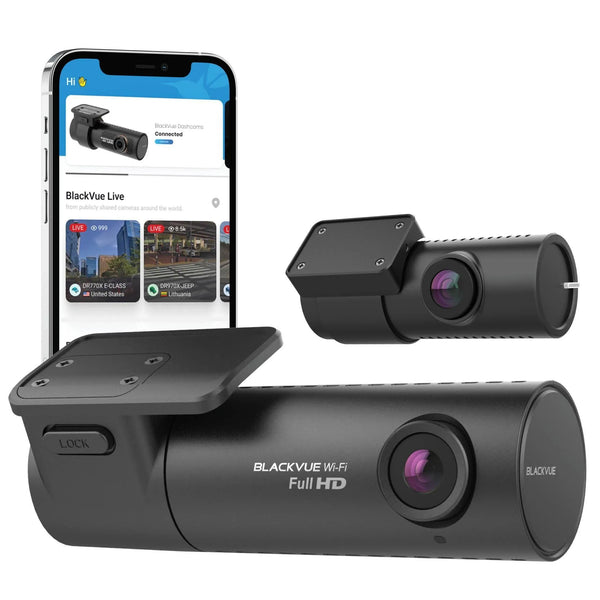


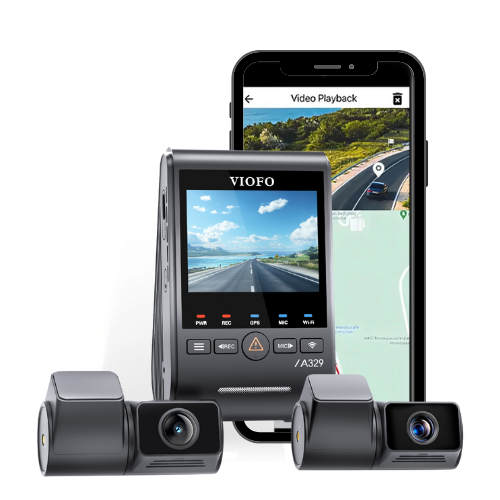


What's New With The VIOFO T330, T340 And A149 Pro?
Compare the new camera layouts and parking options with earlier VIOFO models
T330 3CH: A Separate Cabin Camera With Higher Resolution
The T330 3CH records 4K UHD at the front, 2K QHD at the rear and 2K QHD inside the cabin, at 30 FPS in this three-camera configuration. Its separate infrared cabin camera uses a Sony STARVIS 2 IMX675 sensor and a manufacturer-specified 210-degree fisheye lens.
Compared with the standard A229 Pro 3CH cabin camera, that changes the cabin recording from 1080P FHD to 2K QHD and expands the stated field of view from 150 degrees to 210 degrees. A separate camera also lets you choose a cabin mounting position independently of the front camera. Check a live view with people seated normally before fixing the mount. A wider lens cannot guarantee that every face or seat will remain visible. A229 Pro 3CH.

Moving from an A139 Pro 3CH to the T330 changes both rear and cabin recording from 1080P FHD to 2K QHD. If you own an A229 Pro 3CH, your front and rear cameras already use the same named IMX678 and IMX675 sensor models. The cabin camera, Wi-Fi 6 and parking features provide more useful reasons to consider the T330 than simply seeing another 4K UHD label. Sensor names and resolution alone do not establish better footage in every situation.
The T330 has no LCD. You use the VIOFO app for its settings and nearby video review, or review saved files on a computer. Consider whether you prefer that screenless installation or the controls on your existing camera.

T340 4CH: A Cabin View And An Additional Telephoto Camera
The T340 4CH records four views: a 4K UHD wide front view, a built-in 2K QHD infrared cabin view, a 2K QHD telephoto view and a 2K QHD rear view. All four record at 30 FPS in this configuration. The telephoto camera has a manufacturer-specified 35-degree field of view, so it records a narrower view alongside the ordinary front camera.
That additional view is the main coverage difference from the standard A229 Pro 3CH and A139 Pro 3CH kits compared below. It gives you a second perspective of the road ahead. Distance, lighting and movement still affect what a recording shows; a telephoto lens does not guarantee that a number plate will be readable.

The built-in cabin camera changes the installation too. You position the front unit so its cabin lens can see the occupants, rather than mounting a separate cabin camera. The T340 cabin camera has a 210-degree lens and an OmniVision OS04J10 sensor. Its front, rear and telephoto cameras use Sony STARVIS 2 sensors, but the cabin camera does not. The T330 gives you more freedom to position its separate cabin camera.
The T340 3CH version has front, cabin and rear recording without the additional telephoto camera. This article compares the 4CH kit, so check the exact configuration when looking at a listing.
There is also an HDR tradeoff. High dynamic range processing helps handle bright and dark areas within an image. The current T340 manual allows HDR on the front camera and one additional channel during recording. You cannot assume that all four views receive HDR at once. Choose the additional HDR channel for the view that matters to your use. T340 manual, printed page 35.

How The T330 And T340 Compare With Older VIOFO Models
The table compares the standard kits named in the headings. Adding or swapping an optional camera changes that configuration. Resolution rows show the recording classes; they do not compare maximum FPS from different recording modes.
On smaller screens, scroll the comparison sideways to see every model.
| Feature | T330 3CH | T340 4CH | A229 Pro 3CH | A139 Pro 3CH |
|---|---|---|---|---|
| Camera Photo | |
|
 |
 |
| Camera layout | Front, rear and separate cabin | Front, rear, built-in cabin and telephoto | Front, rear and separate cabin | Front, rear and separate cabin |
| Front resolution | 4K UHD | 4K UHD | 4K UHD | 4K UHD |
| Rear resolution | 2K QHD | 2K QHD | 2K QHD | 1080P FHD |
| Cabin resolution | 2K QHD | 2K QHD | 1080P FHD | 1080P FHD |
| Telephoto resolution | Not included | 2K QHD | Not included | Not included |
| Cabin sensor | STARVIS 2 IMX675 | OmniVision OS04J10 | STARVIS IMX307 | STARVIS IMX291 |
| Telephoto field of view | Not included | 35 degrees | Not included | Not included |
| Driving HDR | Front, rear and cabin | Front plus one additional channel | Front, rear and cabin | Front |
| Wi-Fi | Wi-Fi 6, dual band | Wi-Fi 6, dual band | Dual band | Dual band |
| Built-in screen | None | None | 2.4-inch LCD | None |
| Parking options | Hybrid and low-power impact, plus conventional modes | Hybrid and low-power impact, plus conventional modes | Auto-event, time-lapse and low bitrate | Auto-event, time-lapse and low bitrate |
| Optional hardwire kit | HK6-F for voltage controls | HK6-F for voltage controls | HK4 | HK3-C |
Explore the current VIOFO range, including the A229 Pro 3CH.
Camera photos may include illustrative screens or accessories; the table compares the named camera configurations. Parking features require the appropriate power connection and settings. Buffered auto-event recording and low-power impact standby capture events differently, as explained below. The HDR row concerns the compared driving configuration, not every parking setting. These specifications were checked against VIOFO's current product pages and manuals. The listed hardwire kits follow the referenced manuals; they are not an exhaustive compatibility list.
For the historical A139 Pro configuration, refer to its current official manual. Check the exact recording mode and firmware before comparing FPS; the resolution classes here do not make a frame-rate claim.
A149 Pro Duo: Newer Features In A Front And Rear System
The A149 Pro Duo records 4K UHD front video and 1080P FHD rear video at 30 FPS. It has a Sony STARVIS 2 IMX678 front sensor, Wi-Fi 6 and a 2.0-inch LCD. It suits a driver who wants front and rear recording with camera controls on a screen, without a cabin or telephoto camera in the standard kit.
An A129 Pro Duo owner will recognize the same 4K UHD front and 1080P FHD rear resolution classes. The changes include the front STARVIS 2 sensor, HDR, Wi-Fi 6 and the newer parking options. The A149 therefore updates how the system works without increasing the rear recording resolution.
An A229 Pro 2CH owner has a different decision. That older front and rear kit already uses an IMX678 front sensor and records 2K QHD at the rear. Moving to the A149 Pro Duo would reduce the rear resolution class to 1080P FHD. Decide whether its connectivity and parking features are worth that change for your use. A229 Pro 2CH.

On smaller screens, scroll the comparison sideways to see every model.
| Feature | A149 Pro Duo | A129 Pro Duo | A229 Pro 2CH |
|---|---|---|---|
| Camera Photo |  |
 |
 |
| Standard coverage | Front and rear | Front and rear | Front and rear |
| Front recording | 4K UHD, 30 FPS | 4K UHD, 30 FPS | 4K UHD, 30 FPS |
| Rear recording | 1080P FHD, 30 FPS | 1080P FHD, 30 FPS | 2K QHD, 30 FPS |
| Driving HDR/WDR | Front and rear HDR | WDR | Front and rear HDR |
| Wi-Fi | Wi-Fi 6, dual band | Dual band | Dual band |
| Built-in screen | 2.0-inch LCD | 2.0-inch LCD | 2.4-inch LCD |
| Parking options | Hybrid and low-power impact, plus conventional modes | Auto-event, time-lapse and low bitrate | Auto-event, time-lapse and low bitrate |
| Optional hardwire kit | HK6-A for voltage controls | HK3 | HK4 |
Camera photos may include illustrative screens or accessories. The recording rows describe simultaneous front and rear operation in the compared kits. The A149's front HDR setting is adjustable; its rear HDR is fixed on in the current manual. Parking options still depend on compatible power and settings. A149 Pro manual, A129 Pro manual, A229 Pro manual.
What Wi-Fi 6 Changes When You Retrieve A Recording
All three new models have Wi-Fi 6 for the local connection between the dash cam and a nearby phone. It is useful to consider if you often retrieve clips through the app. Actual download time depends on the phone, connection and file size, so there is no single speed improvement that every driver will experience.
Wi-Fi 6 does not add remote cloud monitoring. You still need to be near the camera for its local Wi-Fi connection. If your main goal is to check the car while you are elsewhere, that is a separate connected-service requirement.
If you need several recordings, copying the memory card's files to a computer is another option. Save important original clips and verify that they open before allowing loop recording to overwrite older files. Follow the model manual when stopping recording and removing the card.

Hybrid Parking Changes What Happens After A Threshold
The T330, T340 and A149 Pro offer hybrid parking recording. The camera starts in a selected parking mode, such as time-lapse, low bitrate or auto-event detection. When a configured threshold is reached, it switches to low-power impact detection. The power accessory and chosen cutoff settings determine which controls are available. T330 manual, printed pages 20 and 21.
For example, you could choose time-lapse at 1 FPS followed by impact detection, with a 30-minute cutoff time. The camera would record time-lapse first, then switch to impact standby after that interval. This describes a setting sequence, not how long your vehicle battery will run the camera. The hardwire kit's final low-voltage cutoff still ends operation.

Standby changes the evidence you may receive. In low-power impact mode, the manuals say the camera takes about two seconds to wake after an impact and then records for one minute. Further movement can extend recording up to three minutes. It does not provide the pre-impact buffer of an already-running auto-event mode. For example, the A149's auto-event mode saves 15 seconds before and 30 seconds after a detected event. A149 Pro manual, printed pages 45 and 46.
The new-model manuals also state that impacts within three minutes of entering or exiting parking mode are not saved as events, to reduce false alerts such as a closing door. This affects which files are saved as events. Ordinary recording depends on the mode running at the time. Test how your chosen mode behaves after the transition, rather than judging it only by closing a door immediately after parking. T340 manual, printed page 43.
Before reusing an installation, confirm the power accessories for the exact camera. The new T-series manuals specify HK6-F for voltage-based controls, and the A149 manual specifies HK6-A. Older A229 Pro, A139 Pro and A129 Pro installations have different documented accessory requirements. A connector fitting physically is not proof that all parking functions will work. Actual parked runtime depends on the power source, cutoff settings and operating conditions.
Who Should Consider Upgrading?
If you own an A139 Pro 3CH and want higher-resolution rear and cabin recording, the T330 is a relevant model to examine. The T340 adds the separate telephoto perspective and places its cabin camera in the front unit. Check which mounting arrangement gives you the views you need.
If you own an A229 Pro 3CH and its front and rear recordings already meet your needs, start with the cabin view and parking behavior. T330 changes the cabin camera; T340 changes both the layout and the available views. You may prefer to keep your A229 Pro if its cabin coverage and parking recording already do what you need.
For an A129 Pro Duo owner who wants newer front-camera processing, local connectivity and parking controls while retaining an LCD, consider the A149 Pro Duo. If you have an A229 Pro 2CH, weigh the A149's 1080P FHD rear against your existing 2K QHD rear before changing systems.
Before installation, confirm the exact kit, test the views with occupants seated normally, select the appropriate HDR channels and check the power requirements. Run a parking-mode test before routing cables behind the trim. Use the manuals and firmware hub to check the instructions for your exact model.
Choosing Your Next VIOFO Setup
Start with the footage your current system is missing. A cabin view, a second front perspective or a different parked-recording strategy each leads to a different choice. Once you have identified that need, browse VIOFO models and check the exact kit and accessories rather than choosing by model number alone.
For help comparing these models or planning the power connection, tell us your current dash cam, vehicle and the views you want to record. We can help you work through those requirements before you choose a system.
Contact Us