






BlackVue Elite 10 CABIN: Should You Choose Cabin Or Rear Coverage?
Compare cabin and rear-road coverage before choosing your next BlackVue kit
What Changes With The Elite 10 CABIN?
The new part of this Elite configuration is its second camera. The front unit records the road ahead, while a separate interior camera faces the occupants. Both record at 4K UHD, 30 FPS. BlackVue specifies a 160-degree diagonal field of view for the cabin camera, which has four infrared LEDs for recording in darkness.
The camera count stays the same; the second view changes. Cabin coverage can show activity inside the vehicle. Rear-road coverage can show traffic approaching from behind.
All three kits in this comparison record the front view at 4K UHD, 30 FPS. The model name and resolution alone do not establish which will produce the most useful clip in a particular situation. Start with where you want the second camera to look.

Elite 10 CABIN Vs Elite 10 And Elite 9
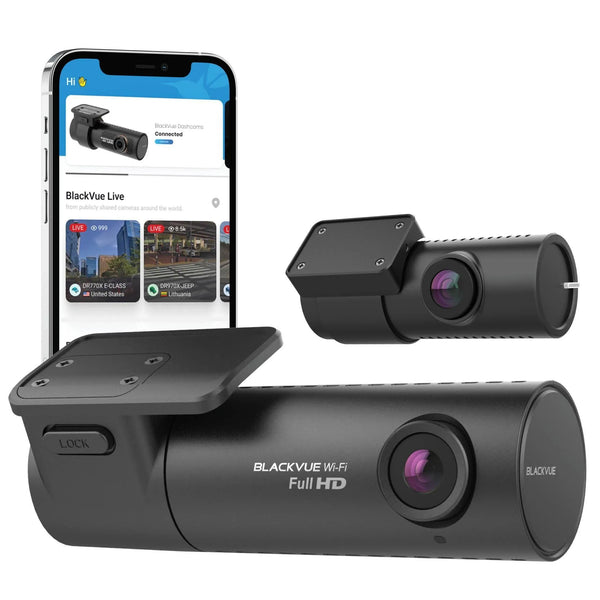
This table compares the named two-channel kits. The CABIN model is on the left, followed by the standard front/rear Elite 10 and Elite 9. Each photo identifies the camera pair; it does not establish which accessories are included in a package.
On smaller screens, scroll the comparison sideways to see every model.
| Feature | Elite 10 CABIN | Elite 10 | Elite 9 |
|---|---|---|---|
| Camera Photo |  |
 |
 |
| Recorded views | Front road + cabin | Front road + rear road | Front road + rear road |
| Front resolution | 4K UHD, 30 FPS | 4K UHD, 30 FPS | 4K UHD, 30 FPS |
| Rear resolution | Not included | 4K UHD, 30 FPS | 2K QHD, 30 FPS |
| Cabin resolution | 4K UHD, 30 FPS | Not included | Not included |
| Cabin field of view | 160 degrees, diagonal | Cabin camera not included | Cabin camera not included |
| Cabin IR illumination | Four infrared LEDs | Cabin camera not included | Cabin camera not included |
| HDR channels | Front only | Front only | Front and rear |
| Parking options | Power Saving, Motion Detection, Time Lapse | Power Saving, Motion Detection, Time Lapse | Power Saving, Motion Detection, Time Lapse |
| Remote Cloud connection | Internet hotspot or optional LTE module | Internet hotspot or optional LTE module | Internet hotspot or optional LTE module |
Resolution and FPS describe simultaneous recording in these configurations. They are not a footage-quality ranking. See BlackVue's specifications for Elite 10 CABIN, Elite 10 and Elite 9.
Parking recording requires a compatible powered setup and the appropriate settings. Power Saving has no pre-impact buffer; Motion Detection works differently. Remote Cloud access requires an internet connection and applicable service or plan conditions.
Compare the front/rear listings: BlackVue Elite 10 and BlackVue Elite 9.
Which View Fits Your Driving?
When Cabin Coverage Matters
If you want to review an interaction inside the car, the passenger area is the view to prioritize. A camera pointing through the rear window cannot provide the same view of the occupants.
You might carry passengers regularly, or simply want to record activity inside your own car. Either way, consider how often you need that view before choosing it as your second channel.
When Rear-Road Coverage Matters
If your priority is following traffic or a vehicle approaching from behind, the standard front/rear kits address that view. A cabin camera should not be treated as a replacement for a dedicated rear-road camera, even if a little of the rear window is visible in its frame.
The standard Elite 10 records the rear at 4K UHD, 30 FPS; the Elite 9 records it at 2K QHD, 30 FPS. Elite 9 also lists HDR on both cameras, while Elite 10 lists HDR on the front only. Higher rear resolution and rear HDR are different features. The specifications do not settle which is better for every rear-road scene.
When Keeping Your Current Kit Makes Sense
If your Elite 10 or Elite 9 already records the two views you need, you may have little reason to switch. The CABIN model makes more sense when you want to record the interior, including at night.
Before replacing a front/rear setup, ask which view you would give up. If you need the front road, rear road and cabin at the same time, none of these named two-channel kits provides all three included views. Choose a configuration that explicitly supports your full coverage needs.
What Infrared Changes In A Dark Cabin
The interior camera uses automatic day/night infrared filter switching. In daylight, BlackVue describes natural-colour recording. In darkness, it switches to infrared recording, with four IR LEDs on the cabin camera. This is daylight colour and infrared night recording, rather than a promise of full-colour footage in a pitch-dark car. BlackVue's launch explanation
The stated 160-degree field of view is a diagonal measurement. Seat visibility depends on the installed framing. Check the actual frame with the seats and headrests in their normal positions, including in the lighting you expect to use it in.
The product and installation photos here show the hardware and its placement. They are not night-footage tests or a comparison of recorded image quality.

What To Check Before Switching Kits
Confirm The Camera Pair
The standard Elite 10 rear camera and Elite 10 CABIN interior camera are not interchangeable. BlackVue explains that their model-specific firmware and infrared controls differ, and the wrong secondary camera produces an error. Do not assume you can convert a standard Elite 10 by plugging in the CABIN camera. BlackVue Elite 10 series FAQ
Check The Framing In Your Vehicle
BlackVue's CABIN installation guide places the separate interior camera near the mirror area and describes adjusting its angle. Keep the driver's view clear as you find a position that captures the area you want to record. CABIN installation guide
Choose The Parking Mode For The Clip You Need
In Power Saving mode, the camera waits in standby and wakes when an impact is detected. It does not record continuously, and there is no pre-impact buffer. Motion Detection uses a running buffer while powered. That distinction matters if you want to see activity before an event, rather than only the recording after an impact trigger. CABIN recording settings
Parking operation also depends on the power supply and cutoff settings. BlackVue's installation guide requires a compatible hardwired setup or dash cam battery for Parking Mode; its plug-in driving-power options do not provide that mode. Confirm the intended power setup and cutoff settings before relying on parked recording.
Two Questions Before You Choose
Does The Elite 10 CABIN Record Front, Rear And Interior Together?
The two-channel Elite 10 CABIN kit compared here records the front road and cabin. It includes no separate rear-road camera. The standard Elite 10 and Elite 9 kits instead record front and rear. Check the exact supported configuration if you need all three views.
Does The Elite 10 CABIN Have Built-In LTE?
No. BlackVue documents a hotspot or an optional external LTE module for connecting this camera to the Cloud. Local recording does not require a Cloud connection. Remote access needs an internet connection and applicable service or plan conditions. CABIN Cloud setup
Help Choosing Your Coverage
Tell us which dash cam you use now, what vehicle it is installed in and which view you want to add. Those details make it easier to compare the right camera configuration and power setup.
Use our manuals and firmware resources for setup information, browse the BlackVue collection, or contact BlackboxMyCar for help choosing your coverage.
Contact UsShop The BlackVue Elite 10 CABIN
BlackVue Elite 10 CABIN
A front/interior two-channel kit for drivers who want 4K UHD recording ahead and inside the vehicle, with infrared recording for the cabin at night.
Shop Now