


VIOFO A139 Pro 3CH vs. Vantrue N4
Choose three-camera coverage that fits your vehicle and your routine
At BlackboxMyCar, we help you build a dash cam setup you can rely on when a recording matters. For rideshare drivers and anyone who needs a cabin view, that means checking the road ahead, the seats inside and the road behind. Both systems cover those three views, but they make different trade-offs in resolution, mounting and everyday access.
This comparison covers the original Vantrue N4 and VIOFO A139 Pro 3CH. The N4 Pro and N4S are different models. We use the exact model manuals below and identify specification conflicts where the manufacturers’ pages differ.
Compare resolution with all three cameras connected
The most useful number here is the resolution you get with the cameras you intend to use. The A139 Pro manual lists 2160P front plus 1080P cabin and rear at 24 FPS in three-channel mode. Its manufacturer product table also advertises a 30 FPS combination; check your unit’s firmware and available menu settings rather than assuming every version offers that rate.
The N4 manual lists a default 1440P front plus 1080P cabin and rear at 30 FPS. It also lists a 1440P front/1440P cabin/1080P rear option. Its 4K front-only or front-and-rear modes should not be mistaken for 4K recording across a three-camera setup.
For us, the A139 Pro’s 4K front view is a useful reason to choose it when front-scene detail is a priority. Its Sony STARVIS 2 IMX678 sensor and HDR are features to consider, but they do not guarantee a readable plate in every scene. Speed, light, glare, angle and settings still affect the result.

The N4 manual lists 2160P + 1080P at 30 FPS for front-and-rear use; an older manufacturer specification block lists 25 FPS. Front-and-cabin is a separate mode in the manual and should not inherit the front-and-rear specification. For either camera, verify the chosen channels and resolution in a saved recording after setup.
Make room for the cabin view, not just the front lens
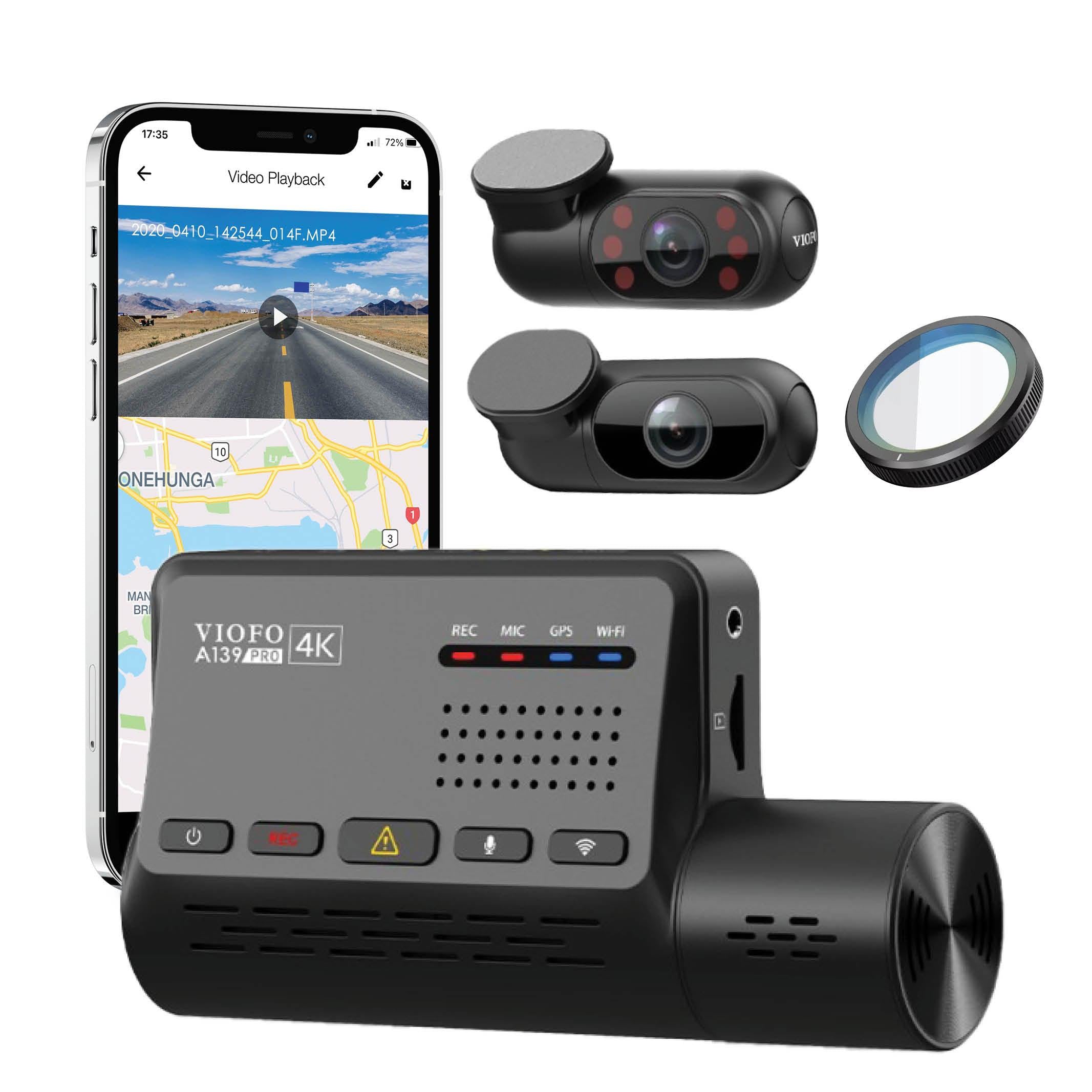
The A139 Pro has no screen. Its cabin and rear cameras are separate from the front unit, so you can position the cabin lens independently around a mirror or sensor housing. VIOFO uses slim coaxial camera cables and small connectors; leave enough space for the connectors and avoid tight bends.
The N4 combines its front and infrared cabin lenses in the main unit, with a separate rear camera. Its manual specifies a 2.45-inch IPS screen and a suction mount. Before choosing a position, check that the main unit can see both the road and the seats you need.
We recommend checking all three views before fixing the installation in place. Keep the camera out of your driving view, and route cables clear of airbags and vehicle sensors. A small camera still needs a suitable mounting position; size alone does not establish legal placement or theft protection.

Plan parking recording around the power supply
Parking mode needs power after the engine is off. The A139 Pro manual describes Auto Event Detection, Time Lapse and Low Bitrate modes. VIOFO’s model-specific support table lists a 15-second buffer for A139 Pro event detection; the feature still depends on correct power and settings.
The N4 manual describes collision detection, motion detection, their combined mode and low-bitrate recording. These modes behave differently: its collision-only mode wakes to record after an impact, while low-bitrate mode keeps recording at reduced settings. Do not assume every mode preserves footage from before a trigger.
Choose a hardwire kit for the exact camera and follow its instructions for permanent power, switched power and ground. The A139 Pro manual names the optional HK3-C kit. An HK4 reference or a matching USB-C plug alone is not enough to confirm the correct wiring and parking-mode behaviour.
Our BlackboxMyCar PowerCell 8 is our dedicated dash cam battery pack. We can help you check the output cable and parking-mode connection for your camera before you build the setup. A battery pack can provide a separate parking power source, but it does not promise a fixed runtime or make every cable combination compatible.
There is no single voltage cutoff that is right for every vehicle and battery. Follow the vehicle and power-accessory guidance, allow for the battery’s condition and your driving routine, and have a qualified installer check an uncertain connection. In a hot parked vehicle, the manuals also require temperature precautions: VIOFO advises turning the camera off above 60°C inside the car, while the N4 parking section gives a narrower -10°C to 50°C working-environment range than its general -10°C to 70°C specification.
Decide how you want to retrieve a recording
The A139 Pro’s 2.4GHz and 5GHz Wi-Fi connect a nearby phone to the camera for settings, preview and clip downloads through the VIOFO app. This is a local connection, not remote Cloud access. Download speed depends on the phone, file and conditions.
The original N4 has no Wi-Fi or mobile app. Its manual describes reviewing files on the camera’s screen, connecting it to a computer by USB, or accessing the memory card. Choose that workflow if you prefer handling recordings without a phone connection.
Both manuals now list support up to 512GB, although older N4 specifications still say 256GB. Follow the requirements for your exact unit and firmware, use an appropriate recording card and check that all cameras save playable files. Copy a needed clip before formatting or allowing loop recording to replace older footage.

The A139 Pro includes a GPS module. For the N4, GPS is available through an optional GPS receiver mount; it is not correct to describe the model as having no GPS option.
GPS can add location, speed and time information to recordings. Check the time zone and timestamps after installation. It is a recording aid, not live vehicle tracking, and it does not turn either camera into a Cloud-connected system.
The A139 Pro also provides spoken status notifications. Use those alongside the recording indicators and a saved-file check; hearing a message is not a substitute for checking that the views you need have been recorded.

Compare the complete setups
These are model-specific recording and setup references. They are not a current bundle or price offer.
| What matters | A139 Pro 3CH | Vantrue N4 |
|---|---|---|
| Three-camera recording | Manual: 2160P + 1080P + 1080P at 24 FPS; product-table rate differs | Default: 1440P + 1080P + 1080P at 30 FPS |
| Camera layout and display | Separate front, cabin and rear units; no screen | Front and cabin lenses in main unit; separate rear camera; 2.45-inch screen |
| Image sensor | Sony STARVIS 2 IMX678 front; Sony STARVIS IMX291 cabin and rear | Sony STARVIS CMOS system; check the exact unit specification |
| Manufacturer viewing angles, front/rear/cabin | 140° front; manufacturer table lists 165° rear/cabin, while its description lists 170° | 155° / 160° / 165° |
| GPS | Included module | Optional receiver mount |
| Wi-Fi and phone app | Local 2.4GHz/5GHz connection with VIOFO app | No Wi-Fi or mobile app |
| Parking mode | Event detection, time lapse or low bitrate; suitable continuous power required | Collision/motion modes or low bitrate; continuous power required |
| Event and loop recording | G-sensor, manual protection and loop recording; back up needed files | G-sensor, manual protection and loop recording; back up needed files |
| Memory card | Manual lists up to 512GB | Current manual lists up to 512GB; older specification block says 256GB |
| Audio | Microphone and speaker; spoken status notifications | Microphone and speaker; screen-based controls |
| Thermal limits | Follow the manual’s hot-parking advice, including turning off above 60°C inside the car | Parking section: -10°C to 50°C; general operating specification: -10°C to 70°C |
| Purchase terms and product label | Check actual included accessories, warranty, selling market and origin label | Check actual included accessories, warranty, selling market and origin label |
Compare the camera, installation, memory card, parking power and any optional GPS or filter together. Earlier prices in this article are no longer treated as current offers. The A139 Pro’s single-, two- and three-channel packages are different configurations; a front-only listing is not a price for all three views.
Our advice: choose the workflow you will use
We favour the A139 Pro 3CH for drivers who want a 4K front view while recording the cabin and rear, convenient phone access and a flexible cabin-camera position. The N4 remains a different proposition: a screen and front/cabin lenses in one unit, with GPS available as an extra mount.
For peace of mind, make the final decision around your vehicle and your routine. Check the view from each camera, confirm parking power behaves as intended and practise saving a clip. Those checks give you a much more useful setup than choosing on a 4K label alone.
Check the package contents before assuming a CPL filter, hardwire kit or memory card is included. A CPL can reduce some reflections when correctly fitted, but it will not remove every reflection or guarantee night-time plate capture.
Need help matching the camera, mounting position and parking power? Talk to our dash cam experts