


Thinkware U3000 vs. VIOFO A139 Pro
Compare front, rear and cabin coverage, parking modes and connected features
At BlackboxMyCar, we want you to have a recording you can use when something happens on the road or while you're parked. We'd choose the camera views and parking-power setup first, then compare the specifications. A shared sensor name alone won't tell you which system suits your vehicle.
Choose the views you need
The original U3000 is a front-only or front-and-rear system. The A139 Pro family also has a separate interior camera option. If you need to record passengers or activity inside the vehicle, choose that view deliberately.
Two channels does not always mean front and rear. The A139 Pro 2CH IR combines the front camera with an infrared cabin camera. It is different from the front-and-rear 2CH kit, and neither is the three-camera package.
Both families use a screenless layout, so allow room for the mount and cable connections as well as the camera itself. Position each camera without obstructing your view or the vehicle's sensors. A tidy installation still needs a clear lens view and access to the memory card.

On a phone, scroll sideways to read every column.
| Configuration | Front | Rear | Cabin |
|---|---|---|---|
| Thinkware U3000 front + rear | 4K UHD | 2K QHD | No cabin camera in this configuration |
| VIOFO A139 Pro 2CH front + rear | 4K UHD | 1080P FHD | No cabin camera in this configuration |
| VIOFO A139 Pro 3CH | 4K UHD | 1080P FHD | 1080P FHD infrared camera |
| VIOFO A139 Pro 2CH IR | 4K UHD | No rear camera in this configuration | 1080P FHD infrared camera |
Compare the recordings, not just the sensor labels
Both models use Sony STARVIS 2 IMX678 front sensors. The U3000 pairs its 4K UHD front view with a 2K QHD rear camera. VIOFO's A139 Pro configuration guide lists 1080P FHD rear and cabin recordings, according to the camera combination. Those are recording specifications, not a promise that every plate will be readable.
Thinkware lists 4K UHD at 30 FPS or 2K QHD at 60 FPS for the U3000 front camera. VIOFO documents front HDR on the A139 Pro. Available recording combinations depend on the connected cameras and firmware, so select the configuration you actually own before comparing a frame-rate claim.
We wouldn't name a picture-quality winner from sensor labels or the illustration beside this section. Check saved recordings from your own installation in daylight and after dark. Windshield reflections, placement, lighting and the chosen settings all matter. A compatible CPL filter can help with reflections; check the exact kit rather than assuming a filter is included.

Plan parking mode and power together
The U3000's built-in front and rear radar is its main parking distinction. Thinkware documents a low-power mode that wakes the camera when it detects motion in the selected range. It requires the appropriate hardwired or OBD-II power installation.
THINKWARE CONNECTED is unavailable in RADAR Parking Mode. The camera turns off network data functions to reduce power use. If remote parking access is important to you, plan around that tradeoff instead of expecting radar and connected features to run together.
Detection depends on the installation and surroundings. Thinkware notes that some metallic tint films, rear-camera placement and other 24 GHz devices can affect radar operation. It does not guarantee detection of every object.
Back up parking footage before changing the U3000 parking mode. Thinkware warns that changing this setting erases prior parking recordings.
The A139 Pro offers buffered auto-event detection, time-lapse and low-bitrate parking recording. VIOFO lists the HK3-C or HK4 as compatible optional hardwire kits. Choose the correct power setup before relying on parking recording, and test the camera's transition after installation.

The U3000 also has motion-and-impact, time-lapse and energy-saving choices. Its Smart Parking behavior reduces activity in high temperatures. None of these modes provides unlimited runtime or prevents damage to the vehicle. For either system, our advice is to protect the starting battery with the correct power arrangement and confirm that a parking recording saves and plays.
If you're considering a dedicated battery, our PowerCell 8 guide explains that option. The output cable and installation must match the camera; a battery pack doesn't make every cable interchangeable.
Separate nearby Wi-Fi from connected services
Both models have dual-band Wi-Fi for a nearby phone connection. That lets you change supported settings and retrieve recordings without removing the card. Local Wi-Fi is not remote access from anywhere. VIOFO's A139 Pro support guidance describes a nearby connection, including when the camera is parked.
The U3000 also supports THINKWARE CONNECTED. It needs internet access at the vehicle through a suitable Wi-Fi network or separate hotspot. Thinkware says the phone used to set up the connection cannot also act as that hotspot, and carrier charges may apply. Check the applicable service and app requirements before planning a remote setup.
Thinkware lists driver-assistance and safety-camera alerts for the U3000. Treat them as supplemental warnings, not a substitute for watching the road. The diagram shows alert concepts, not a guarantee that a particular hazard will be detected.

Choose storage for the exact camera
Thinkware's U3000 model specification lists microSD support up to 256GB. VIOFO lists up to 512GB for the A139 Pro. Use a card recommended for the exact model and firmware rather than choosing by capacity alone. These are capacity limits, not included-card promises.
Before formatting or changing recording partitions, back up anything important. More channels and different recording settings change how much footage fits on a card. Make sure each connected camera produces a playable file after setup. Our dash cam memory-card guide explains the storage checks.
Compare the original models
On a phone, scroll sideways to read every column.
| Feature | Thinkware U3000 | VIOFO A139 Pro |
|---|---|---|
| Camera coverage | Front-only or front + rear | 2CH front/rear, separate 2CH IR front/cabin, or 3CH front/rear/cabin |
| Front sensor | Sony STARVIS 2 IMX678 | Sony STARVIS 2 IMX678 |
| Auxiliary recording | 2K QHD rear in the dual-camera system | 1080P FHD rear and/or infrared cabin, according to configuration |
| Parking choices | RADAR, Smart, motion/impact, time-lapse and energy saving | Buffered auto-event, time-lapse and low bitrate |
| Parking power | Compatible hardwire or OBD-II installation | Compatible optional hardwire setup |
| Radar distinction | Built-in front and rear radar | Compare the documented recording modes above; do not assume the U3000's radar behavior applies |
| Nearby connection | 2.4GHz / 5GHz Wi-Fi; Bluetooth pairing support | 2.4GHz / 5GHz Wi-Fi |
| Remote access | THINKWARE CONNECTED with internet and service conditions; unavailable in RADAR Parking Mode | Nearby app access is documented; not a remote-monitoring alternative |
| GPS | Built in | Built in |
| Impact and loop recording | Supported; select the relevant recording settings | Supported; select the relevant recording settings |
| Listed card capacity | Up to 256GB in the U3000 specification | Up to 512GB |
| Operating temperature | -10°C to 60°C / 14°F to 140°F | -20°C to 65°C / -4°F to 149°F |
| Built-in display | Screenless | Screenless |
| Sound | Microphone and speaker; check audio settings | Microphone, speaker and voice notifications; check audio settings |
| Driver alerts | Thinkware lists ADAS and safety-camera alerts | Do not choose this configuration for the U3000 alert functions |
| Package and warranty | Use the current seller's exact package and terms | Use the current seller's exact package and terms |
Recording modes and documentation can differ by firmware. Confirm the active recording combination on the camera before comparing frame rates. For a particular unit's manufacturing details or warranty, use its label, invoice and the applicable seller terms.
Which setup would we choose?
We'd start with the U3000 for a front-and-rear installation where radar parking is the deciding feature. If you need a cabin recording as well, the A139 Pro 3CH addresses a different need. Choose its front/rear 2CH version only when those are the two views you want.
Then compare the complete installed setup: the exact cameras, a supported card, parking power and any internet service. That gives you a more useful decision than an old launch price or a feature count.
Our earlier Signature Bundle offers and launch prices are not current offers. We no longer list the new A139 Pro 2CH and 3CH kits for purchase in these stores. Use the links below for the U3000 listing or current VIOFO options, or ask us to help with an existing camera. Do not confuse the original U3000 with the U3000 PRO.
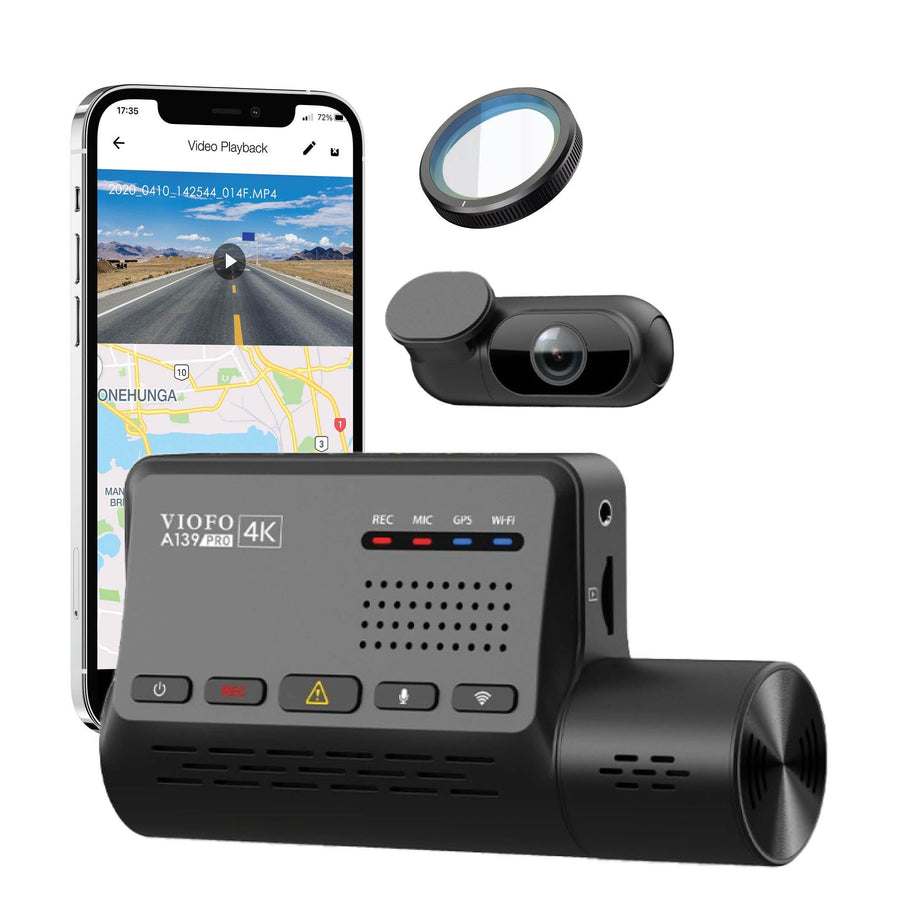
VIOFO A139 Pro
The photograph shows the front-and-rear configuration. A 3CH kit adds a separate cabin camera.
Explore current VIOFO dash cams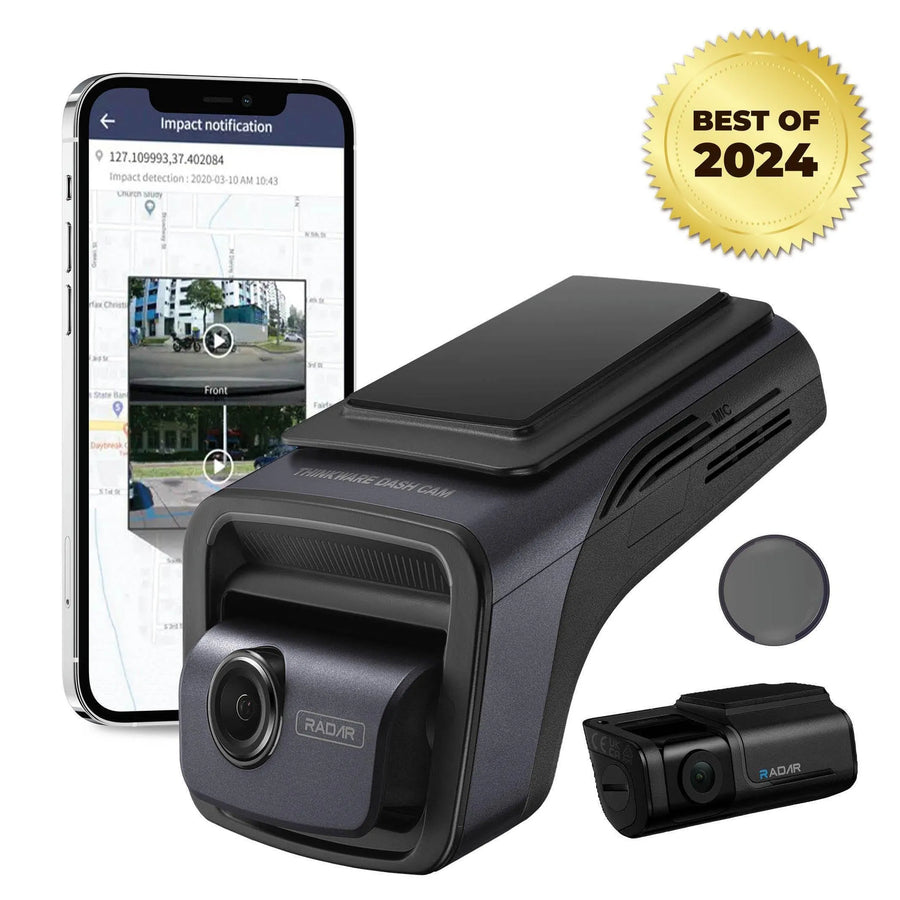
Thinkware U3000
Front-and-rear system pictured. The Best of 2024 badge is part of the earlier product artwork.
View the U3000 listingManufacturer references
Let us help you choose the complete setup
Tell our team which views you need, where the vehicle parks and whether remote access matters to you. We can help you separate the camera choice from the power and installation decisions that make it useful.
Contact BlackboxMyCar