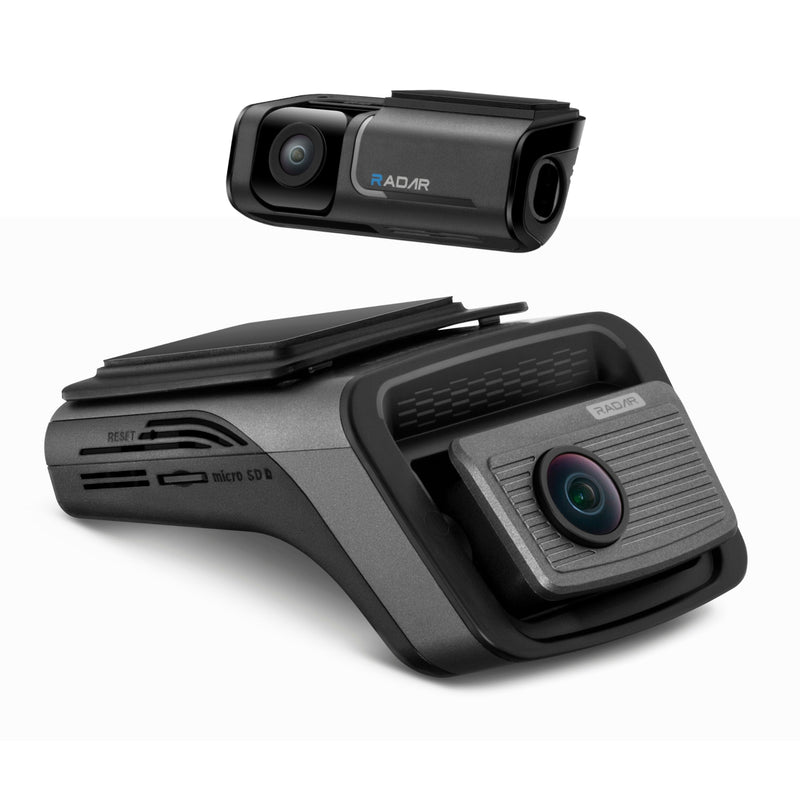
Thinkware U3000 Pro 1CH vs. 2CH
Recording, power and connection options for the two kits
Front-Only and Front-and-Rear Kits
Both kits use the same front recording options. Choose the 2CH if you need a separate view through the rear window. Our original 1CH package came with hardwiring hardware. The 2CH listing includes an OBD-II power cable. Check the power connection for your vehicle before installing.
Swipe the table sideways on a small screen to read all columns.
| Feature | U3000 Pro 1CH | U3000 Pro 2CH |
|---|---|---|
| Camera coverage | Front camera | Front camera plus rear-window camera |
| Front recording | 4K UHD at 30 FPS or 2K QHD at 60 FPS | 4K UHD at 30 FPS or 2K QHD at 60 FPS |
| Rear recording | No rear camera in this kit | 2K QHD at 30 FPS with the included rear camera |
| Parking radar | Front radar | Front and compatible rear radar |
| Original BlackboxMyCar kit | Hardwiring kit. This 1CH listing is archived. | OBD-II power cable. Verify compatibility with your vehicle. |
HDR and the Updated Rear Camera
The U3000 Pro adds High Dynamic Range (HDR) in supported driving modes. The front HDR setting applies to 4K recording, and the compatible rear camera supports HDR in the 2CH setup. Thinkware allows either HDR or Super Night Vision at a time. The front uses a Sony STARVIS 2 IMX678 sensor, and the 2CH rear camera uses a Sony STARVIS 2 IMX675.

Front Recording and Card Capacity
Use 4K at 30 FPS when you want more pixels in the front view. Choose 2K at 60 FPS if you prefer smoother motion. The Pro supports compatible cards up to 512 GB, compared with 256 GB for the original U3000. Check Thinkware’s card guidance before relying on a different card.

How Radar Parking Works
Radar motion can wake the camera while the vehicle is parked. The front-only kit has front radar. The compatible rear camera adds radar behind the vehicle in the 2CH setup.
An impact that follows a radar wake can include footage from before the impact. Detection depends on the mode, settings and what moves into range. Test the chosen mode on your parked vehicle before relying on it.

Power for Parking Recording
Parking recording needs a compatible source of power after the ignition is turned off. A switched accessory outlet usually cannot supply that power. Use a supported hardwire or OBD-II setup and select the camera’s battery protection settings for your vehicle. Runtime varies with the mode, vehicle and battery.

Reviewing Clips on Your Phone
Use Thinkware Dash Cam Link for nearby setup, live view and clip downloads. The Pro supports 2.4 GHz and 5 GHz Wi-Fi. Download speed depends on your phone and connection. Save a clip before changing settings or removing the card.

What You Need for Remote Access
Thinkware Connected requires the optional dedicated LTE module, an activated supported service plan and mobile coverage. The accessory port supports one device at a time. Choose the LTE module or the optional cabin camera for that port.
Continuous remote access is unavailable during Radar and Energy Saving parking modes. Check Thinkware’s current guidance for the mode and service plan you intend to use.

Driving Alerts and App Notifications
The camera can provide supported front-vehicle departure, traffic-light and forward-collision warnings when enabled. They are alerts. Stay in control of the vehicle and check the manual for operating conditions.

Original Connected App Example
Thinkware has changed its app and service setup over time. Use the current instructions for the U3000 Pro when setting up account or parking notifications.

Exact U3000 Pro Packages
U3000 Pro 1CH Hardwire Kit
We no longer list this exact front-only kit for purchase. Use this image to identify the original package, then check the label on your camera and the contents of any used kit.

U3000 Pro 2CH With OBD-II Cable
This front-and-rear kit includes an OBD-II power cable. Check the current listing for package contents and vehicle compatibility.
View the 2CH Kit