






If B.C. moves toward mandatory commercial truck dash cams, fleets should prioritize reliable front and rear evidence, professional installation, clear retention policies, privacy expectations, and fast incident export before buying cheap cameras in a rush. For anyone tracking the BC commercial truck dash cam law, the camera itself matters, but the workflow around the footage matters just as much.
That is the practical takeaway from B.C.'s commercial vehicle dash cam discussion. CBC reported on the push for mandatory commercial truck dashboard cameras, and the latest B.C. bill text points to forward-facing recording for commercial vehicles when they are operating. You can read the CBC report here: CBC: B.C. mandatory commercial truck dash cams.
For owner-operators, contractors, delivery fleets, and commercial drivers crossing B.C., this is not a reason to panic. It is a reason to stop treating dash cams like a last-minute accessory. Good evidence needs the right camera, the right install, and a clear plan for keeping, exporting, and sharing footage when something happens.
Quick answer: If you operate commercial vehicles in or through B.C., start with a dependable front-facing camera at minimum, then consider rear coverage, GPS, accurate timestamps, higher storage capacity, and professional wiring. Do not wait until a compliance deadline forces a rushed install across your fleet.
Source video: Global News. If the embed does not load, view the source video on Global News.
What is being proposed in B.C.?

B.C.'s Dashboard Cameras in Commercial Vehicles Act, also known as Bill M217, is aimed at making dashboard cameras mandatory in commercial vehicles. The current bill text says the dashboard camera must continuously record the road in front of the commercial vehicle through the front windshield when the vehicle is operating.
In plain English: the proposal is about outward-facing road evidence, not turning every truck cab into a surveillance studio. The bill also points to owners, or lessees in the case of leased vehicles, being responsible for installing and maintaining the camera.
The details still matter. Final compliance standards, technical requirements, enforcement, and privacy handling can be shaped by regulation. For now, fleets should treat this as a serious early warning: build a clean evidence system before the deadline lands.
Why commercial trucks are different

A daily driver can often get away with a simple front dash cam. Commercial vehicles are different. They spend longer hours on the road, deal with tighter delivery windows, carry more liability, and may be involved in incidents where repair costs, injury claims, downtime, cargo delays, and insurance questions all stack up quickly.
Commercial trucks also have different visibility problems. A driver can be doing everything right and still face blind-spot disputes, merge conflicts, sudden cut-ins, brake-check claims, or intersection evidence gaps. When there is no footage, everyone is left arguing from memory.
That is why the buying decision should not be framed as "what is the cheapest camera that might satisfy the rule?" The better question is: will this setup protect the driver and the business when the footage actually matters?
Do not overbuy hype and underbuy evidence. A fleet dash cam should first capture clear, usable road footage with reliable timestamps and storage. AI features are secondary if the basic recording is weak.
What makes fleet footage useful?

Useful footage is not just video. Useful footage is video that can be trusted, found quickly, and shared without a mess. For fleets, that comes down to a few basics.
- Resolution: 2K QHD or 4K UHD front recording gives you a better shot at seeing lane position, traffic lights, vehicle movement, and identifying details.
- Field of view: Wide enough to show the road context, but not so distorted that distance and lane position become useless.
- GPS and time data: Speed, route context, date, and time can make a clip easier to interpret after an incident.
- Storage capacity: Commercial vehicles need longer loop-recording windows than a weekend commuter.
- Clip export: Drivers and managers should know how to save, lock, download, and share footage before they are standing on the roadside under pressure.
Rear coverage is worth considering too. The current B.C. bill discussion is focused on a forward-facing road view, but front-only footage will not show every problem. Rear-end impacts, loading area disputes, reversing incidents, and some lane-change conflicts may need a rear camera or a more specialized fleet setup.
If you are building a policy, pair the hardware with a simple footage retention process. Decide who can access clips, how long routine clips are kept, when incident clips are saved, and how footage gets shared with insurers, police, or management.
AI dash cams vs reliable evidence

AI fleet cameras are getting a lot of attention, and some of that attention is fair. AI can help flag risky driving patterns, coach drivers, detect distraction, identify harsh events, and speed up the process of finding the right clip. TechRadar has covered the legal cost angle around AI-powered dash cams, while fleet hardware brands are pushing new camera and AI updates into commercial operations.
But AI is not the same thing as evidence quality. A camera that detects a harsh braking event still needs to record a clear view of what happened. A coaching alert is not much help if the clip is blurry, overwritten, misdated, or stuck inside an app no one knows how to use.
For most small fleets, the smart move is to build the evidence foundation first: reliable recording, clean install, adequate storage, GPS, easy export, and a written footage policy. AI can sit on top of that. It should not replace it.
What fleets should install now

If you run commercial vehicles in B.C., or send trucks through the province, start with a practical setup checklist. This keeps the purchase focused and avoids the classic mistake: buying a pile of cheap cameras, then discovering the footage is hard to retrieve or the wiring fails in daily use.
- Start with front road coverage. That is the core of the B.C. bill discussion.
- Add rear coverage where incidents demand it. Delivery vans, pickups, and trucks that spend time in tight yards or city routes should strongly consider 2-channel coverage.
- Use larger storage. Commercial vehicles record more hours. Give loop recording room to breathe.
- Choose GPS and accurate timestamps. Evidence is stronger when timing and route context are clear.
- Install it properly. Loose cables, bad power taps, and awkward camera placement create downtime and weak footage.
- Write the footage policy now. Keep privacy, retention, access, and export rules simple enough that drivers and managers will actually follow them.
Recommended fleet-ready options

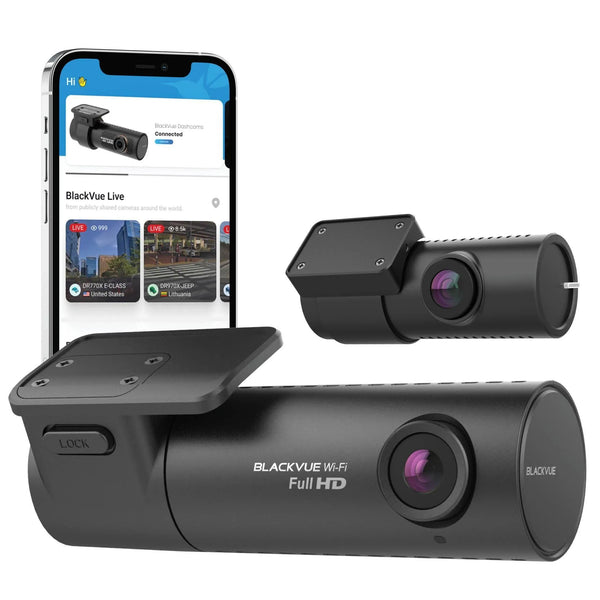
BlackVue DR970X-2CH LTE Plus II
Best for connected fleet evidence. The DR970X-2CH LTE Plus II is the better BlackVue pick here because it gives fleets 4K UHD front coverage, rear recording, LTE connectivity, GPS, and BlackVue Cloud access for remote evidence workflows.

Thinkware U3000 Pro 2CH
Best for premium front and rear recording. The U3000 Pro 2CH gives fleets 4K UHD front and 2K QHD rear coverage, strong parking protection, and a clean OBD-II install path for supported vehicles.

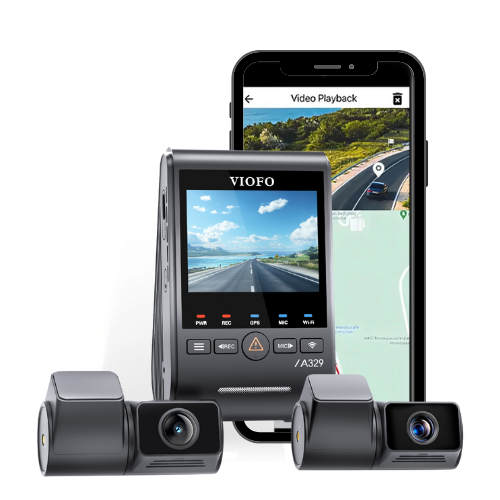
VIOFO A329S 2CH
Best for high-detail local recording. The A329S 2CH is a strong fit when a fleet wants sharp 4K UHD front footage, 2K rear coverage, 60FPS front recording, and fast Wi-Fi 6 downloads without a cloud-first workflow.
For a broader fleet fit check, start with our fleet dash cam page, compare options in our best dash cams guide, or browse 2-channel dash cams if your vehicles need front and rear coverage. If wiring is the sticking point, our dash cam installation hub and professional installation booking are the right next stops.
FAQ
Is B.C. already requiring dash cams in commercial trucks?
B.C.'s Bill M217 has moved through the legislature, but fleet operators should still watch for Royal Assent, regulations, technical standards, and the final effective date. The bill text says it comes into force six months after Royal Assent.
Does the B.C. proposal require interior driver-facing cameras?
The current B.C. bill text defines a dashboard camera as a device that continuously records the view of the road in front of the commercial vehicle through the front windshield. That points to forward-facing road footage, not interior driver-facing footage.
Should fleets install front-only or front and rear dash cams?
Front-facing coverage is the core requirement being discussed, but front and rear coverage is often smarter for real-world fleet evidence. Rear footage can help with rear-end collisions, reversing incidents, loading areas, and lane-change disputes.
Do fleets need AI dash cams?
Not always. AI can help with alerts, driver coaching, and finding clips faster, but it is not a replacement for clear footage, reliable storage, GPS data, and an easy export process.
What should a small fleet do first?
Audit your vehicles, pick a reliable camera standard, decide whether each vehicle needs rear coverage, plan professional installation, set storage rules, and write a simple footage retention policy before buying in bulk.