
Ir a contenido
Shop Christmas in July Today! Sale ends August 9th 🎁
SKU EW-P5

BlackboxMyCar PowerCell 5 LiFePO4 USB-C Dash Cam Battery Pack

Disponibilidad:
en stock, listo para ser enviado
Ahorre 33% Ahorre 33%
Precio original $299.99
Precio original $299.99 - Precio original $299.99
Precio original $299.99
Precio actual $199.99
$199.99 - $199.99
Precio actual $199.99
Best Price Guaranteed

No US Import Fees 🇺🇸

All orders ship from Salt Lake City, so US customers will pay zero tariffs or surprise taxes.

BlackboxMyCar PowerCell 5 LiFePO4 USB-C Dash Cam Battery Pack

The BlackboxMyCar PowerCell 5 is a compact dash cam battery pack built for parking mode protection without draining your vehicle battery. It uses safe LiFePO4 battery technology, supports fast recharging, and adds USB-C output for mobile devices.

It is the better fit when you want a smaller battery pack than the PowerCell 8, but still want reliable everyday parking mode for a dash cam, commuter vehicle, rideshare setup, or compact installation.

51.2 Wh Capacity

33-Min Fast Charge

45W USB-C

Parking Mode

Compact Install

Parking mode power without draining your car battery

The PowerCell 5 powers your dash cam in parking mode from its own LiFePO4 battery, not your vehicle battery. With 51.2 Wh of capacity, it can run a standard 2-channel dash cam for up to 16 hours or a single-channel unit for over 30 hours, depending on the camera and settings.

This matters most when your vehicle sits at work, overnight, in a garage, or in a public lot. Your parking mode dash cam can keep recording motion, impacts, or incidents without leaving you with a dead starter battery.

BlackboxMyCar PowerCell 5 LiFePO4 USB-C dash cam battery pack

Fast charging by hardwire or 12V socket

The PowerCell 5 can fully charge in about 33 minutes when hardwired, or about 65 minutes through a 12V cigarette lighter socket. That gives commuters meaningful parking mode runtime without needing a long daily drive.

For the fastest, cleanest setup, use the included hardwire input cable with a proper fuse-box connection. For a simpler setup, use the 12V plug-in input cable. If you are not sure which install path fits your vehicle, start with our Dash Cam Installation Hub and hardwiring guide.

PowerCell 5 charging and hardwire installation setup

USB-C power for more than your dash cam

The PowerCell 5 doubles as a vehicle power station with two USB-A ports and one 45W USB-C port. You can power your dash cam while also charging a phone, tablet, or compatible laptop from the same compact battery pack.

That makes it useful for rideshare drivers, road trips, work vehicles, and anyone who wants more in-car power without relying on cheap USB battery banks. Unlike a basic hardwire kit, the PowerCell 5 adds dedicated parking mode protection and everyday charging utility.

PowerCell 5 USB-C and USB-A output ports for device charging

Safer LiFePO4 chemistry for vehicle use

LiFePO4 battery chemistry is more thermally stable than standard lithium-ion chemistry, making it a better fit for vehicle interiors. The PowerCell 5 is built for repeated charge cycles, steady voltage output, and safer everyday use in changing temperatures.

It is rated for operation from -10°C to 60°C and charging from 0°C to 45°C. That gives you a safer, purpose-built alternative to using a generic power bank for a 12V dash cam setup.

PowerCell 5 LiFePO4 battery technology for safe parking mode power

Compact enough for a clean hidden install

The PowerCell 5 is a compact dash cam battery pack designed to tuck under a seat, inside a glove box, or in another discreet cabin location. Its slim metal body keeps the install clean while still giving you dedicated power for parking mode.

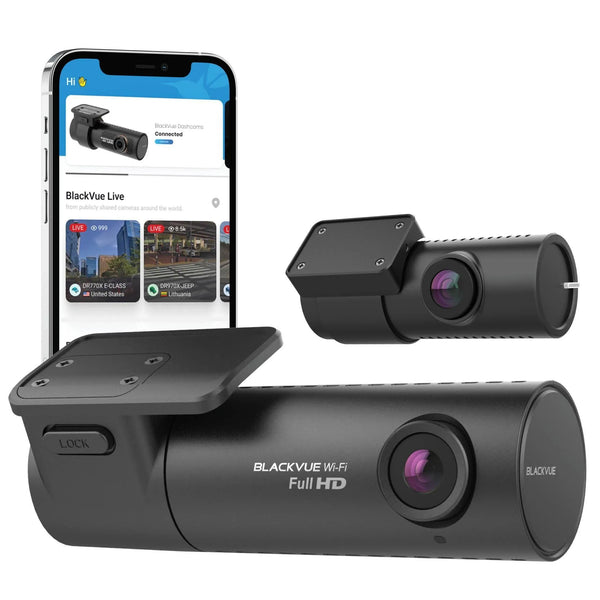
It works with major dash cam brands, including BlackVue, Thinkware, and VIOFO. If you need longer parking duration or Bluetooth app monitoring, step up to the BlackboxMyCar PowerCell 8.

Compact PowerCell 5 dimensions and vehicle installation examples

Built for 12V to 15V vehicle systems

The PowerCell 5 is designed for 12V to 15V vehicle electrical systems only. It is not compatible with 24V systems found in many heavy-duty trucks, semi-trailers, buses, or commercial machines unless a proper voltage step-down solution is used first.

Connecting the PowerCell 5 directly to a 24V system can damage the battery pack and void the warranty. If you are working on a commercial vehicle, confirm the electrical system before installation.

PowerCell 5 vehicle compatibility and 12V battery pack installation
What's Included
  • BlackboxMyCar PowerCell 5 Battery Pack
  • Unspliced Output Cable with Integrated Hardwire Input
  • Socket Output Cable with Integrated Hardwire Input
  • Cigarette Socket Input Cable (12V Power Cable)
  • Crimp Sleeves (3x)
  • One of each Add-A-Fuse for battery packs: ATO (20A), Low Profile (20A), Micro2 (20A), Mini (20A)
  • Velcro Strips (2x)
  • User Manual
  • 1-Year Manufacturer Warranty
Specifications
Battery Capacity 12.8V / 51.2 Wh / 4,000 mAh
Battery Type LiFePO4 (Lithium Iron Phosphate)
Charging Time 65 minutes at 4A, 33 minutes at 8A
Input Voltage 11.5V to 15V / 8A Max
Output Voltage 12V to 14.2V / 3A Max
Display Built-in LCD / LED emergency light
Dimensions 8.7 cm x 16 cm x 3.8 cm
Weight 0.75 kg
Operating Temperature -10°C to 60°C (14°F to 140°F)
Charging Temperature 0°C to 45°C (32°F to 113°F)
USB Output 2x USB-A ports (15W Max), 1x USB-C port (45W Max)
Included Add-A-Fuses ATO (20A), Low Profile (20A), Micro2 (20A), and Mini (20A)
Country of Origin China
Warranty 1-Year Manufacturer Warranty
Frequently Asked Questions

What is the difference between the PowerCell 5 and PowerCell 8?

The PowerCell 8 has a larger capacity and Bluetooth app monitoring, while the PowerCell 5 is smaller and adds USB-C output for charging devices. Choose the PowerCell 5 for a compact, lower-cost setup, or the PowerCell 8 when longer parking mode runtime matters more.

Will the PowerCell 5 work with my dash cam?

Yes. The PowerCell 5 works with most 12V dash cams, including BlackVue, Thinkware, and VIOFO models. It becomes the parking mode power source instead of your vehicle battery.

How long can the PowerCell 5 power a dash cam?

The PowerCell 5 can power a standard 2-channel dash cam for up to 16 hours or a single-channel dash cam for over 30 hours. Actual runtime depends on the camera model, number of channels, recording mode, and power draw.

How do I install the PowerCell 5?

You can plug it into a 12V cigarette lighter socket for a simpler setup, or hardwire it to the fuse box for faster charging and a cleaner installation. For hardwire installs, use the included 20A add-a-fuses and confirm the circuit with a tester.

Can I chain an expansion battery to the PowerCell 5?

No. The PowerCell 5 is a standalone battery pack and does not support an expansion battery. If you need longer runtime, choose the PowerCell 8 or another higher-capacity battery pack.

Does the PowerCell 5 have Bluetooth or an app?

No. Battery status is checked using the built-in LCD and LED indicators on the unit. If you want Bluetooth app monitoring, choose the PowerCell 8 instead.

Can I install the PowerCell 5 in a 24V vehicle?

No. The PowerCell 5 is designed for 12V to 15V systems only. Using it directly with a 24V system can damage the battery pack and void the warranty.

Resources
  • 5 stars: 9 (64%)
  • 4 stars: 5 (36%)
  • 3 stars: 0 (0%)
  • 2 stars: 0 (0%)
  • 1 star: 0 (0%)
O
Orestes B. (United States)
👍

He comprado una superbateria,adecuada a lo que deseaba y necesitaba;todo sta perfectamente elaborado;efectividad,apariencia,tamaño,en general soy una persona altamente perfeccionista y esta beteria powercell 5 ;sirvio!!!estamos en proceso de prueba pero todo marcha al 200%

¡Gracias por tu reseña, Orestes! Nos alegra saber que la PowerCell 5 cumple con lo que buscabas y necesitabas. Es excelente escuchar que estás satisfecho con su rendimiento, apariencia y tamaño. Esperamos que siga funcionando al 200% para tu configuración.

C
Customer (Canada)
So far a great product gives me peace of mind

So far a great product gives me peace of mind. I think the timer function is its best feature for me. I make short trips for shopping mostly and the rest of the time my car is parked in the garage. The timer function allows the camera to stay on for a set amount of time only so it doesn’t drain the battery fully, sitting in the garage. Note the USB inputs in the front of the unit are not controlled by the timer function. You need to access the rear plug for this feature.

Thanks for your review, Christine! We’re glad to hear the PowerCell 5 is giving you peace of mind and that the timer function has been especially useful for your driving habits. We appreciate you pointing out the USB port behaviour as well.

J
J (Canada)
Repeat customer.

I have bought multiple different dash cams and battery packs from this website over the years. For multiple different vehicles. Pricing is competitive, shipping is quick, products are whatever quality you choose and customer service is great. I tend to buy the more expensive higher quality products because my truck isn't cheap. I want the best of the best to protect my investment. They have the options that best suit you, make a choice.

Thanks for the review! We really appreciate your continued support over the years and are glad to hear you’ve had great experiences with our products, pricing, and service. It means a lot that you trust us to help protect your vehicles.

D
Dexter D. (Canada)
Solid Performance So Far

On my 3rd day using the PowerCell 5 with my BlackVue DR590X-2CH, and so far, it’s been great. The cold weather here in Manitoba does make things more challenging, but the battery is holding up well. I’m getting over 10 hours of parking mode recording, and since it only records when motion is detected, it helps conserve power instead of running continuously. Overall, a solid investment for protecting your vehicle without draining your car battery.

Thanks for the detailed review, Dexter! We’re glad to hear the PowerCell 5 is performing well for you, especially in colder Manitoba conditions. It’s great to know you’re getting solid parking mode coverage without putting strain on your vehicle’s battery.

A
Anonymous (United States)
Things to note

The item works, somewhat. I am using both USB and USB-C ports, plugging in 3 different cameras. Depending on your power consumption needs for each camera, it might not balance the power needs correctly. In my case, the USB-C plug-in for one of my cameras draws more power, which ultimately turns off my other two in the long run. I might have to choose between using the USB or USB-C ports only.

Thanks for taking the time to share your experience. The PowerCell 5 is designed primarily to support a single dash cam system, and with its 4,000 mAh capacity, running multiple cameras can lead to significantly shorter-than-advertised runtimes. Your observation about power draw differences between ports is helpful and accurate, and we appreciate you pointing that out for others who may be considering a similar setup.

O
Oliver P.
A bit large

Works well and does the job. It's a bit bigger than I expected but I like the screen tho

Thanks for your review, Oliver! We’re glad to hear the PowerCell 5 is working well for you and that you’re enjoying the built-in screen. If you ever have questions about placement options or setup, feel free to reach out.

N
Nina S.
Feels safe and solid

battery chemistry is a big plus I feel way safer using it in hot weather

Thanks for your review, Nina! We’re glad to hear the PowerCell 5 gives you confidence, especially in hot weather. Safety and reliability are exactly what it’s designed for.

E
Ethan G.
Easy to understand info

The voltage and time-left readouts are really helpful for quick checks

Thanks for your review, Ethan! We’re glad to hear the PowerCell 5’s display makes it easy to keep track of voltage and remaining time. If there’s anything we could have done to make your experience a full five stars, feel free to let us know.

M
Mark T.
Works flawlessly

Setup was quick and simple and it has been reliable every day since

L
Laura B.
Perfect for long parking

Keeps my dual-cam setup running even during long overnight parking

S
Sophie L.
Love the USB-C port

Nice having a USB-C port for charging my phone while the dash cam runs

E
Emily R.
Handy LCD display

The screen makes it super easy to check charge level before parking Really convenient

Z
Zara M.
Reliable for road trips

Takes care of my dash cam for hours during long stops and overnight hotel parking

R
Ryan H.
Great battery life

Lasts ages in parking mode and keeps my dash cam running all night without touching the car battery

G
George

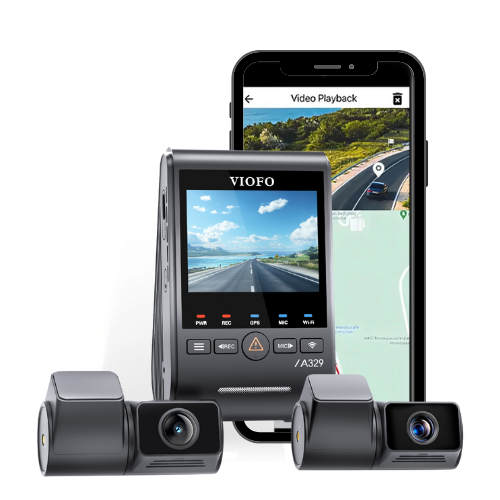
How would i connect this to a viofo a329 that is connected with a Dongar classic mirror tap

BlackboxMyCar

The Dongar mirror tap would need to be bypassed, as it does not provide the correct input for charging the PowerCell 5. The battery pack should be powered using its included 12V cable or hardwired to the fuse box, then connected to the VIOFO A329 using the VIOFO hardwire kit and the PowerCell 5’s unspliced output cable. This setup allows the battery pack to power the camera properly in parking mode without drawing from your vehicle’s battery.

o
oscar

where can i get a tutorial

BlackboxMyCar

We don't have a tutorial for the PowerCell 5, but you can find the user manual here: https://www.blackboxmycar.com/pages/manuals

o
oscar

where can i get a tutorial

BlackboxMyCar

We don't have a tutorial for the PowerCell 5, but you can find the user manual here: https://www.blackboxmycar.com/pages/manuals

Loading add-ons...