






Dash Cam Video Captures Ann Arbor Hit-and-Run: What Drivers Should Save After a Crash
After a hit-and-run, dash cam footage can help document the vehicle, direction of travel, impact sequence, road signals, timestamp, and surrounding context. Save the original file immediately, back it up, and share the unedited clip with police or insurance when requested.
That is the practical lesson from a June 17, 2026 ClickOnDetroit / WDIV report out of Ann Arbor, Michigan. The story is not just another police appeal. It is a footage-backed example of how one camera can preserve the facts when a driver leaves before anyone can sort out what happened.

According to ClickOnDetroit, dash cam video captured a white Chevrolet Traverse striking a 22-year-old pedestrian in a marked crosswalk. The pedestrian was taken to hospital and was expected to recover. Police said the vehicle had a temporary plate, likely front-end damage, and reportedly fled the area by travelling the wrong way down a one-way street.
What the Ann Arbor dash cam video shows
The most useful crash footage does more than show the moment of impact. It shows what happened before, during, and after the incident. In this case, the footage reportedly captured the SUV, the marked crosswalk, the direction of travel, and the driver leaving the scene.
That matters because a hit-and-run usually creates a messy fact pattern. Witnesses may only see part of the incident. The victim may be injured, shocked, or unable to describe the vehicle clearly. The driver who leaves is not there to explain their side. A clear dash cam clip gives investigators and insurers something fixed to review.
The source video on YouTube is worth watching because it shows why context matters. The useful evidence is not only the vehicle itself. It is also the lane position, the crosswalk, the timing, and the path the vehicle takes afterwards.
Why hit-and-run footage matters
Dash cam hit-and-run footage helps preserve details that human memory loses quickly. After a crash, people often remember the loudest or most emotional part of the incident, not the exact sequence that proves what happened.

Vehicle identification
Good footage can help identify the make, model, colour, body shape, direction of travel, and visible damage. Even when a licence plate is temporary, blocked, or too blurry to read, a clear image of the vehicle can narrow the search.
Movement and road context
Police and insurance adjusters need to understand how the vehicle moved. Was it entering a crosswalk, changing lanes, turning, accelerating, or leaving the scene? A dash cam can show the sequence instead of relying on a rough description.
Signals, markings, and position
Crosswalks, traffic lights, stop signs, lane markings, and road position can all matter. A clip that shows the road layout may help explain whether a pedestrian, cyclist, parked vehicle, or another driver was where they were supposed to be.
If you already drive with a camera, this is also why front-only coverage is not always enough. A 2-channel dash cam can preserve what happened behind the vehicle, and a dash cam with strong front clarity can make the key frame easier to use.
What to save after a hit-and-run
After a hit-and-run, save the original dash cam file before the camera overwrites it. Loop recording is useful because it keeps the camera running, but it also means older clips can disappear if you keep driving without locking or backing them up.

Save the original file first
Do not trim, compress, filter, or edit the only copy. Save the original clip from the memory card or app before making any shorter version for convenience. If your camera has an event lock feature, use it, then still make a backup.
Keep the seconds before and after
Save at least 30 seconds before and after the incident. The lead-up may show speed, signals, traffic flow, or lane position. The aftermath may show the other vehicle leaving, turning, stopping briefly, or revealing damage.
Pull front and rear clips
If you have a front and rear system, save both angles. The rear camera may catch the vehicle before or after the impact, while the front camera may show the road context. For fuller coverage, start with 2-channel dash cams or consider a 3-channel setup when cabin or side-context matters.
Back up the file twice
Put one copy on your phone or computer, and another in cloud storage or an external drive. Keep the memory card untouched if police or insurance may need to inspect the original media. Also save the time, location, GPS data if available, and photos of any vehicle damage.
What makes a dash cam useful evidence
A dash cam is useful evidence when it records clear, reliable, easy-to-access footage before you need it. The camera does not need to be complicated, but it does need to be good enough to capture usable detail in the conditions you actually drive in.

Resolution and image processing
For hit-and-run protection, clarity is not a luxury feature. A 4K UHD dash cam can help capture vehicle detail at distance, while a strong 2K QHD rear camera can make rear footage more useful than a low-resolution backup angle. HDR and strong night performance help when lighting is harsh, uneven, or dark.
GPS, storage, and app access
GPS can attach location and speed context to the clip. Reliable microSD storage reduces file corruption risk. App access makes it faster to save and share a clip from the scene, especially if you are shaken and do not want to remove the card right away.
Parking mode and power
Not every hit-and-run happens while you are driving. Parking mode can record impact or motion events when the vehicle is parked. For longer parking protection, pair the camera with proper hardwiring, a battery pack from the dash cam battery pack collection, or professional support through BlackboxMyCar installation services.
Recommended BlackboxMyCar setups for hit-and-run protection
The best dash cam setup for hit-and-run protection is the one that records clear front and rear evidence, saves files reliably, and makes clips easy to retrieve. These three setups fit different drivers, but all are built around evidence quality.

Thinkware U3000 Pro 2CH
Premium 4K UHD front and 2K QHD rear coverage with strong parking mode, a clean fit for drivers who want high-end protection without fuss.
Shop now
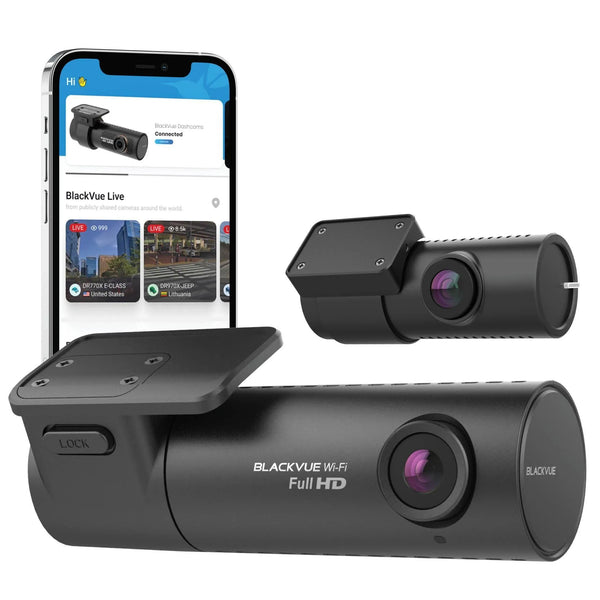
BlackVue Elite 10 2CH
Dual 4K UHD coverage with Cloud features for drivers who want high-detail footage access and a more connected camera experience.
Shop now
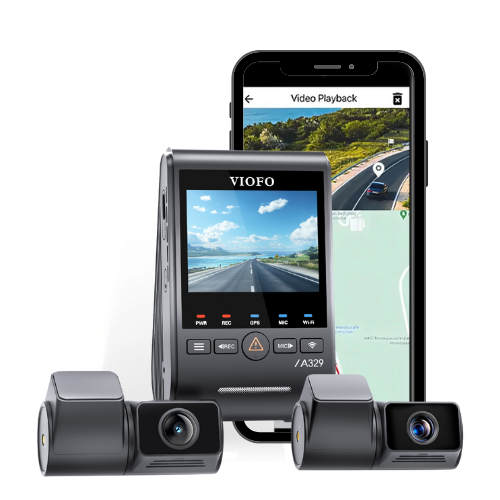
VIOFO A329S 3CH
4K front, 2K rear, and 2K interior coverage for drivers who want more angles, especially rideshare drivers and families.
Shop nowA hit-and-run clip is only useful if it exists, is clear, and can be saved before it disappears. Start with the right camera category in the BlackboxMyCar dash cam collection, choose front and rear coverage when possible, and make sure your storage and installation are set up before the day you need the footage.