






Direct answer: For dash cam footage for insurance claims, after a crash or hit-and-run, save the original dash cam file immediately, export the full clip with at least 30 seconds before and after the incident, document the damage, write down the time and location, and share the unedited footage with police or insurance. Do not rely on loop recording to keep the file safe.
Dash cam footage can be the cleanest evidence you have after a parking-lot scrape, rear-end collision, lane dispute, stolen-car incident, or hit-and-run. But the footage only helps if it is still there, clear enough to review, and backed up before your dash cam records over it.
This guide is practical evidence-preservation advice, not legal advice. Follow local laws, your insurer's instructions, and any directions from police or the reporting agency.

What Should You Save After a Hit-and-Run?

Save the original video first. The most important file is the untouched dash cam clip from the incident, not a phone recording of the screen and not a cropped social media version. Keep the original file in its original format whenever possible, then make copies for sharing.
Export the full clip with at least 30 seconds before and after the impact, near miss, vehicle contact, or suspicious activity. The lead-up can show lane position, speed changes, traffic lights, vehicle movement, and whether the other driver stopped or left. The aftermath can show direction of travel, partial licence plate details, witnesses, and whether your vehicle was safely moved.
Write down the date, time, location, direction of travel, and where your vehicle was parked or positioned. If your dash cam has GPS, preserve the location data and mention it when you submit the claim or police report. If your dash cam clock is wrong, say that clearly. A wrong timestamp is not ideal, but hiding it is worse.
Also save photos of the damage, the scene, nearby signs, traffic signals, debris, skid marks, and the surrounding area. Keep your police report number, insurance claim number, names of witnesses, and any notes about where the other vehicle went. Video plus documentation is stronger than video alone.

If you are new to dash cams and want to understand which features matter before buying, start with the Dash Cam New Buyer's Guide.
How Do You Save Dash Cam Footage Before It Gets Overwritten?

Loop recording is the risk. Dash cams are designed to keep recording by replacing the oldest normal files when the memory card fills up. That is useful for daily driving, but it can wipe out important footage if you keep driving after an incident without saving the clip.
If your dash cam has an emergency button, event lock, or app save feature, use it as soon as you are parked safely. Many cameras move the clip into an emergency or event folder, which gives it more protection than the regular recording folder. That helps, but you should still back it up because protected folders can also fill up over time.
Use the dash cam app to download the clip to your phone if the app is stable and the file is short enough. For larger files, remove the microSD card only after the camera is powered down safely, then copy the footage to a computer. Save a second copy to cloud storage, an external drive, or another phone. Keep the original file unedited and make a separate copy if you need a shorter version for quick review.
Do this before your next drive: confirm where your camera stores normal recordings, emergency/event recordings, and parking-mode clips. When something happens, you should not be learning the app menu in a parking lot.
For parked incidents, check both the normal driving folder and the parking/event folder. A parked-car impact may not be in the same place as regular driving footage. If the vehicle was off, a proper parking-mode setup can be the difference between having evidence and having a blank timeline.

If parked-car damage is your main concern, compare options in the Best Dash Cams for Parking Mode guide and consider a dedicated battery such as the BlackboxMyCar PowerCell 8 for longer parked recording.
What Makes Dash Cam Footage Useful for Insurance or Police?

Useful footage shows what happened and enough context to verify it. A plate number helps, but insurance and police often need more than a freeze-frame. They need the surrounding road, traffic flow, signals, weather, vehicle positions, and the moments before and after the impact.
Plate visibility depends on distance, angle, lighting, motion, windshield condition, bitrate, and resolution. A clean 4K UHD front camera can help, but a good 2K QHD camera with strong HDR and proper aiming can still be very useful. What matters is whether the camera captures readable detail without blowing out headlights or losing the scene in shadows.
Front and rear angles matter because claims are often disputed. The front camera may show that you were stopped at a red light. The rear camera may show the vehicle that hit you. Side context, reflections, road signs, and witnesses can also matter. That is why full-context footage is usually stronger than a tight trim of the impact only.
Good evidence may include the other vehicle's make, model, colour, direction of travel, lane position, traffic signal phase, road conditions, witness vehicles, and whether anyone stopped. If your camera captures GPS, save that too. If you speak to police or insurance, tell them whether the footage includes GPS, speed, audio, and parking-mode event data.

For a broader comparison of evidence-focused models, use the Best Dash Cams guide.
Why Front + Rear Coverage Matters for Claims

A 2-channel dash cam is stronger evidence because most incidents do not happen neatly in front of you. Hit-and-runs, rear-end collisions, parking-lot bumps, lane-change disputes, and tailgating incidents often happen behind the vehicle or move from one angle to another.
A front-only dash cam may prove where you were and what traffic was doing ahead, but it can miss the vehicle that actually caused the damage. A front plus rear setup can show the approach, the impact, and the escape direction. That is especially useful when a driver leaves before you can read the plate or when the story changes later.
Rear coverage is also useful when your parked vehicle is hit from behind, when someone backs into you in a lot, or when a rear-end collision turns into a blame game. With both angles, you are not asking insurance to guess from damage photos alone. You are giving them a timeline.
For most daily drivers, front plus rear is the sweet spot. It is more complete than a front-only camera, but it is still practical for everyday cars, SUVs, trucks, and family vehicles. If you drive rideshare, delivery, or a work vehicle, a 3-channel setup may make sense, but for most insurance claims, 2-channel coverage is the baseline I would push people toward.
Best Dash Cams for Insurance Claims
The best dash cam for insurance claims is the one that records clearly, saves reliably, and covers the angle where the dispute happens. For this use case, I would split the buying paths into premium parking protection, premium Cloud and connected access, and high-value everyday front plus rear coverage.

Thinkware U3000 Pro 2CH
Best for premium parking-mode evidence. The Thinkware U3000 Pro 2CH is the premium evidence setup for drivers worried about hit-and-runs, parked-car impacts, and serious front plus rear protection. It combines 4K UHD front recording, 2K QHD rear recording, Sony STARVIS 2 sensors, HDR, built-in GPS, Wi-Fi, Bluetooth pairing, dual radar parking surveillance, and an included OBD-II cable.

BlackVue Elite 10 2CH
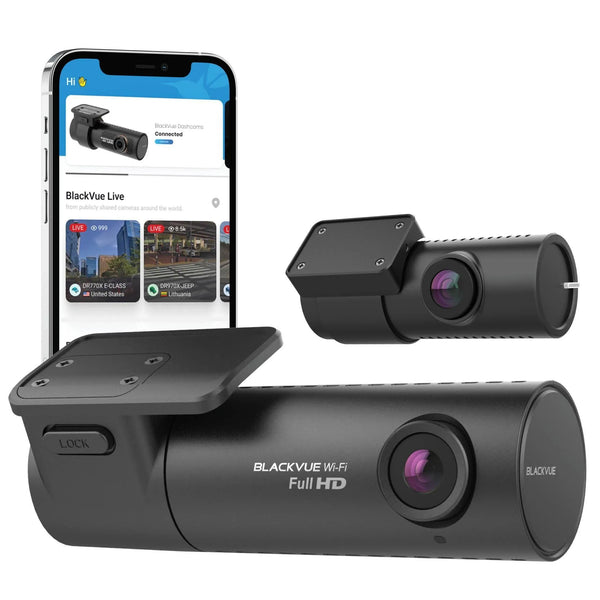
Best for premium Cloud and connected access. The BlackVue Elite 10 2CH is the premium Cloud-focused path for drivers who want strong video quality, a cleaner app ecosystem, front plus rear coverage, built-in GPS and Wi-Fi, and connected features that make important footage easier to retrieve and share.

VIOFO A229 Plus 2CH
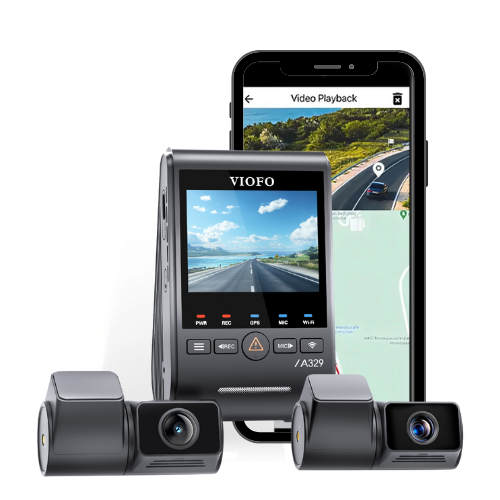
Best for everyday front plus rear value. The VIOFO A229 Plus 2CH is the high-performing value option for everyday insurance evidence without premium pricing. It gives drivers 2K QHD front and rear recording, Sony STARVIS 2 image quality, GPS, Wi-Fi, voice notifications, and parking-mode support.
If you want the simplest recommendation, buy a reliable 2-channel dash cam, use a high-endurance microSD card, keep the clock/GPS accurate, and learn how to export clips before you need them. If you park outside or in public lots often, prioritize parking mode. If you travel, manage vehicles, or want easier remote access, prioritize connected features.
FAQ
Can I send edited dash cam footage to insurance?
Send the original unedited file whenever possible. You can also provide a shorter copy for convenience, but keep the full clip with at least 30 seconds before and after the incident.
How long does dash cam footage stay saved?
It depends on card size, recording quality, number of channels, and driving time. Loop recording can overwrite normal footage quickly, so save important files immediately.
Is front-only footage enough for a hit-and-run?
Sometimes, but front plus rear footage is stronger for hit-and-runs because the other vehicle may approach, strike, or leave from behind.
Does dash cam footage guarantee my insurance claim will be approved?
No. Dash cam footage is evidence, not a guarantee. Follow your insurer's claim process, local laws, and police instructions.
Need help choosing the right setup? Contact BlackboxMyCar or compare current recommendations in the Best Dash Cams guide.