


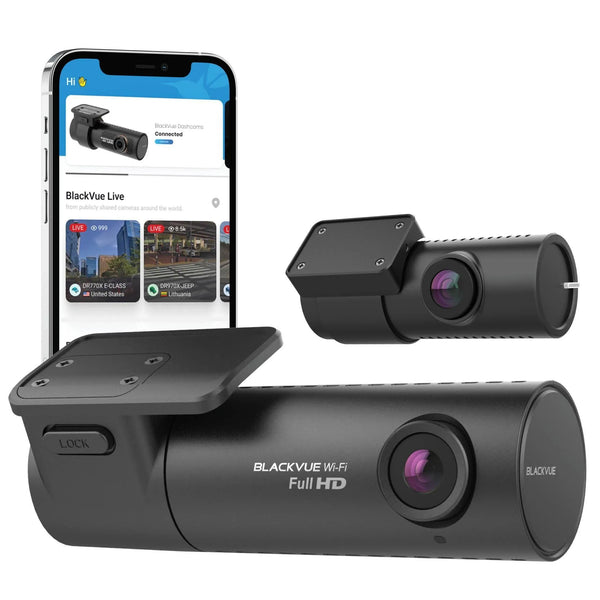


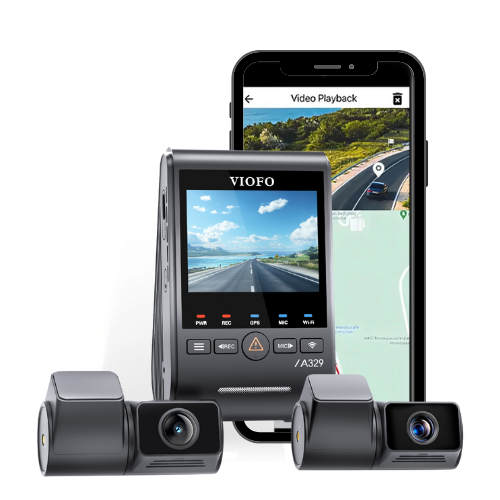


Dash Cam Parking Mode Guide
What parking mode does, how it records while parked, and how to power it without guessing.
Quick answer
Parking mode lets a compatible dash cam monitor your vehicle after the ignition is off. It can save impact clips, motion clips, time-lapse footage, or buffered event footage depending on the camera. To use it properly, you need a hardwire kit, an OBD-II parking mode cable, or a dedicated dash cam battery pack.
What is parking mode?
If you have ever come back to a scratched bumper, a door ding, vandalism, or missing belongings, you already know why parking mode matters. A regular dash cam records while you drive. Parking mode keeps watch when the vehicle is parked.
Parking mode is any recording your dash cam does when the ignition is off. You may also hear it called parking surveillance, parking guard, or sentry mode. The goal is simple: capture useful evidence when you are not in the car.

How parking mode starts
Ignition-triggered
The dash cam senses when ignition power turns off and switches to parking mode automatically. This is the cleaner setup for most drivers because it starts as soon as the vehicle is shut down.
G-sensor-triggered
Some cameras switch after the built-in G-sensor detects the vehicle has been stationary for several minutes. This can help if the vehicle stays powered while parked.
Types of parking mode
Motion and impact detection
The camera saves an event when it detects movement or vibration. It is efficient, but on some cameras it may miss the seconds before the incident unless buffered recording is available.
Time-lapse
The camera takes regular still frames and stitches them into video. It gives a broad view of what happened over time, but it usually draws more power than basic impact detection.
Radar motion detection
Thinkware radar parking mode can reduce power draw by waking the camera when radar detects motion. It is one of the strongest long-duration parking setups when paired with the right model.

What you need for parking mode
A dash cam cannot run parking mode forever from thin air. It needs a proper power source after the vehicle shuts off. The right choice depends on how clean you want the install, how long you park, and how much you want to protect the vehicle battery.
Hardwire kit
Connects the dash cam to the fuse box and uses voltage cutoff to protect the vehicle battery. Best for clean installs and standard parking mode use.
OBD-II power cable
Easier than hardwiring for many vehicles. It plugs into the OBD-II port and can support parking mode without opening the fuse box.
Battery pack
Powers the dash cam from a separate battery while parked, which is the best route if you want longer parking mode without drawing from the vehicle battery.


Buffered parking mode
Buffered parking mode is the premium version of impact and motion recording. The camera keeps a short rolling cache in memory. When an impact or motion event happens, the saved clip includes footage from before and after the event.
That matters because the useful evidence often happens before the hit: the vehicle approaching, the person walking up, or the moment right before contact.

Parking mode with Cloud
Cloud-connected dash cams can turn parking mode from passive recording into active alerts. With the right camera and internet connection, you can receive impact notifications, use remote live view, upload important event clips, and check vehicle location.
- Impact alerts: get notified when the camera detects a parking incident.
- Live view: check what is happening around the vehicle from your phone.
- Live event upload: protect key footage if the camera or memory card is stolen.
- GPS and geofencing: useful for families, work vehicles, and fleet-style setups.
Cloud features require internet access, such as in-vehicle Wi-Fi, a hotspot, home Wi-Fi in range, or a camera/LTE module that supports mobile connectivity.
How long does parking mode last?
As a rough baseline, a healthy average car battery may provide about 7 to 8 hours of parking mode. Real-world results vary because every setup is different.
Battery health
An older battery has less usable reserve. Voltage cutoff protects starting power, but a weak battery can still shorten parking mode dramatically.
Temperature
Extreme heat or cold can shut the camera down or reduce battery performance. Choose hardware that matches your climate.
Camera draw
Cloud, Wi-Fi, LEDs, multiple channels, and recording mode all affect power draw. Time-lapse and Cloud usually consume more than radar or low-power impact detection.

How to extend parking mode
- Use a dash cam battery pack if you want longer parking protection without relying on the vehicle battery.
- Add an expansion battery if your parking sessions are long and predictable.
- Use radar parking mode on compatible Thinkware models if long standby time matters.
- Reduce sensitivity if motion detection is triggering constantly in a busy parking area.
- Turn off unnecessary power draws such as LEDs, Wi-Fi, or Cloud features if maximum runtime matters more than remote access.
For deeper install help, read the dash cam hardwiring guide, the OBD-II install guide, or the battery pack install guide.
Which setup should you choose?
Daily commuter
Hardwire kit or OBD-II cable. Best if you park for a workday or overnight and want clean automatic protection.
Long parking sessions
Battery pack or radar parking mode. Best if the vehicle sits for long stretches and you do not want to lean on the car battery.
Remote monitoring
Cloud-capable camera. Best if alerts, live view, and remote access matter more than maximum low-power runtime.
Parking mode FAQ
What is dash cam parking mode?
Dash cam parking mode is a recording mode that lets a compatible dash cam monitor your vehicle while the ignition is off.
Do all dash cams have parking mode?
No. Parking mode is common on better dash cams, but the quality varies. Premium models usually offer stronger parking features.
Do I need a hardwire kit for parking mode?
Usually, yes. A hardwire kit, OBD-II parking mode cable, or dash cam battery pack is needed because the camera needs power after the vehicle is turned off.
Will parking mode kill my car battery?
A reputable hardwire setup uses voltage cutoff to reduce that risk. If you want the safest longer-runtime setup, use a dedicated dash cam battery pack.
Need the right setup?
Parking mode is not one-size-fits-all. The best setup depends on your camera, vehicle, parking habits, climate, and whether you care more about runtime or Cloud alerts.